August 26, 2026
## Introduction Why NTAG215 Is the Go-To for Rewritable NFC Tags
Ever wanted a poster that lets people tap to watch a video? A membership card that updates points without an app? Or a smart home shortcut that changes with your routine? NTAG215’s rewritable NFC technology solves all these problems—and more. What makes it stand out? It’s the **perfect balance of capacity and flexibility** for most users: 144 bytes of user memory (three times more than the smaller NTAG213) and 100,000 rewrite cycles (enough to last decades for daily use). For anyone who wants “dynamic” NFC—content you can change without buying new tags—NTAG215 is the starting point.
## What Is NTAG215 A Basic Breakdown
NTAG215 is a **Type 2 NFC tag** developed by NXP (a leader in NFC tech) based on its MIFARE Ultralight EV1 chip. Let’s break down the jargon:
– **NFC Forum Type 2**: The most widely compatible NFC standard—nearly every smartphone and reader supports it.
– **Core Specs**:
– User memory: 144 bytes (what you can write to—store links, text, or shortcuts).
– Total memory: 240 bytes (includes system data like tag ID).
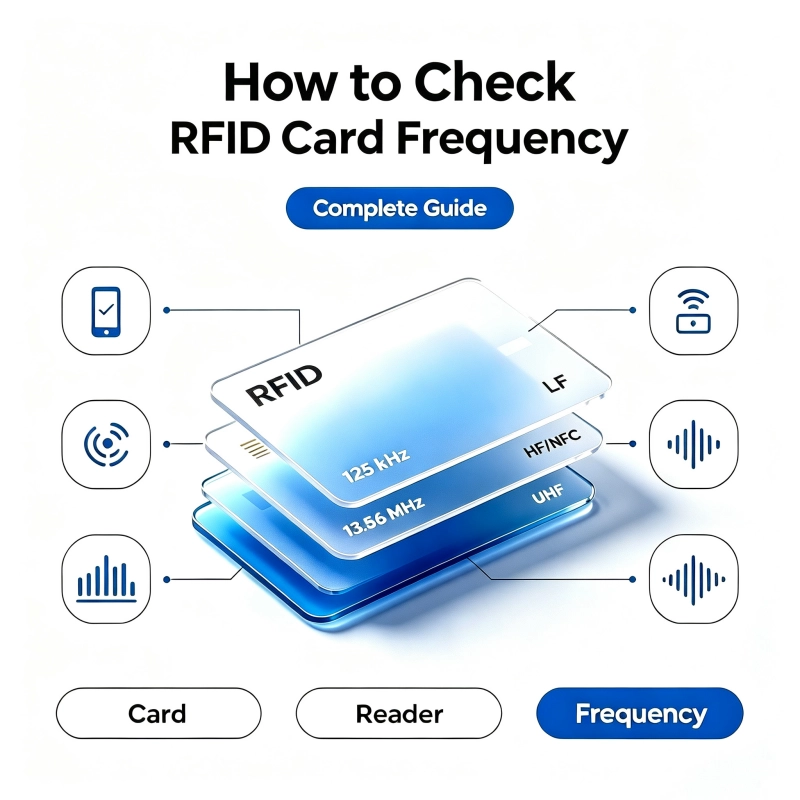
– Frequency: 13.56MHz (the global NFC standard).
How does it compare to other NTAG models?
– **NTAG213**: 48 bytes (great for short links, like a “Scan here” QR code alternative).
– **NTAG215**: 144 bytes (ideal for more content—vCards, WiFi settings, or multi-step shortcuts).
– **NTAG216**: 888 bytes (overkill for most users—save it for large datasets like product manuals).
NTAG215 hits the sweet spot: enough space for useful content without the extra cost of a 216.
## The Rewritable Advantage Everything You Need to Know
The “rewritable” part is NTAG215’s superpower—but what does it *really* mean?
### What Makes It Rewritable
NTAG215 uses **EEPROM memory** (electrically erasable programmable read-only memory). Unlike a regular sticker (write-once), EEPROM lets you erase and rewrite data up to 100,000 times. To put that in perspective: if you rewrite a tag 10 times a day, it’ll last **27 years**. No more throwing out tags when your content changes!
### How to Rewrite NTAG215 Tags Step by Step
You don’t need a degree in tech—just a phone or computer. Here’s how:
#### Mobile (Android/iOS)
– **Android**: Use the **NFC Tools** app (free). Steps:
1. Open NFC Tools → Tap “Write” → Select “Add a Record” (text, URL, WiFi, etc.).
2. Hold your phone *within 2cm* of the tag (NFC must be on!).
3. Wait for the “Success” message—your tag is updated!
– **iOS (13+)**: Use **TagWriter** (free, works with iPhone 7 and newer). Steps:
1. Open TagWriter → Tap “Write” → Choose “New Tag” → Add your content.
2. Hold your iPhone near the tag until it vibrates.
#### PC (For Bulk Rewriting)
If you need to update 10+ tags, use a **ACR122U USB reader** (under $30) and the **MIFARE Classic Tool** app (Windows/Mac). Steps:
1. Plug in the reader → Open the tool → Select “Write Tag”.
2. Load your content (e.g., a CSV of product links) → Hold a tag to the reader.
3. Repeat for all tags—done in minutes!
### Key Rewrite Tips
– **Keep it close**: Tags only work within 2cm of your device.
– **Avoid interference**: Metal, magnets, or thick plastic can block signals.
– **Password protect**: Lock your tag with a 4-byte password (via NFC Tools/TagWriter) to prevent accidental or malicious changes.
## Compatibility Check What Works With NTAG215
The last thing you want is a tag that doesn’t work with your phone. Here’s the compatibility lowdown:
### Device Support
– **Phones**:
– iOS: 13+ (iPhone 7 and newer—supports writing via apps like TagWriter).
– Android: 4.4+ (nearly all modern phones—most have built-in NFC tools).
– **Readers**: Any NFC Forum Type 2 reader (e.g., ACR122U, PN532).
– **Protocols**: Compatible with **NFC-A (ISO 14443 Type A)**—the most common NFC protocol for phones.
### Content Limits
You can write:
– Text (e.g., “Tap for WiFi: Password123”).
– URLs (short links work best—use bit.ly to compress long ones).
– Shortcuts (e.g., “Open Spotify” or “Connect to Home WiFi”).
– vCards (your contact info—great for business cards!).
**What you *can’t* write**: Large files (videos, PDFs)—stick to links instead.
## Limitations of NTAG215 And How to Fix Them
No tech is perfect—but NTAG215’s limitations are easy to work around:
1. **100,000 rewrite cycles**:
– **Reality**: For personal use, this is overkill (10 writes/day = 27 years). For industrial use (100 writes/day), it lasts 2.7 years—upgrade to “industrial-grade” NTAG215 if you need more.
2. **144-byte memory limit**:
– **Fix**: Use short links (bit.ly, tinyurl) to turn long content (like a video) into a 20-byte URL.
3. **Metal interference**:
– **Fix**: Buy **anti-metal NTAG215 tags** (they have a special layer that blocks metal’s signal).
4. **Data retention**:
– **Reality**: Unchanged data lasts 10 years—backup important info (e.g., inventory data) to your phone/computer.
## NTAG215 Use Cases Turning Rewritability Into Real Value
Let’s make this tangible—here are the most popular ways people use NTAG215:
### 1. DIY/Smart Hardware
– **Smart Posters**: Write a YouTube link to a tag, stick it on a garage sale poster—guests tap to watch a tour of your items.
– **Desktop Shortcuts**: Write “Launch Netflix” to a tag, keep it on your desk—tap your phone to start streaming faster than opening the app.
– **Pet Tags**: Store your vet’s number—if you switch vets, just rewrite the tag (no more buying new tags!).
### 2. Brand Marketing
– **Interactive Packaging**: Stick a tag on a snack bag—write a coupon link. When the coupon expires, rewrite it with a new offer (no need to reprint packaging!).
– **Product溯源**: Write a URL to a tag that shows a product’s origin (e.g., “Grown in California, shipped 10/5/2024”). Update it for new batches.
### 3. IoT (Internet of Things)
– **Smart Appliances**: Write “AC Sleep Mode” to a tag—tap it to set your AC to 68°F (no need to open the app!). Change the setting later if you want.
– **Warehouse Management**: Write “Bin A: 50 widgets” to a tag—rewrite it when you add/remove stock (faster than scanning barcodes!).
### 4. Education/C文创
– **Interactive Books**: Write a video link to a tag on a dinosaur page—kids tap to watch a “How Dinosaurs Lived” clip. Update the link when you add new content.
– **Museum Guides**: Write an audio link to a tag—visitors tap to hear a curator’s explanation. For temporary exhibits, rewrite the tag in minutes.
### 5. Membership/Points
– **No-App Loyalty Cards**: Replace paper cards—write a user’s points to a tag (e.g., “150 points”). When they earn more, rewrite the tag (faster than scanning QR codes!).
## How to Buy NTAG215 Tags Tips and Recommendations
The biggest mistake people make? Buying fake NTAG215 tags. Fake tags often:
– Fail to rewrite after a few cycles.
– Have less memory than advertised.
– Don’t work with iPhones.
**How to avoid fakes**: Buy from **NXP-authorized dealers** (check NXP’s website for a list).
**Our pick**: For anti-metal NTAG215 tags (great for outdoor signs or industrial gear), try **Dorfidtag’s option**—it supports password protection and is built to last (click here to see: https://www.dorfidtag.com/NFC-Products/NFC-215-Card_0470.html).
## FAQ Your Top NTAG215 Questions Answered
### Q: Can iPhones write to NTAG215?
A: Yes! iOS 13+ (iPhone 7 and newer) supports writing via apps like TagWriter. Just make sure NFC is on (Settings → NFC).
### Q: Do I need internet to rewrite a tag?
A: No—you can write local content (text, shortcuts) without WiFi. For URLs, you need internet to test the link, but the tag itself doesn’t need it.
### Q: Can I lock NTAG215 to prevent rewriting?
A: Yes! Use an app like NFC Tools to set a 4-byte password. Once locked, only people with the password can rewrite it.
### Q: NTAG215 vs NTAG213—Which Should I Choose?
A: Pick NTAG215 if you need more content (e.g., vCards, multi-step shortcuts). Pick NTAG213 if you only need short links (e.g., “Scan here”).
## Conclusion Why NTAG215 Is a Smart Choice for Dynamic NFC Solutions
NTAG215 isn’t perfect—but it’s the **best value for most people** who want rewritable NFC. It’s compatible with nearly every device, flexible enough for DIY projects or business use, and cheap enough to test ideas without breaking the bank.
The future of NFC is *rewritable*—think smart clothes that update your workout stats, or AR posters that change with the season. NTAG215 is the first step into that world. Whether you’re a hobbyist, marketer, or small business owner, it lets you **iterate fast**—no more waiting for printed materials or buying new tags.
Ready to try it? Grab a pack of NTAG215 tags, download NFC Tools, and start experimenting—you’ll be surprised how much easier it makes everyday tasks.

Au is an RFID and NFC manufacturer based in Shenzhen, China, with over 10 years of experience.