August 26, 2026
In 2026, physical security relies heavily on seamless technology. Radio Frequency Identification (RFID) is the backbone of modern access control, vehicle tracking, and inventory management. However, even the best hardware fails if installed incorrectly. A poor installation leads to missed reads, security gaps, and frustrated users.
This guide breaks down the installation process into digestible steps. We avoid dense jargon in favor of clear, actionable advice. Whether you are a seasoned integrator or a facility manager, this resource covers everything from frequency selection to final testing.
As you plan your project, remember that hardware quality dictates installation success. DO RFID Reader, a factory under D.O RFID Group with 15 years of experience, operates on a simple value: “Source Quality Products and Enjoy Efficient Service.” Our insights below reflect real-world manufacturing expertise, ensuring your system works perfectly from day one.
Understanding RFID Frequencies
Before drilling any holes, you must understand what you are installing. Not all RFID readers are the same. Choosing the wrong frequency is the most common cause of project failure.
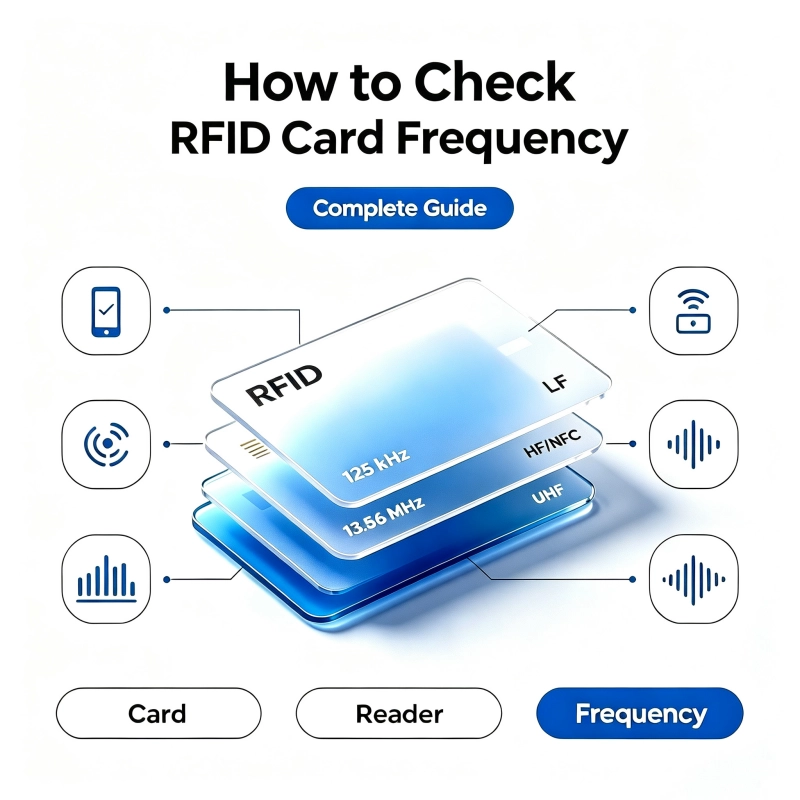
LF vs. HF vs. UHF at a Glance
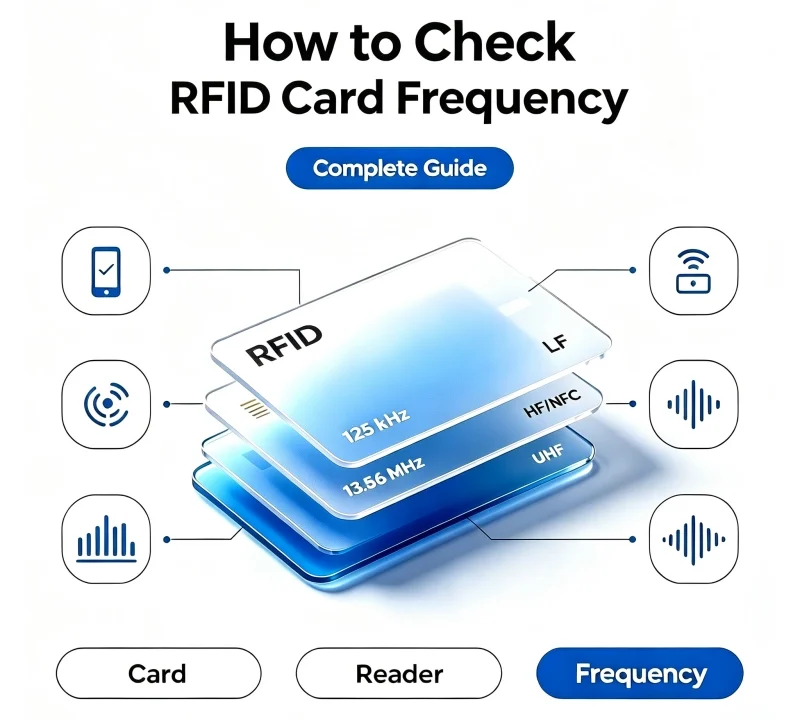
Different applications require different frequencies. Use this table to verify your choice before purchasing.
| Feature | Low Frequency (LF) | High Frequency (HF/NFC) | Ultra-High Frequency (UHF) |
|---|---|---|---|
| Frequency | 125 kHz | 13.56 MHz | 860–960 MHz |
| Read Range | 3–10 cm | 5–30 cm | 1–12 meters |
| Best Use Case | Basic door access, gyms | Smart offices, payments, mobile credentials | Vehicle ID, logistics, warehouse |
| Interference | Resistant to water/metal | Moderate resistance | Sensitive to metal/liquid |
| Data Speed | Slow | Fast | Very Fast |
| Cost | Low | Medium | High |
Active vs. Passive Technology
- Passive Readers: Most common for doors. The reader powers the tag via electromagnetic field. No batteries needed in the card. Requires precise mounting.
- Active Readers: Uses battery-powered tags that broadcast signals. Longer range but higher maintenance due to tag batteries. Common in tolling and asset tracking.
💡 Pro Tip: For standard office access in 2026, High Frequency (13.56 MHz) is the industry sweet spot. It supports mobile phones, offers strong encryption, and balances cost with performance.
Competitive Analysis: Market Tiers
The market is flooded with options. Choosing the right tier prevents costly retrofits. Below is a comparison of current market segments to help you make an informed decision.
| Criteria | Budget / Generic | Mid-Range Commercial | Premium Enterprise | DO RFID Reader Advantage |
|---|---|---|---|---|
| Build Quality | Plastic, IP54 | Metal/PC, IP65 | Rugged Aluminum, IP67+ | Industrial-grade; Custom housing embedding |
| Protocol Support | Wiegand only | Wiegand, OSDP, RS485 | OSDP Secure, MQTT, API | Full protocol support; Global controller compatibility |
| Warranty | 6–12 Months | 1–2 Years | 3–5 Years | 36 Months Warranty (Factory Direct) |
| Tech Support | Email only | Business hours | Dedicated account | 24-Hour Tech Support |
| Customization | None | Limited colors/logos | Full bespoke design | Custom transponder embedding for unique needs |
| Lead Time | Unpredictable | 2–4 Weeks | 6–12 Weeks | Short lead time via Heidelberg printing & in-house mfg |
| Price | $ | $$ | $$$ | Fair price; Direct manufacturer relationship |
Why Manufacturer Direct Matters
Trading companies add markup and delay communication. DO RFID Reader eliminates these layers. As a direct factory of D.O RFID Group, we offer transparency and speed.
- Proven Reliability: Long-term supplier for Austria metro cards.
- Experience: 14+ years in RFID/Smart Card fields.
- Service: 24-hour technician support directly from the source.
Pre-Installation Site Survey
Never assume a location is suitable. Environmental factors invisible to the eye can kill RFID performance.
RF Environment Checklist
Use a handheld tester to scan the area before mounting.
- Metal Surfaces: Metal reflects RF energy. If mounting on metal, use spacers or ferrite-backed readers.
- EMI Sources: Check for motors, fluorescent lights, or Wi-Fi routers nearby.
- Adjacent Readers: Ensure readers are spaced far enough apart to prevent cross-reads.
- Water/Liquid: UHF is sensitive to liquid. Verify environmental conditions.
Mounting Height Standards
Ergonomics drive user compliance. Follow these standards for accessibility and ease of use.
| Application | Recommended Height | Notes |
|---|---|---|
| Standard Door | 48″ (122 cm) | Center of reader; ADA compliant |
| Wheelchair Access | 36″–48″ (91–122 cm) | Lower end preferred for universal access |
| Vehicle Lane | 6’–8′ (1.8–2.4 m) | Downward tilt 15°–30° |
| Turnstile | 42″–48″ (107–122 cm) | Align with card tap zone |
| Conveyor Belt | Varies by belt width | Center over product flow path |
Wiring Infrastructure Planning
Cable issues cause 80% of post-installation failures. Plan your wiring before closing walls.
Cable Type Selection
| Protocol | Recommended Cable | Max Distance | Notes |
|---|---|---|---|
| Wiegand | 18 AWG Shielded Twisted Pair | 500 ft (150m) | Shield drain wire must be grounded |
| OSDP | 18 AWG Shielded Twisted Pair | 4,000 ft (1,200m) | Polarity sensitive; Supports encryption |
| PoE Reader | Cat6 / Cat6A | 328 ft (100m) | Verify PoE budget (IEEE 802.3af/at) |
| RS485 | Shielded Twisted Pair | 4,000 ft (1,200m) | Daisy-chain topology; Termination resistor required |
Critical Wiring Rules
- Separation: Keep low-voltage RFID cables at least 12 inches away from AC power lines.
- Slack: Leave 6 inches of service loop inside the reader housing.
- Voltage Drop: Calculate amperage over distance. Undervoltage causes intermittent reboots.
- Grounding: Single-point ground reference prevents ground loops.
Essential Tools and Equipment Checklist
Professional installation requires the right tools. Arriving unprepared wastes time and risks damaging expensive hardware.
Must-Have Installation Tools
| Tool Category | Specific Item | Purpose |
|---|---|---|
| Electrical Testing | Digital Multimeter (True RMS) | Verify voltage, continuity, and resistance |
| Signal Analysis | RFID Field Tester / Spectrum Analyzer | Detect interference and validate read zones |
| Termination | Wire Stripper & Ferrule Crimper | Create reliable, fray-free connections |
| Mounting | Torque Screwdriver Set | Prevent overtightening plastic housings |
| Labeling | Heat-Shrink Label Printer | Identify cables for future troubleshooting |
| Safety | Insulated Gloves & Voltage Detector | Protect against accidental shock |
Optional but Recommended Gear
- PoE Injector/Tester: Validates Power over Ethernet delivery before connecting reader.
- Laser Level: Ensures perfectly straight mounting for aesthetic professionalism.
- Fish Tape/Glow Rod: Pulls cable through existing conduit without damage.
- Portable Battery Pack: Powers reader temporarily for bench testing before permanent wiring.
⚠️ Warning: Never use needle-nose pliers to strip wires. This nicks conductors and creates hidden failure points that manifest months later. Invest in proper stripping tools.
Step-by-Step Physical Installation
Safety first. De-energize circuits before working. Use appropriate PPE.
Step 1: Surface Preparation
- Clean the mounting surface thoroughly.
- For outdoor mounts, apply silicone sealant to top/sides of backplate (leave bottom open for drainage).
- Use proper anchors for masonry/concrete.
- Ensure surface is flat to avoid stressing the housing.
Step 2: Cable Termination
- Strip wires to exact terminal block specification.
- Use crimped ferrules for stranded wire. Bare strands fray and cause shorts.
- Verify pinout against both reader and controller docs. Color codes vary by brand.
- For OSDP: Double-check polarity (+/-). Reversed polarity = no communication.
Step 3: Mounting the Reader
- Secure backplate using all provided screw points.
- Attach reader body per manufacturer mechanism (snap-fit, screws, or tamper-fasteners).
- Verify gasket/O-ring seal is seated correctly for IP-rated units.
- Do not overtighten screws on plastic housings. Cracks void warranties.
Step 4: Grounding Verification
- Connect shield drain wire to reader AND controller ground terminals.
- Install inline surge suppressors in lightning-prone areas.
- Test continuity from reader chassis to building ground.
Configuration and Software Setup
Hardware is half the battle. Software configuration makes the system functional.
Essential Configuration Parameters
| Setting | Access Control Default | Logistics/Tracking Default | Why It Matters |
|---|---|---|---|
| Output Format | 26-bit Wiegand / OSDP | Custom Serial / API | Must match controller input |
| Read Mode | Single Read + Debounce | Continuous Inventory | Prevents duplicates vs. maximizes throughput |
| Baud Rate | 9600 / 19200 | 115200 / Auto | Mismatch = garbled data |
| LED Feedback | Green=Grant, Red=Deny | Blue=Read, Off=Idle | User confirmation reduces support tickets |
| Anti-Collision | Disabled | Enabled | Critical for multi-tag environments |
Integration Checklist
- Map reader to correct door/zone in software.
- Configure access rules and time schedules.
- Set up alarm conditions (forced entry, door held open).
- Link CCTV triggers to denied access events.
- Verify offline credential caching (if supported).
- Document firmware version, IP address, and wiring diagram.
Field Testing Protocol
Never declare completion without systematic validation.
The 5-Point Test
- Range Test: Measure actual read distance with production credentials (not test cards).
- Multi-Tag Test: Present multiple cards simultaneously. Verify anti-collision works.
- Environmental Test: Test under expected conditions (sunlight, rain, temperature).
- Fail-Safe Test: Cut power/network. Does door lock/unlock as designed?
- Audit Trail Test: Confirm every event logs correctly with timestamp and credential ID.
Acceptance Criteria Table
| Test Item | Pass Criteria | Fail Action |
|---|---|---|
| Read Range | ≥ 90% of spec sheet value | Adjust antenna/spacer; Check interference |
| Read Latency | < 300ms for access; < 100ms for tracking | Check baud rate; Reduce cable length |
| Duplicate Reads | Zero within debounce window | Increase debounce timer; Change read mode |
| Offline Operation | Grants/denies per cached list | Verify cache sync; Check controller config |
| Weather Seal | No moisture after 24hr exposure | Reseal gasket; Add drip loop |
Troubleshooting Quick Reference
Problems happen. Use this matrix to diagnose quickly.
| Symptom | Likely Cause | Solution |
|---|---|---|
| Intermittent Reads | EMI / Loose Connection / Low Voltage | Check shielding; Tighten terminals; Measure voltage under load |
| Short Range | Metal Behind Reader / Damaged Antenna | Add ferrite spacer; Replace reader/cable |
| Duplicate Entries | Debounce Too Short / Wrong Mode | Increase debounce; Switch to single-read |
| No Communication | Wrong Protocol / Reversed Polarity / Broken Wire | Verify pinout; Swap reader; Test continuity |
| Overheating | Overvoltage / Poor Ventilation | Verify PSU specs; Improve airflow; Contact support |
| Random Opens | Ground Loop / Crosstalk | Fix grounding; Separate cable runs; Add suppression |
⚠️ Safety Note: Always disconnect power before troubleshooting wiring. Use insulated tools. If overheating persists, contact manufacturer immediately—do not bypass thermal protections.
Security Hardening Best Practices
In 2026, RFID systems are cyber-physical targets. Installation isn’t complete without security hardening.
Protocol Security Comparison
| Protocol | Encryption | Vulnerability Level | Recommendation |
|---|---|---|---|
| Wiegand | None | 🔴 High | Legacy only; Upgrade ASAP |
| OSDP v1.0 | Optional AES-128 | 🟡 Medium | Enable encryption if available |
| OSDP v1.2+ | Mandatory AES-128 | 🟢 Low | Preferred for new installs |
| MQTT/TLS | TLS 1.3 | 🟢 Low | Ideal for IoT/cloud integrations |
Hardening Checklist
- Disable unused protocols: If using OSDP, disable Wiegand fallback.
- Change default passwords: Factory credentials are publicly documented.
- Enable tamper detection: Wire tamper switch to controller alarm input.
- Restrict network access: Place readers on isolated VLAN; firewall non-essential ports.
- Update firmware: Patch known vulnerabilities before go-live.
- Audit logging: Enable all security events; retain logs per compliance requirements.
🔒 Critical: Wiegand transmits card data in plaintext. Anyone with physical cable access can clone credentials. Always specify OSDP with Secure Channel for new installations.
Compliance and Regulatory Considerations
RFID installations intersect with multiple regulatory frameworks. Non-compliance risks fines, liability, and failed audits.
Key Standards by Region
| Standard | Scope | Applies To | Notes |
|---|---|---|---|
| FCC Part 15 / CE RED | RF Emissions | All RFID readers | Mandatory certification; Verify label on device |
| UL 294 / EN 60839 | Access Control Safety | Door readers, controllers | Required for life-safety egress paths |
| ADA / EN 301 549 | Accessibility | Public/commercial readers | Height, feedback, force requirements |
| GDPR / CCPA | Data Privacy | Systems storing personal data | Consent, retention, right to deletion |
| ISO 27001 | Information Security | Enterprise deployments | Documentation, risk assessment, audit trails |
Compliance Documentation Package
Maintain these records for auditors and insurers:
- Product certification labels (FCC/CE/UL)
- Installation photos showing grounding and sealing
- As-built wiring diagrams
- Firmware version and security configuration log
- Test results and acceptance sign-off
- Maintenance schedule and service records
Maintenance Best Practices
Installation quality determines initial performance. Maintenance determines lifespan.
Maintenance Schedule
| Interval | Task | Tools Needed |
|---|---|---|
| Quarterly | Visual inspection; Clean reader face | Soft cloth; Mild cleaner |
| Bi-Annual | Check cable connections; Verify seals | Screwdriver; Flashlight |
| Annual | Performance audit; Firmware update | RFID tester; Laptop |
| As Needed | Credential database cleanup | Access control software |
Cleaning Guidelines
- DO: Use mild soap and water or isopropyl alcohol.
- DON’T: Use abrasive pads, bleach, ammonia, or pressure washers.
- DO: Inspect gaskets during cleaning. Replace if cracked or brittle.
- DON’T: Spray liquid directly onto reader. Apply to cloth first.
Cost Planning and ROI Estimation
Budget accurately to avoid mid-project surprises. Understand true total cost of ownership.
Cost Breakdown Template
| Cost Category | Budget Tier | Mid-Range | Premium | Notes |
|---|---|---|---|---|
| Reader Hardware | $30–$80 | $100–$250 | $300–$800+ | Per unit; Volume discounts available |
| Cabling & Conduit | $2–$5/ft | $5–$10/ft | $10–$20/ft | Includes labor estimate |
| Controller/Software | $200–$500 | $500–$2,000 | $2,000–$10,000+ | Per door or site license |
| Installation Labor | $100–$200/door | $200–$400/door | $400–$800+/door | Varies by complexity |
| Annual Maintenance | 5–10% of HW | 10–15% of HW | Included or contract | Firmware, support, replacements |
ROI Calculation Factors
- Labor Savings: Automated attendance vs. manual tracking.
- Loss Prevention: Reduced theft/shrinkage in retail/warehouse.
- Compliance Avoidance: Fines prevented by meeting safety/data regulations.
- Productivity Gains: Faster entry/exit; reduced queue times.
- Insurance Discounts: Some carriers reduce premiums for certified access systems.
💰 DO RFID Reader Value: Direct factory pricing eliminates distributor markup. Combined with our 36-month warranty, your 5-year TCO is typically 20–30% lower than premium brands with equivalent performance.
Future-Proofing Your Installation
Technology evolves. Design today’s install to accommodate tomorrow’s upgrades.
Future-Proofing Strategies
| Strategy | Implementation | Benefit |
|---|---|---|
| Oversized Conduit | Install 1″ conduit even for current 18AWG needs | Easy cable pulls for future upgrades |
| OSDP Deployment | Even if using Wiegand now, run OSDP-capable cable | Seamless protocol migration later |
| PoE Infrastructure | Run Cat6A to all reader locations | Supports future PoE-powered readers/IoT devices |
| Modular Readers | Choose readers with swappable interface modules | Upgrade protocol without replacing entire unit |
| Cloud-Ready Architecture | Select controllers with API/MQTT support | Integrates with future AI/analytics platforms |
| Spare Capacity | Leave 20% spare controller inputs/outputs | Accommodates expansion without new hardware |
Emerging Trends to Watch (2026–2028)
- Mobile Credentials: NFC/BLE phone-as-credential becoming default.
- AI-Powered Anomaly Detection: Readers feeding behavioral analytics.
- Biometric Fusion: RFID + facial recognition for multi-factor auth.
- Matter/Thread Integration: RFID joining unified smart building ecosystems.
- Energy Harvesting Tags: Battery-free UHF sensors for environmental monitoring.
Why Partner with DO RFID Reader
Technical knowledge starts the project. The right partner finishes it. DO RFID Reader offers advantages generic suppliers cannot match.
Our Commitment to You
- 36-Month Warranty: Double the industry standard. Reflects genuine manufacturing confidence.
- 24-Hour Tech Support: Experienced technicians available around the clock. No timezone delays.
- Custom Engineering: Embed NFC/RFID transponders into custom housings for unique architectural or industrial needs.
- Global Track Record: Long-term supplier for Austria metro cards. Validated in demanding public transit environments.
- Fair Pricing: Direct factory relationship eliminates middleman markup.
- Fast Delivery: In-house Heidelberg printing and manufacturing ensure short lead times.
- Full Ecosystem: Readers, cards, tags, and NFC inlays from a single source. Simplifies compatibility and warranty.
Product Applications We Serve
| Industry | Solutions Provided | Key Benefit |
|---|---|---|
| Access Control | Door readers, turnstiles, elevator controls | Secure, seamless entry |
| Vehicle ID | Long-range UHF readers, windshield tags | Hands-free gate operation |
| Logistics | Conveyor readers, pallet tags | Real-time inventory visibility |
| Public Transit | Metro cards, validator readers | High-throughput fare collection |
| Retail | NFC tags, shelf readers | Customer engagement + stock accuracy |
Final Thoughts
Installing an RFID card reader is an investment in security and efficiency. Cutting corners leads to higher long-term costs. Following structured guidelines and partnering with a quality manufacturer ensures reliable performance for years.
At DO RFID Reader, “Source Quality Products and Enjoy Efficient Service” guides everything we do. From our 36-month warranty to our 24-hour tech support, we are committed to your success. Whether it’s your first installation or a hundred-site deployment, we provide the hardware and expertise to get it right.
Ready to start? Visit us to explore our full range of RFID readers, tags, and custom solutions. Let’s build something exceptional together.
Disclaimer: This guide provides general educational information. Always consult local electrical codes, building regulations, and manufacturer-specific documentation before performing installations. Professional installation by certified technicians is recommended for complex or safety-critical systems. DO RFID Reader products should be installed according to included specifications and applicable regional standards.

Do RFID is a leading China-based manufacturer with over 15 years of experience. We specialize in customized RFID readers, tags, and cards, delivering high-quality, tailored solutions that meet your unique business needs and drive seamless, efficient identification.