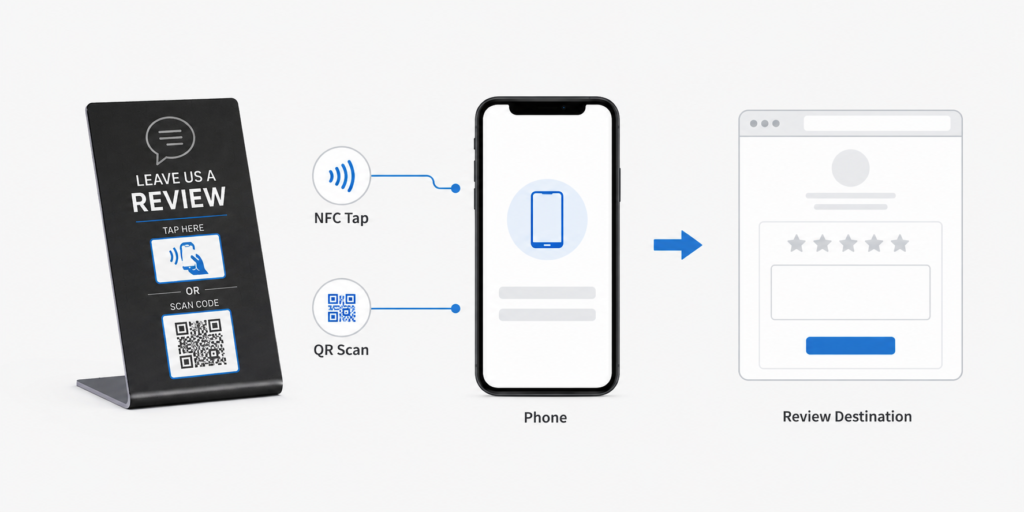
September 14, 2026
Near Field Communication (NFC) is one of those quietly magical technologies. Two devices get close—usually within 4 centimeters—and suddenly information leaps between them like a tiny digital whisper. No pairing rituals, no cables, no drama. Just tap and go. Because of this elegant simplicity, NFC tags are used everywhere: contactless payments, smart business cards, inventory tracking, smart home automation, access control, product authentication, and interactive marketing.
Programming an NFC tag sounds technical, but in reality it is surprisingly straightforward. With the right tools and a clear step-by-step process, almost anyone can program NFC tags in minutes.
This guide explains exactly how to program NFC tags, including the tools required, preparation steps, real working examples, troubleshooting, and advanced programming methods. By following these instructions carefully, readers can confidently create their own NFC-enabled systems.
Understanding NFC Tags
Before programming anything, it helps to understand what an NFC tag actually is.
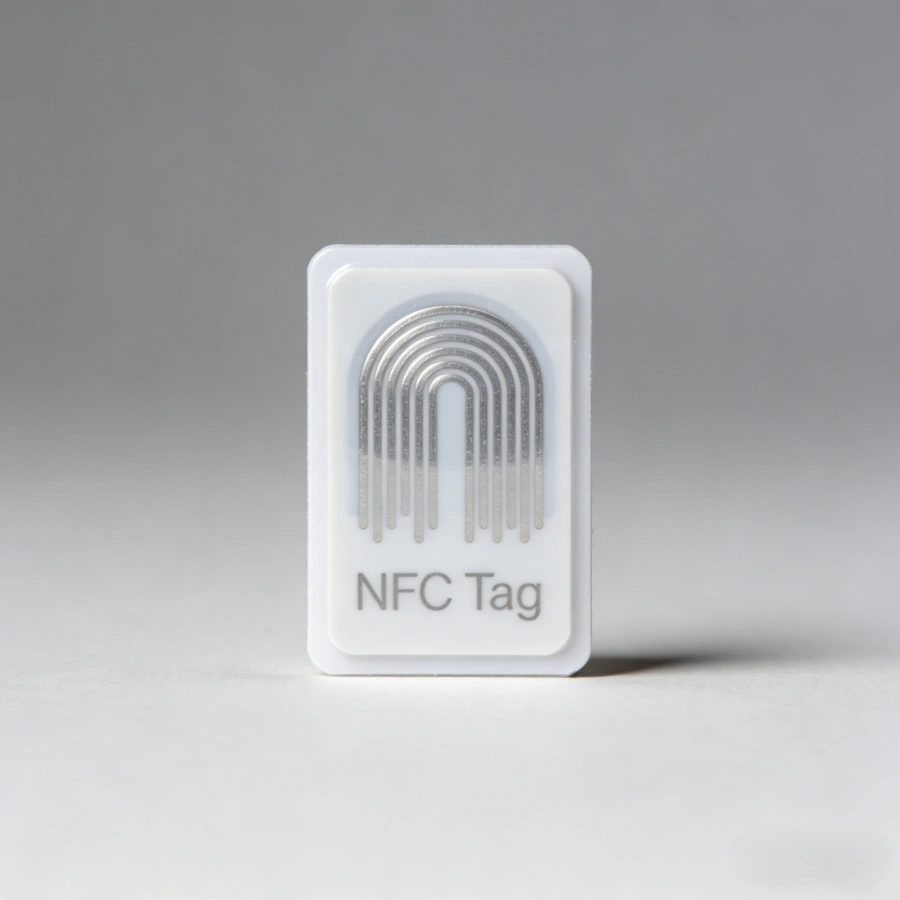
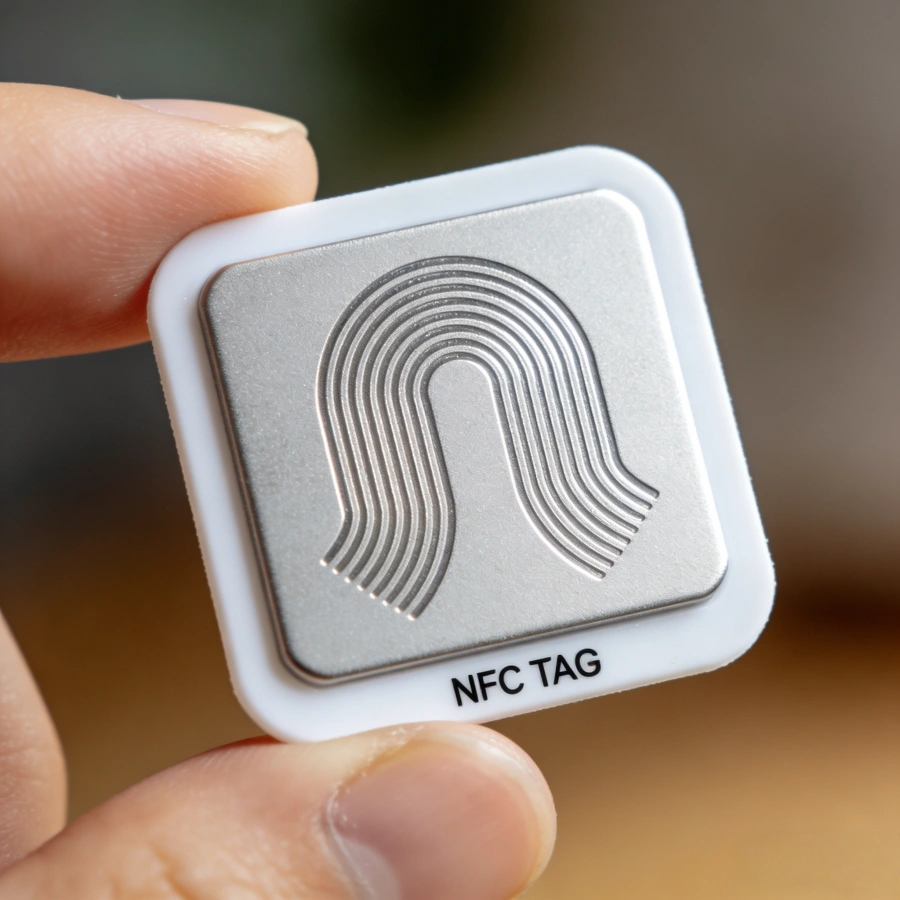
An NFC tag is a small passive chip with an antenna embedded inside a card, sticker, wristband, keychain, or label. Passive means the tag does not need a battery. When an NFC-enabled phone or reader gets close, the reader creates a small electromagnetic field that powers the chip momentarily.
The chip then transmits stored data back to the reader.
Think of it as a tiny data container that wakes up only when someone taps it.
Typical information stored on an NFC tag includes:
- website URLs
- contact information
- Wi-Fi login credentials
- phone numbers
- product IDs
- automation commands
- access credentials
Many NFC tags can also be rewritten or reprogrammed multiple times.
For an update workflow, follow this step-by-step guide on how to rewrite NFC tags.
Types of NFC Tags
Not all NFC tags are identical. Different chips provide different storage capacities and features.
Common NFC chip types include:
NTAG213
Storage: 144 bytes
Typical uses: simple URLs, business cards, small commands
NTAG215
Storage: 504 bytes
Typical uses: gaming tags, automation commands
NTAG216
Storage: 888 bytes
Typical uses: larger datasets, complex NFC actions
MIFARE Ultralight
Low memory but inexpensive; widely used for tickets and event passes.
MIFARE Classic
More complex structure often used in access control systems.
DESFire chips
Higher security chips used for transport cards and secure authentication.
For most beginners, NTAG213 or NTAG215 tags are the easiest and most compatible with smartphones.
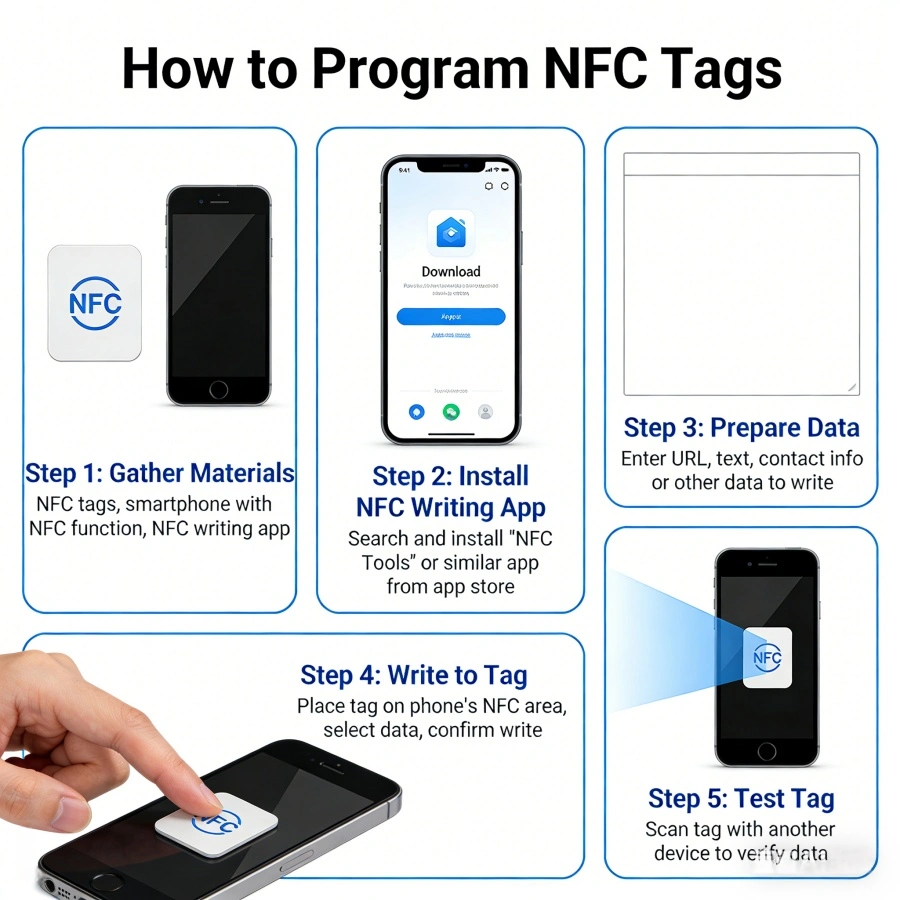
What You Need to Program NFC Tags
Programming NFC tags requires only a few tools.
1. NFC Tags
Choose tags compatible with smartphones. Popular formats include:
- NFC stickers
- NFC cards
- NFC keychains
- NFC wristbands
Make sure they support NFC Type 2 or Type 4 standards.
2. NFC-Enabled Smartphone
Most modern smartphones include NFC capability.
Examples include:
- Android phones from Samsung, Google, Xiaomi
- iPhone models starting from iPhone 7 and later
Android devices generally allow more direct NFC programming, but iPhones also support NFC writing through compatible apps.
3. NFC Programming App
Several apps allow easy programming.
Popular Android apps include:
- NFC Tools
- TagWriter by NXP
- NFC Tasks
Popular iOS apps include:
- NFC Tools
- Smart NFC
- NFC TagWriter
These apps provide graphical interfaces to write data to tags.
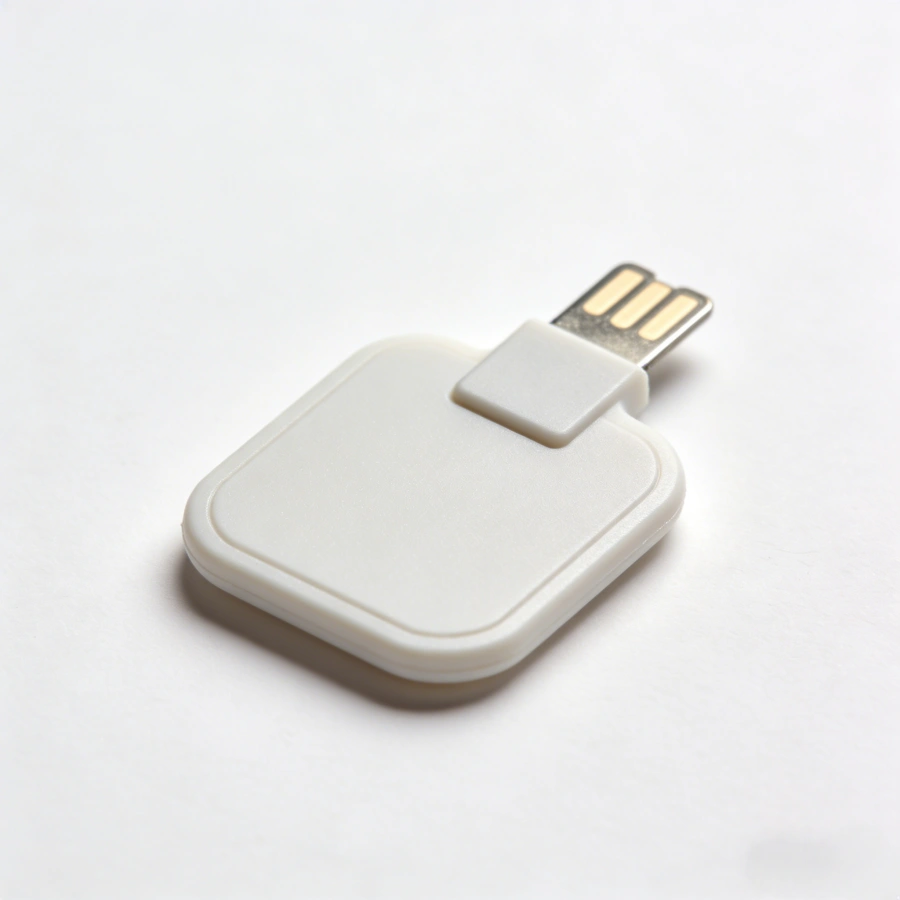
4. Optional NFC Reader/Writer Hardware
For advanced or industrial applications, a dedicated NFC reader may be used.
Examples include:
- USB NFC readers
- desktop encoding devices
- RFID/NFC industrial encoders
However, most everyday programming tasks can be completed with just a smartphone.
Preparing the NFC Tag
Before programming begins, a few preparation steps are important.
Step 1: Check NFC Compatibility
Ensure the tag supports the correct NFC type. Smartphones commonly support:
- NFC Type 2
- NFC Type 4
Most commercial NFC stickers use these standards.
Step 2: Enable NFC on the Smartphone
On Android:
Settings → Connections → NFC → Turn ON
On iPhone:
NFC is usually enabled automatically in supported apps.
Step 3: Install an NFC Programming App
Download NFC Tools or NXP TagWriter from the app store.
These apps allow users to create and write NFC records.
Step 4: Test the Tag
Before writing data, test the tag by scanning it.
Open the NFC app and tap the phone against the tag.
If the app detects the tag, it will show:
- tag type
- storage capacity
- writable status
If the tag is detected successfully, programming can begin.
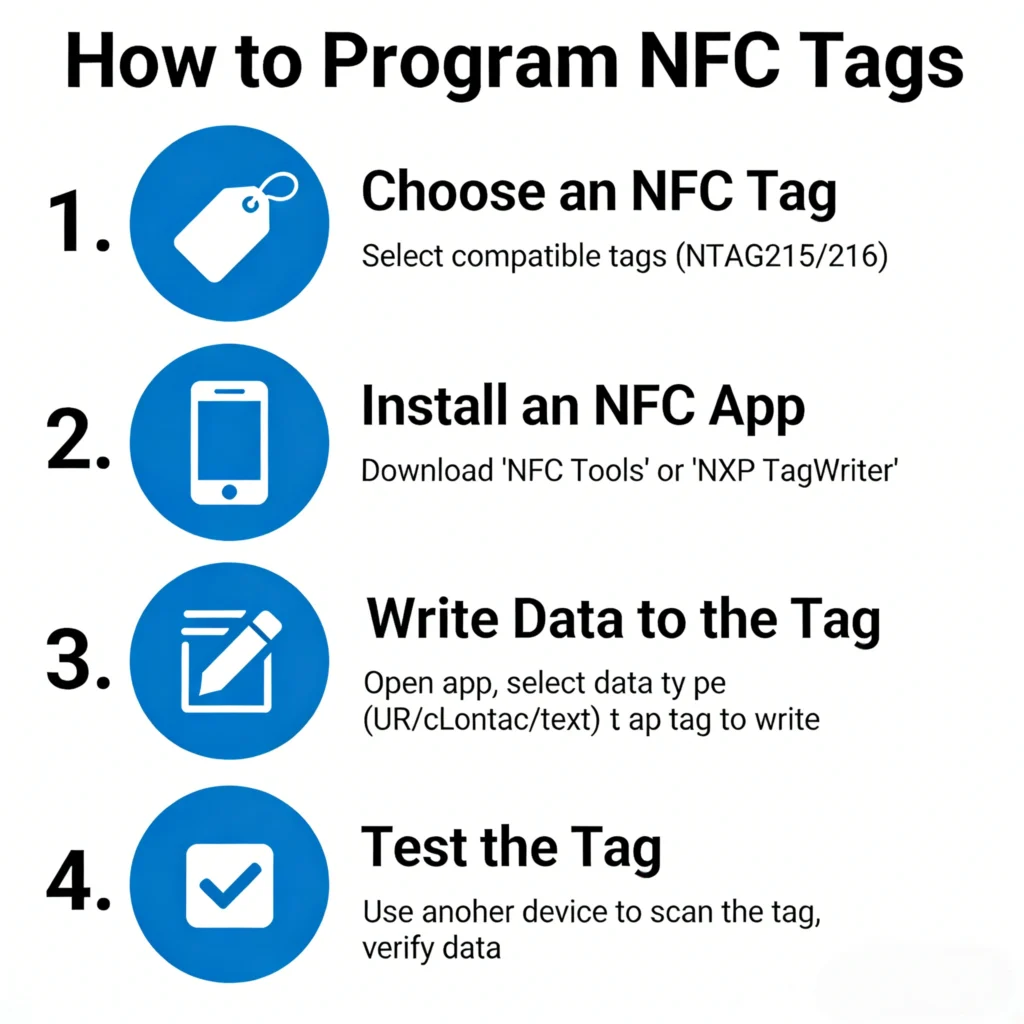
Step-by-Step: Programming an NFC Tag
The following method uses NFC Tools, one of the most widely used NFC apps.
Step 1: Open the NFC Programming App
Launch the NFC Tools application.
The main menu typically shows options such as:
- Read
- Write
- Other
- Tasks
Select Write.
Step 2: Add a Record
Tap Add a Record.
You will see several categories:
- URL / Website
- Contact
- Wi-Fi network
- Phone number
- Text
- Application launch
Choose the type of data you want to store.
Step 3: Enter the Data
Enter the required information.
Example: Website link
Record type: URL
Data: https://example.com
The app converts this into an NDEF record.
NDEF stands for NFC Data Exchange Format, the universal data format used by NFC devices.
Step 4: Prepare to Write
After adding the record, select Write.
The app will display a message:
“Ready to scan NFC tag.”
Step 5: Tap the Tag with Your Phone
Hold the phone close to the NFC tag.
Position the phone near the NFC antenna location (usually near the camera area).
Within a second, the app should display:
Write successful
The tag is now programmed.
Step 6: Test the Tag
Lock the phone screen and tap the tag again.
If programmed correctly, the phone should automatically perform the action.
Examples:
- open a website
- display contact details
- connect to Wi-Fi
This confirms successful programming.
Example: Programming a Wi-Fi Login NFC Tag
This is one of the most useful applications.
Visitors can connect to Wi-Fi simply by tapping their phone.
Steps
Open NFC Tools.
Select Write → Add Record → Wi-Fi Network
Enter:
Network name (SSID)
Password
Security type
Then press Write and tap the tag.
Now any user can tap the tag and automatically connect.
Example: Creating a Smart Business Card
An NFC business card can instantly share contact details.
Steps
Add record → Contact
Enter:
Name
Phone
Email
Company
Website
Write the data to the tag.
When someone taps the card, their phone automatically shows a save contact option.
Example: NFC Tag for Smart Home Automation
NFC tags can trigger smart home actions.
Examples include:
- turning on lights
- activating sleep mode
- launching a playlist
- adjusting thermostat
Using NFC Tools + automation apps, users can create powerful smart home triggers.
Example:
Place an NFC tag on a nightstand.
Tap it to:
- turn off lights
- enable silent mode
- start white noise audio
Locking an NFC Tag
After programming, users can lock the tag to prevent modification.
Locking makes the data permanent.
Steps:
Open NFC Tools → Other → Lock tag
Once locked, the tag becomes read-only.
This is useful for:
- product labels
- marketing tags
- secure access tags
Be cautious: locked tags cannot be rewritten.
Advanced NFC Programming
For more advanced uses, NFC tags can store multiple records or commands.
Examples include:
- opening an app and launching a URL
- setting alarms and enabling Wi-Fi simultaneously
- triggering IoT systems
Advanced programming uses NFC Tasks or automation scripts.
These allow a single tap to perform complex operations.
Programming NFC Tags With a Computer
Industrial environments sometimes require bulk NFC programming.
The process involves:
- NFC USB reader
- encoding software
- NFC tags
Steps include:
- connect reader to computer
- load tag data template
- place tags on reader
- batch write tags
This method is commonly used for:
- product authentication labels
- event tickets
- asset tracking tags
Troubleshooting NFC Programming
Occasionally programming may fail.
Common causes include:
Tag already locked
Tag incompatible with phone
Phone NFC disabled
Incorrect antenna position
Solutions:
- check NFC settings
- move phone slowly over tag
- try another programming app
- verify tag type
Most NFC issues are resolved quickly.
Security Considerations
NFC tags can store useful data, but security should be considered.
Best practices include:
- avoid storing sensitive passwords directly
- use encrypted tags for secure systems
- lock tags after programming
High-security systems often use secure NFC chips like DESFire.
Real-World NFC Applications
NFC technology is used in many industries.
Examples include:
Retail
Product authentication and smart labels
Healthcare
Patient identification and asset tracking
Logistics
Inventory tracking
Hospitality
Hotel room keys and smart check-in
Marketing
Interactive advertising posters
Because programming NFC tags is simple, businesses can deploy these solutions quickly.
The Future of NFC Tags
NFC technology continues to evolve.
Future developments may include:
- longer read range NFC variants
- stronger encryption chips
- integration with IoT networks
- battery-assisted NFC tags
In the expanding universe of wireless communication, NFC remains elegant in its simplicity: a tap, a signal, and the right piece of data jumps across space no thicker than a coin.
Once the logic behind NFC programming is understood, creating smart tags becomes less like advanced engineering and more like writing a tiny digital note that waits patiently until someone taps it.
Programming an NFC tag is where the tiny physics experiment in your pocket meets real-world usefulness. You tap a phone to a sticker, and suddenly a Wi-Fi network connects, a website opens, or a smart device wakes up like a robot that just heard its secret password. The trick is understanding how to encode the information correctly and how to test it so it behaves reliably in the messy, chaotic world of pockets, metal surfaces, and different phones.
Let’s move deeper into the practical layer—the parts that make NFC tags actually work in production environments, retail stores, warehouses, and smart homes.
Understanding NFC Data Structure (NDEF Explained Simply)
When you program an NFC tag, you’re not just writing random data. You’re writing data using a standardized format called NDEF.
NDEF stands for NFC Data Exchange Format. It’s basically a structured envelope that tells devices what the stored information means.
Think of it like this:
Raw data → confusing
NDEF formatted data → readable instructions
An NDEF message contains one or more records, and each record defines a type of action.
Common NDEF record types include:
URI Record
Stores links such as:
https://example.com
tel:+123456789
mailto:info@example.com
When scanned, the phone opens the browser, dialer, or email app.
Text Record
Stores plain readable text.
Example:
Welcome to our warehouse.
Scan again to view product catalog.
Used for information kiosks or museum guides.
Smart Poster Record
Combines multiple instructions in one tag.
Example:
- Website link
- Title text
- App launch command
Smart posters are common in marketing and advertising.
Application Record
Used to launch a specific mobile app.
Example:
Tap tag → open a logistics tracking app automatically.
This is widely used in smart factories and warehouses.
Step-by-Step Example: Programming a Wi-Fi NFC Tag
This is one of the most popular uses of NFC.
Visitors tap a tag and connect to Wi-Fi instantly without typing passwords.
Step 1: Open NFC Tools
Launch the NFC Tools app.
Tap Write.
Step 2: Add Record
Select:
Add Record → WiFi Network
Enter:
Network Name (SSID)
Example:
FactoryGuest
Encryption type:
WPA/WPA2
Password:
FactoryGuest2025
Step 3: Write the Tag
Tap Write / 1 record.
Hold the phone over the NFC tag.
Wait for confirmation.
Step 4: Test the Tag
Use another phone to scan it.
Expected result:
A Wi-Fi connection prompt appears.
Tap Connect.
The phone automatically joins the network.
No typing needed.
Programming NFC Tags for Product Authentication
Many brands now use NFC tags to fight counterfeit goods.
Luxury brands, electronics manufacturers, and pharmaceutical companies rely on this technique.
Example workflow:
- Each product gets a unique NFC tag.
- The tag stores a unique serial number.
- When scanned, the tag opens a verification page.
Example URL stored in the tag:
https://brand.com/verify?id=78439291
The server checks the database and confirms whether the product is genuine.
Benefits include:
- Anti-counterfeiting protection
- Product tracking
- Customer engagement
Programming NFC Tags for Inventory Management
In warehouses, NFC tags can replace barcodes for close-range scanning.
Example use case:
A pallet contains electronic components.
An NFC tag stores:
Item: Capacitor C47
Batch: B2025-04
Quantity: 500
Warehouse Zone: A3
Workers scan the tag using an industrial handheld device.
Advantages compared with barcodes:
- No line-of-sight scanning required
- Faster reading
- Rewritable tags
- Higher data storage
NFC is especially useful for small batch manufacturing.
Using NFC Tags for Smart Home Automation
NFC tags are popular in smart homes because they trigger actions instantly.
Example setup:
Tag location → Bedroom wall.
Programmed action:
Turn off lights
Activate sleep mode
Set alarm
Enable Do Not Disturb
Apps like:
- Home Assistant
- Apple Shortcuts
- Tasker
allow NFC tags to trigger automation routines.
Another example:
Kitchen NFC tag → start coffee machine + read morning news.
The house becomes a quiet little robot responding to taps.
Locking an NFC Tag (Security Feature)
Once a tag is programmed, you can lock it.
This prevents anyone from rewriting it.
Steps:
- Open NFC Tools.
- Tap Other.
- Select Lock Tag.
- Confirm lock.
Warning:
Locked tags cannot be modified again.
Use this only for permanent applications such as:
- product authentication
- retail marketing
- public information tags
Password Protecting NFC Tags
Some NFC chips support password protection.
Instead of permanent locking, you can require a password to modify the tag.
Benefits:
- Prevent unauthorized editing
- Maintain flexibility for future updates
This feature depends on the chip type, such as:
- NTAG213
- NTAG215
- NTAG216
Industrial tags often support stronger security modes.
NFC Tag Memory Limits
Every NFC tag has a storage capacity.
Typical memory sizes include:
| Tag Type | Memory |
|---|---|
| NTAG213 | 144 bytes |
| NTAG215 | 504 bytes |
| NTAG216 | 888 bytes |
A simple URL requires about 30–60 bytes.
So even the smallest tag works for most marketing uses.
Large tags are used when storing:
- contact cards
- multi-record data
- encrypted IDs
NFC Tag Placement Best Practices
Programming a tag correctly is only half the battle.
Physical placement matters.
Avoid Metal Surfaces
Metal interferes with NFC signals.
If mounting on metal:
Use anti-metal NFC tags.
These include a shielding layer.
Maintain Read Distance
Typical NFC range:
0–5 cm
Industrial readers may reach 10 cm.
Tags should be placed where phones can easily touch them.
Examples:
- store displays
- product packaging
- access control points
Protect the Tag
For outdoor applications use:
- waterproof PVC tags
- epoxy coated tags
- ABS industrial tags
These survive rain, dust, and UV exposure.
NFC Tag Testing Checklist
Before deploying hundreds or thousands of tags, testing is critical.
Check the following:
Scan speed
Compatibility with Android
Compatibility with iPhone
Correct URL or action
Write protection status
Signal strength
Testing prevents expensive mistakes in large deployments.
Common NFC Programming Mistakes
Writing the Wrong Data Format
Example mistake:
Saving text instead of a URL record.
Phones may display text instead of opening the website.
Locking the Tag Too Early
Many beginners accidentally lock tags before testing.
Always test first.
Lock last.
Using Cheap Low-Quality Tags
Poor tags cause:
- weak signals
- short lifespan
- data corruption
Industrial projects should use certified NFC chips.
NFC Tags vs QR Codes
Both technologies link the physical world to digital information.
But they behave differently.
QR codes require a camera scan.
NFC tags require physical tap.
Advantages of NFC:
- faster interaction
- no camera needed
- secure data options
- rewritable memory
Advantages of QR codes:
- cheaper
- printable
- longer scanning distance
Many businesses use both together.
The QR code acts as a backup.
Future of NFC Technology
NFC is quietly expanding everywhere.
Smartphones now use NFC for:
- contactless payments
- transit cards
- hotel keys
- digital IDs
- wireless pairing
The next frontier is IoT automation.
Factories, logistics hubs, and warehouses are embedding NFC tags into machines, pallets, and equipment.
Technicians can tap a tag and instantly retrieve:
maintenance logs
equipment manuals
repair instructions
Instead of searching through paperwork, the machine itself becomes the index.
Final Thoughts
Programming an NFC tag looks deceptively simple: write data, tap phone, done.
But beneath that simple tap lies a tidy stack of technologies—radio frequency physics, standardized data formats, chip memory management, and mobile operating system protocols.
Once you understand the mechanics, NFC becomes a tiny but powerful bridge between the physical and digital worlds. A sticker can launch an app, authenticate a product, automate a home, or guide a visitor through a museum. It’s a small piece of silicon quietly whispering instructions to the devices around it.
And that’s the delightful part: the tag itself has no battery, no processor worth bragging about, and yet it performs a neat little trick of modern physics every time a phone passes within a few centimeters. A little electromagnetic handshake happens, energy flows briefly through the antenna coil, and information jumps across the gap like a secret passed between spies.
Tiny technology. Big possibilities.

Do RFID is a leading China-based manufacturer with over 15 years of experience. We specialize in customized RFID readers, tags, and cards, delivering high-quality, tailored solutions that meet your unique business needs and drive seamless, efficient identification.