October 19, 2026
NFC vs QR Code for Google Reviews
NFC and QR codes can open the same business-approved Google review destination, but they ask the customer to begin in different ways. NFC uses a close-range tap; QR uses the camera to scan a visible code. The better method depends on placement, audience and how clearly the physical prompt explains the next action.
For a fixed counter or reception touchpoint, NFC + QR often provides the most flexible experience: tap remains the primary interaction and scan is available as an alternative.
The quick decision
When deciding between NFC or QR for Google reviews, start with the distance between the customer and the prompt. A QR code vs NFC review stand comparison is really a comparison between a visible scan and a close-range fixed tap point.
| Choose | Best fit | Watch for |
|---|---|---|
| NFC | Customers are already close enough to touch a marked point; the tag can sit beneath printed artwork. | Phone behavior varies, and a hidden tap point needs a clear NFC symbol and instruction. |
| QR code | The code must be visible from a short distance or reproduced on printed material. | Glare, damage, low contrast, size and camera angle can affect scanning. |
| NFC + QR | A tabletop, checkout or reception display serves people with different phone habits. | Both routes need independent testing and destination verification. |
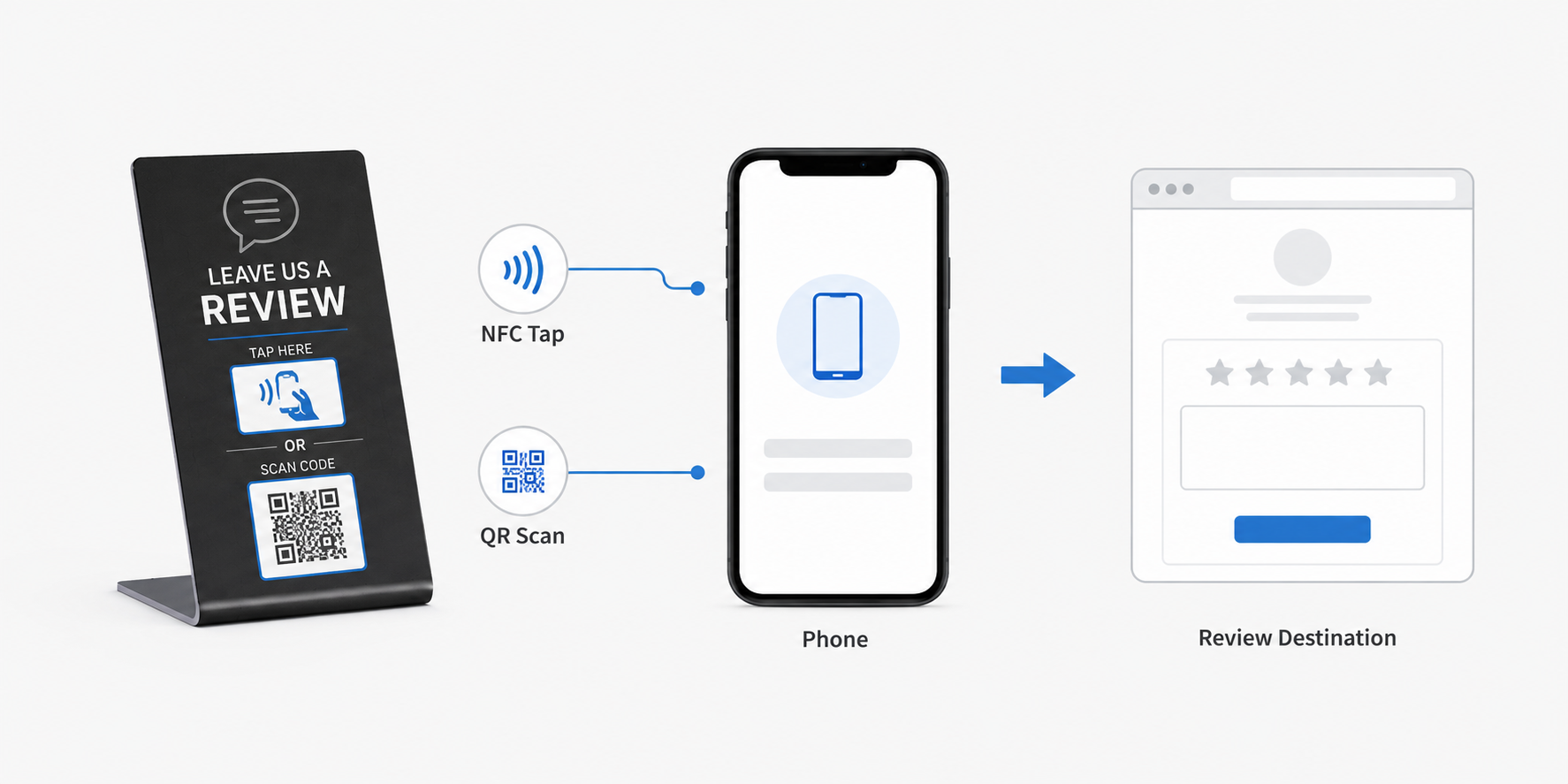
Tap and scan solve the same access task differently
An NFC tag can store a web-address record. When a compatible phone is brought near the marked area, the phone may present a link notification. A QR code visually encodes the address and depends on the camera seeing the complete pattern.
Neither method writes a review, guarantees that a customer completes one or changes Google platform rules. They simply reduce the steps needed to reach the approved destination.
Compare the experience that matters in the real location
Visibility
QR communicates “scan me” through a visible pattern. NFC can support cleaner artwork, but the tap area must be clearly marked so customers know where to hold the phone.
Distance and reach
QR can work when a person can see but not touch the prompt. NFC is suited to close-range interaction at a counter, tabletop or front desk.
Device behavior
Camera scanning is familiar on many phones. NFC link handling also works on many compatible phones, but settings, hardware and interaction behavior vary. Avoid universal compatibility claims.
Physical conditions
QR needs adequate size, contrast and quiet space, and may be affected by glare or damage. NFC performance depends on the tag, antenna, materials, phone and placement.
Artwork and branding
NFC can be integrated beneath a printed acrylic face. QR occupies visible artwork space, though a well-designed code can still sit within a branded layout.
Verification
A tap test and a scan test are separate checks. Confirm the final destination after any redirect rather than assuming that matching artwork means matching data.
Choose by placement, not by a universal winner
| Placement | Practical direction | Why |
|---|---|---|
| Reception or checkout | NFC or NFC + QR | The customer is close to the prompt and can tap; QR provides a visible alternative. |
| Dining table or service counter | NFC + QR | People approach from close range but may prefer different interactions. |
| Window, poster or distant sign | QR | The customer can scan without physically reaching the display. |
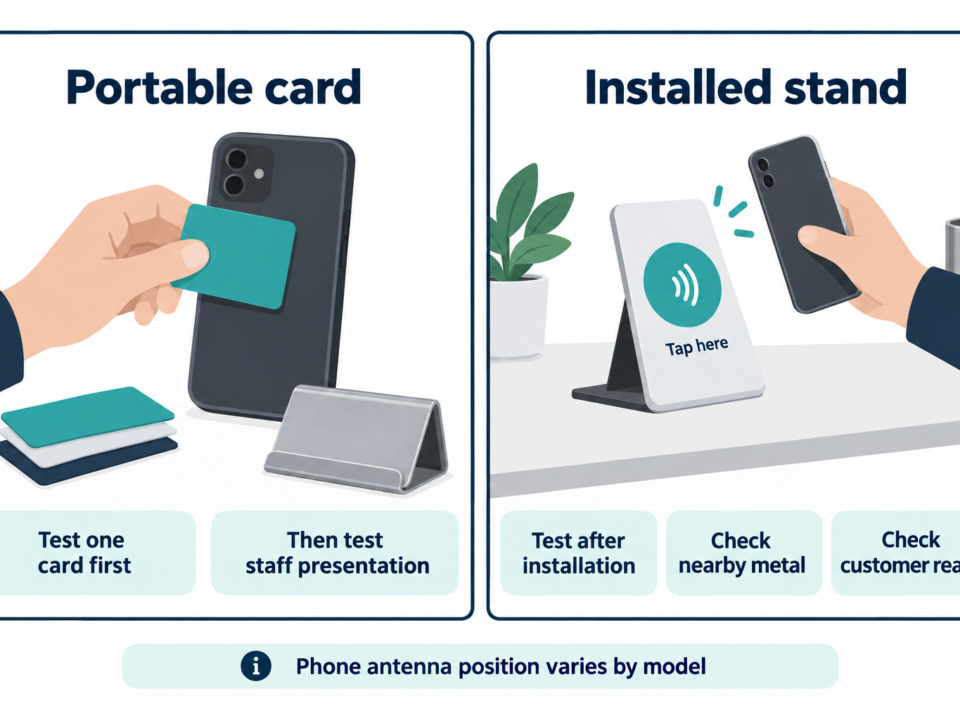
| Staff-held prompt | NFC card or QR card | The interaction moves with the employee rather than belonging to a fixed location. |
| Multi-location fixed display | NFC + QR with controlled records | Consistent hardware can be paired with verified branch-specific destinations when the workflow is defined. |
When both appear on one review display
An NFC and QR review display should use one controlled destination record unless the project intentionally requires different links. Generate the QR code and encode the NFC record from that approved source, then test them independently on the finished sample.
- Confirm the business and location that open after redirects.
- Check the visible tap instruction and QR readability in installed lighting.
- Keep a record of the approved link, artwork version and test result.
- Retest after placement; countertop angle and glare can change the scan experience.
Avoid unmanaged redirect services that the business cannot maintain. Keep the request neutral and follow Google policies; do not offer incentives for positive reviews or imply an official Google partnership.
A simple selection framework
Start with the customer moment. If people are close to a fixed object and a tactile action feels natural, NFC is useful. If they need to act from a short distance, QR is more practical. If the fixed display has room for both, combining tap and scan can accommodate more interaction preferences without changing the destination. Next, set up and test the NFC review stand against the approved link.
For businesses evaluating a branded acrylic Google review stand, product form, artwork, encoding, samples and bulk supply belong to the separate Custom NFC Google Review Stands purchasing page. A basic application and approximate quantity are enough to begin a supplier conversation.
Frequently asked questions
Does NFC work without a dedicated app?
Many compatible phones can read an appropriately encoded web link without a product-specific app, but device behavior varies. Test representative phones and keep QR available where broader access matters.
Is QR replacing NFC for review requests?
No single method replaces the other in every setting. They overlap but have different visibility, distance and interaction requirements.
Which method gets more Google reviews?
Neither guarantees review volume. Placement, staff practice, customer willingness, destination accuracy and platform policy all affect the outcome.
Can NFC and QR open different links?
They can when a defined project requires it, but a same-destination configuration is easier to verify. Document any intentional difference.

Do RFID is a leading China-based manufacturer with over 15 years of experience. We specialize in customized RFID readers, tags, and cards, delivering high-quality, tailored solutions that meet your unique business needs and drive seamless, efficient identification.