October 21, 2026
A reader at an assembly station detects the carrier on the fixture—and also a tagged container waiting beside it. Both tag responses may be valid, but only one belongs to the operation being recorded. For the integrator, the job is to make the identification match the physical process.
UHF RFID read zone control starts by defining which tags should count, where they should count, and when the system should accept them. A nominal 0–3 m reader can be a useful starting point for a compact industrial station. Its distance specification alone does not establish that boundary.
This guide explains how to plan the zone, investigate unintended reads, and test a configuration before repeating it across a production line.
A reading range is not a painted line on the floor
A passive UHF tag needs enough energy from the reader to respond, and its response must be received successfully. The result depends on the complete radio path: reader and antenna, tag design and orientation, attachment surface, and surrounding objects.
Consequently, a quoted range is a reference for a set of conditions. It does not mean every tag inside that distance will respond or every tag beyond it will remain silent. A nearby label facing away from the antenna can be harder to identify than a more favorably positioned label farther away. Metal structures can change the field through reflections; liquids and mounting materials can also change tag performance.
For a workstation, define two boundaries separately:
- The intended reading zone: the physical positions in which the required tags must be detected.
- The acceptance rule: the conditions under which a detected tag becomes a valid production event.
A tag read by the radio need not become a completed assembly record. Where the control system supports it, an active job, a presence signal, or an expected identifier can help determine whether that read belongs to the current operation. This application logic complements physical zone design; it does not make the RF field disappear.
Start with the carrier, fixture and queue
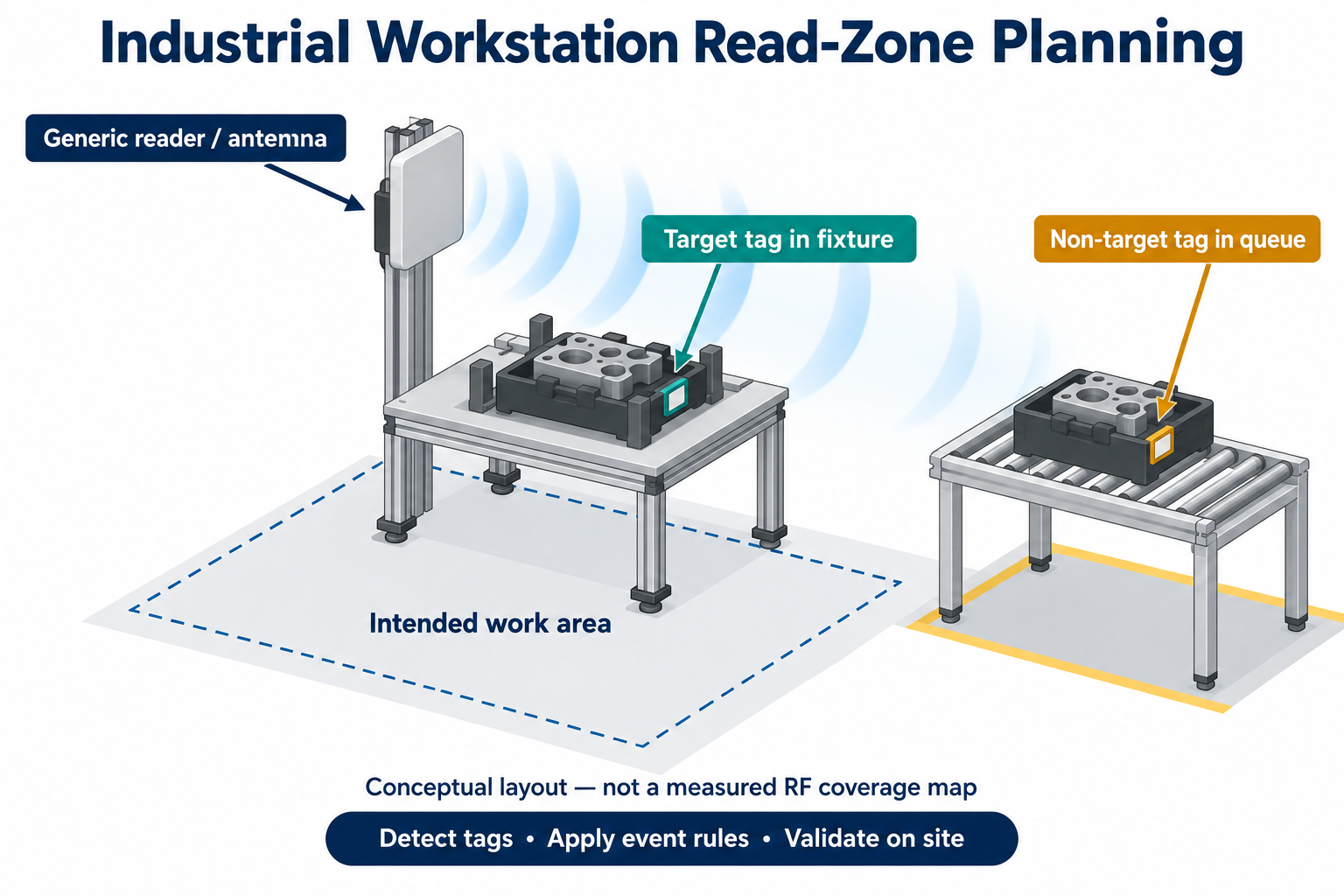
Sketch the station from above and from the side. Mark the normal tag position, its possible rotation, the reader mounting location, and the places where other tagged items can wait or pass.
Consider an illustrative assembly cell. A reusable carrier stops in a fixture while the next carrier waits in a queue. The required result is to identify the carrier in the fixture during that operation. A scan of the queued carrier must not be accepted as the current carrier. If the fixture is empty, a nearby tag must not create a false completion.
That simple description reveals more than a request for a “short-range reader.” It identifies the target population, the non-target population and the empty-station condition. It also exposes useful process changes: moving the queue, controlling the carrier stop position, or standardizing where the tag is attached may be more effective than repeatedly changing reader settings.
Include the normal extremes in this sketch. A design that works only with a centered, stationary, perfectly oriented tag has not yet represented the station.
Tune the physical zone before relying on filtering
Voyantic’s reader-zoning study describes antenna choice and placement, power adjustment, signal-strength filtering and shielding as zoning tools. Its test also shows why a single adjustment may not separate nearby tag populations. Those are industry methods and observations, not performance results for the DO reader discussed below.
Use a controlled commissioning sequence so each change has an interpretable result:
- Establish the mounting geometry. Aim the antenna toward the useful tag positions and consider what lies behind them. For an integrated reader, moving or rotating the reader also moves its antenna. Keep the mount repeatable so a successful trial can be reproduced.
- Test the actual tag on the actual item. Include expected orientations, packaging and attachment surfaces. A convenient loose demonstration tag may not represent a label on a filled container or a tag mounted to a metal carrier.
- Adjust output in supported increments. Record both intended detections and unwanted detections at each setting. Seek a useful operating interval, rather than selecting the first setting that reads one convenient sample. If intended tags disappear before nearby tags do, power adjustment alone has not separated the populations.
- Change the layout when necessary. More separation between the fixture and queue, a different reader position, or a deliberately evaluated RF barrier can change the problem itself. Retest after these changes; adding a barrier is not evidence that all unwanted paths have been removed.
Evaluate application acceptance separately from radio detection. If the reader and host software expose the necessary controls, test a bounded acquisition period, expected-tag filtering, or signal-strength rules against recorded examples. Do not assume those controls are included with every reader, or interpret signal strength as an exact distance measurement.
Find out which failure you actually have
Different symptoms call for different checks. Keep raw detections available during the trial, alongside the events accepted by the application.
| Trial observation | Useful next check |
|---|---|
| The correct carrier is missed when rotated | Repeat the orientation test with the production tag and mounting surface before increasing power. |
| The queued carrier is detected as often as the carrier in the fixture | Reconsider geometry and separation; compare the two populations throughout the power trial. |
| A tag is detected correctly but assigned to the wrong job | Check acquisition timing and the application’s association between identifier, station and active operation. |
| The same carrier creates several completed records | Check event handling and duplicate-event rules. Repeated radio detections are not automatically several business events. |
| An empty fixture produces a valid carrier event | Test nearby inventory and the conditions that permit an event to be accepted. |
This distinction helps avoid solving an application-association error by making the radio zone unnecessarily small. It also prevents software filtering from concealing a physical layout that remains difficult to control.
Where the 0–3 m integrated reader fits
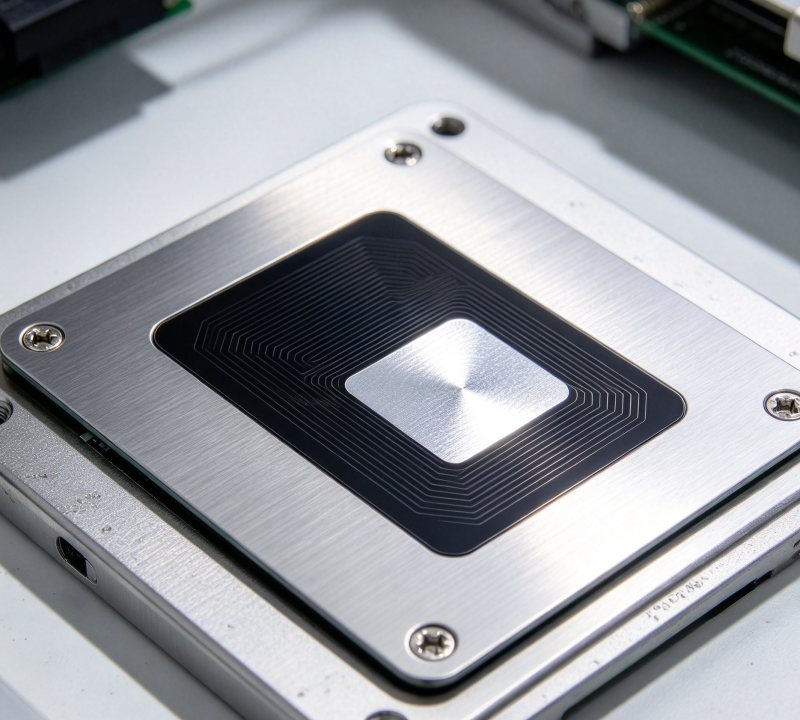
For an industrial workstation with a compact target area, the integrated reader described on this page is one hardware configuration to evaluate. Its published parameters provide a starting point for the trial:
| Parameter | Published configuration |
|---|---|
| Reading range | 0–3 m reference range; actual results depend on the installation and tag |
| RF output | 20–26 dBm adjustable; 50-ohm load |
| Built-in antenna | Dual-feed 40 × 40 ceramic antenna |
| Frequency options | 902–928 MHz or 865–868 MHz |
| Tag protocol | EPCglobal UHF Class 1 Gen 2 / ISO 18000-6C |
| Communication port | RS232 or RS485 |
| Protection level | IP67 |
The integrated antenna makes the reader’s mounting position part of the zone design. Adjustable RF output provides a tuning variable to test with the actual carrier and nearby tags. Neither specification promises that a particular workstation will have no unintended reads.
Select the frequency configuration for the deployment region and the tags in use. Interface selection is a separate integration decision: DO’s custom factory can discuss the project’s communication requirement, rather than treating every listed alternative as a simultaneous standard port.
The enclosure rating concerns protection of the hardware. It does not describe the reading-zone boundary or guarantee detection accuracy. Environmental suitability and RF performance therefore need separate attention in the installation plan.
For a broader comparison of reader formats and distance requirements, see our UHF RFID reader selection guide. Here, the decision is how to control and validate one station’s reading task.
Validate the whole operation, including the empty station
Agree on acceptance criteria with the process owner before the trial. Define what counts as a successful identification, a missed event and an incorrect association. There is no universal pass percentage that can replace the consequences of an error in your process.
Run representative cycles with the intended carrier alone, then with the normal queue present. Include difficult but permitted orientations, the expected movement or dwell time, and nearby tagged items in realistic positions. Test the empty station as deliberately as the occupied one.
For each run, record the reader configuration, tag and carrier, physical arrangement, expected identifier, raw detections and accepted event. Count correct events, missed events and incorrectly accepted events separately. Recording only whether the desired tag appeared can hide the unwanted tags that appeared alongside it.
After choosing a configuration, repeat the trial under the conditions that can change during normal work: adjacent inventory, carrier placement, operators and nearby equipment. Preserve the mounting details and configuration with the commissioning record. Recheck the result when tag placement, packaging or station layout changes.
The useful outcome is a repeatable operating setup with known limits. A successful demonstration read is only the beginning of that evidence.
Discuss a workstation configuration with DO
Start with a sketch or photo of the station and the reading task. Approximate workstation size, tag type and position, nearby non-target items, and the required interface help us discuss a suitable reader configuration. If the tag has not been chosen, describe the item and its mounting surface instead.
The 0–3 m integrated reader is a practical option to evaluate in that discussion. The final choice should follow the behavior of the complete station—hardware, tags, layout and event handling—so the recorded identifier belongs to the operation you intended.