November 4, 2026
The 7 Inch Android POS Terminal with Integrated Printer is a compact all-in-one POS solution designed for retail stores, restaurants, service businesses, mobile checkout, and other applications that require a touchscreen terminal and receipt printer in one device.
Featuring a 7-inch display, Android operating system, integrated 58mm thermal printer, optional contactless card reader, multiple communication options, USB and Ethernet connectivity, and a built-in rechargeable battery, this Android POS terminal combines essential point-of-sale functions in a space-efficient design.
With optional LTE, GPS, dual SIM, higher memory, larger battery capacity, and Mobile Device Management (MDM), the terminal can also be configured for different deployment requirements.

Specification
| OS | Android 7.0 or above |
| Processor | Quad-Core 1.3GHz or above |
| Memory | 1GB DDR, 8GB eMMC, Ext. TF card slot 2GB DDR, 16GB eMMC (Optional) |
| Display | 7-inch, 600*1024 |
| Keypad | 1 Power key |
| Thermal Printer | Paper width: 58mm, Φ50mm |
| Contactless Card Reader (Optional) | ISO14443 Type A/B, Mifare, ISO18092 compliant |
| SIM Slots | 1 SIM 2 SIMs (Optional) |
| Communications | WCDMA/GPRS/Ethernet/WiFi/BT LTE/GPS (Optional) |
| Peripheral Ports | 2 USB Host, 1 micro USB ,1 RJ45 |
| Audio | Digital Audio Speaker |
| Power Supply | 9V/2.5A |
| Battery | 7.4V/2500mAh, Li-ion 7.4V/5000mAh, Li-ion (Optional) |
| Dimensions (mm) | 256 (L)*121 (W)*83 (H) |
| Environmental | Operating temperature: -5℃ ~ 45℃ Storage temperature: -25℃ ~ 60℃ |
| MDM (Optional) | Mobile Device Management |
| Certification | CE |
All-in-One Android POS Design
Traditional point-of-sale installations may require a display, computer, receipt printer, network equipment, and other peripherals. This Android POS terminal integrates several essential components into one compact unit.
The 7-inch touchscreen provides an interface for POS applications, order management, customer service applications, inventory software, and other compatible Android-based solutions.
The integrated thermal printer can print receipts using 58mm paper, while the available USB, Ethernet, Wi-Fi, Bluetooth, and optional cellular connectivity provide flexibility when connecting the terminal to other equipment or networks.
This integrated design can help businesses simplify their hardware setup and keep the checkout area more organized.
7-Inch Touchscreen for POS Applications
The terminal features a 7-inch display with a resolution of 600 × 1024 pixels. The larger screen area compared with many handheld POS devices provides additional space for product lists, order information, transaction details, and application interfaces.
A 7-inch Android POS terminal can be particularly useful when employees need to interact with more information than can comfortably fit on a small payment terminal.
Potential applications include:
- Retail checkout
- Restaurant ordering
- Service billing
- Ticketing
- Membership management
- Inventory applications
- Order processing
- Customer registration
- Mobile sales
The Android platform also gives software developers a familiar environment for deploying compatible business applications.
Integrated 58mm Thermal Printer
A built-in thermal printer is one of the main advantages of this POS terminal.
The printer uses 58mm-wide thermal paper with a maximum paper roll diameter of 50mm. Because thermal printing does not require ink cartridges, businesses can avoid replacing traditional ink or toner during normal receipt printing.
| Printer Parameter | Specification |
|---|---|
| Printer Type | Thermal |
| Paper Width | 58mm |
| Maximum Roll Diameter | Φ50mm |
| Integration | Built into the POS terminal |
The integrated printer is suitable for businesses that need to provide customers with printed transaction records without connecting a separate desktop receipt printer.
For high-volume deployments, businesses should confirm the expected daily print volume, paper specifications, printer lifespan, and maintenance requirements with the supplier before selecting a final configuration.
Optional Contactless Card Reader
The terminal can be equipped with an optional contactless card reader supporting ISO14443 Type A/B, Mifare, and ISO18092.
This option makes the hardware suitable for applications that require contactless card or NFC-related functionality.
However, payment acceptance depends on the payment application, payment service provider, certification requirements, and regional regulations. The presence of a contactless reader alone does not mean that the terminal is certified for every card payment system.
Businesses deploying the terminal for payment processing should therefore confirm the required certifications and software compatibility for their target market before deployment.
Flexible Connectivity Options
A POS terminal needs reliable communication to exchange information with business systems and online services. This model provides several connectivity options.
The standard communication interfaces include WCDMA, GPRS, Ethernet, Wi-Fi, and Bluetooth. LTE and GPS are available as optional configurations.
| Connectivity | Availability |
|---|---|
| Wi-Fi | Supported |
| Bluetooth | Supported |
| Ethernet | Supported |
| WCDMA | Supported |
| GPRS | Supported |
| LTE | Optional |
| GPS | Optional |
| SIM | 1 SIM |
| Dual SIM | Optional |
This flexibility allows the terminal to be configured for different environments.
For a fixed checkout counter, Ethernet or Wi-Fi may be appropriate. For applications that require cellular connectivity, an LTE configuration can be considered. Businesses operating mobile POS terminals should verify local cellular-band compatibility before placing an order.
Built-In Battery for Mobile POS Use
The standard configuration includes a 7.4V 2500mAh lithium-ion battery. A 7.4V 5000mAh battery is available as an optional configuration.
The battery allows the terminal to operate without being permanently connected to a power outlet, making it more flexible than a conventional fixed desktop POS system.
Potential mobile applications include:
- Table-side ordering
- Mobile checkout
- Event registration
- Field service
- Delivery operations
- Temporary sales locations
- Exhibition and trade show transactions
Actual operating time depends on application usage, network connection, screen brightness, printing frequency, and other operating conditions. Battery life should therefore be evaluated based on the intended workload rather than a fixed operating-time assumption.
Hardware Interfaces
The terminal provides multiple interfaces for connecting peripherals and network equipment.
| Interface | Quantity | Typical Application |
|---|---|---|
| USB Host | 2 | Compatible USB peripherals |
| Micro USB | 1 | Power or device connection |
| RJ45 Ethernet | 1 | Wired network |
| SIM Slot | 1 | Cellular communication |
| Optional SIM | 2nd | Dual-SIM configuration |
| TF Card Slot | External | Additional storage |
The available ports give system integrators more flexibility when connecting the terminal to an existing business environment.
Before deployment, software and hardware compatibility should be verified for any external peripheral.
Android Platform for Business Applications
The terminal runs Android 7.0 or above and uses a Quad-Core 1.3GHz or above processor.
The standard memory configuration is 1GB DDR with 8GB eMMC storage. An optional configuration provides 2GB DDR and 16GB eMMC.
| Configuration | RAM | Storage | Recommended Consideration |
|---|---|---|---|
| Standard | 1GB DDR | 8GB eMMC | Basic POS applications |
| Optional | 2GB DDR | 16GB eMMC | More demanding application environments |
The actual application requirements should be evaluated before selecting a configuration. Businesses planning to run multiple applications, background services, databases, or newer Android software should confirm compatibility and performance with the supplier.
The external TF card slot can also provide additional storage capacity where supported by the software and Android configuration.
Android POS Terminal vs Traditional POS System
The main difference between this type of Android POS terminal and a traditional desktop POS system is the level of hardware integration and mobility.
| Factor | 7-Inch Android POS Terminal | Traditional Desktop POS |
|---|---|---|
| Display | Integrated | Usually separate |
| Printer | Integrated thermal printer | Often separate |
| Battery | Built-in | Usually no battery |
| Mobility | Higher | Limited |
| Operating System | Android | Often Windows or proprietary OS |
| Network Options | Wi-Fi, Ethernet, cellular options | Usually wired/Wi-Fi |
| Installation | Compact | Requires more components |
| Application Flexibility | Android applications | Depends on platform |
| Counter Space | Lower hardware footprint | Generally larger |
A traditional POS system may still be preferable for businesses requiring large displays, high-performance desktop software, or extensive peripheral configurations. The Android POS terminal is more suitable when compact hardware and mobility are important.
Android POS Terminal vs Mobile Handheld POS
A smaller handheld payment terminal is convenient for quick transactions, but a 7-inch POS terminal provides a larger working area.
| Factor | 7-Inch Android POS | Small Handheld POS |
|---|---|---|
| Screen Size | 7-inch | Usually smaller |
| Product Display | More room | More limited |
| Receipt Printer | Integrated | Depends on model |
| Portability | Moderate | High |
| Countertop Use | Very suitable | Suitable |
| Table-Side Ordering | Suitable | Suitable |
| Complex POS Interface | More comfortable | More constrained |
| Physical Size | Larger | Smaller |
The right choice depends on the workflow. Businesses that prioritize portability may prefer a smaller terminal, while businesses that need more screen space and integrated printing may benefit from the 7-inch format.
Recommended Applications
Retail Stores
Retail businesses can use the terminal for product selection, checkout applications, receipt printing, and customer-facing service.
The 7-inch display provides enough screen area for product catalogs and transaction information while the integrated printer eliminates the need for a separate receipt printer.
Restaurants and Cafés
Restaurant employees can use a portable POS terminal for order entry, table-side service, billing, and receipt printing.
The battery-powered design can make it easier to move the terminal between tables or service areas.
Mobile Checkout
For temporary stores, exhibitions, events, and other locations where a permanent POS installation is inconvenient, a battery-powered Android POS terminal provides a flexible alternative.
Optional cellular communication can also be considered where Wi-Fi or Ethernet is unavailable.
Service Businesses
The terminal can support service-oriented applications such as appointment management, billing, customer registration, and transaction processing.
The Android platform allows businesses to use compatible third-party or custom-developed applications.
Field Operations
Businesses with employees working away from a fixed counter can consider the terminal for field sales, service operations, delivery workflows, and other mobile applications.
The final suitability depends on the application software, network environment, battery requirements, and peripheral configuration.
Optional Configurations
One advantage of this model is that several hardware options can be selected according to project requirements.
| Component | Standard | Optional |
|---|---|---|
| RAM / Storage | 1GB + 8GB | 2GB + 16GB |
| Contactless Reader | — | Available |
| SIM | 1 SIM | 2 SIMs |
| Cellular | WCDMA / GPRS | LTE |
| GPS | — | Available |
| Battery | 2500mAh | 5000mAh |
| MDM | — | Available |
Not every option necessarily needs to be included in every deployment. A project-specific configuration can help avoid paying for hardware functions that are not required.
Mobile Device Management for Fleet Deployment
Mobile Device Management (MDM) is available as an optional feature.
For businesses deploying multiple POS terminals, centralized device management can be important for maintaining a consistent hardware and software environment.
Depending on the selected MDM solution, organizations may be able to manage aspects such as application deployment, device configuration, device monitoring, and remote administration.
The exact MDM functions depend on the software platform and should be confirmed before deployment.
Compact Form Factor
The terminal measures 256 × 121 × 83 mm.
| Physical Specification | Value |
|---|---|
| Length | 256 mm |
| Width | 121 mm |
| Height | 83 mm |
| Certification | CE |
Its integrated printer and compact enclosure allow businesses to place essential POS hardware in a relatively small footprint.
This can be beneficial for retail counters, service desks, cafés, mobile sales environments, and other locations where space is limited.
Operating Environment
The terminal is designed for a defined operating and storage temperature range.
| Environmental Condition | Range |
|---|---|
| Operating Temperature | -5°C to 45°C |
| Storage Temperature | -25°C to 60°C |
For installations outside these conditions, businesses should consult the manufacturer before deployment.
Environmental factors such as humidity, dust, direct sunlight, and mechanical vibration may also affect long-term device performance and should be considered during installation planning.
Who Should Choose This Android POS Terminal?
This product is a good candidate for businesses that need several of the following capabilities in one device:
- A larger touchscreen than compact handheld payment terminals
- Built-in thermal receipt printing
- Android-based software
- Wi-Fi and Ethernet connectivity
- Optional cellular communication
- Optional contactless card reading
- Battery-powered operation
- USB peripheral connectivity
- Optional GPS
- Optional MDM for device management
It is particularly relevant for projects where hardware integration and flexible deployment are more important than building a large traditional desktop POS workstation.
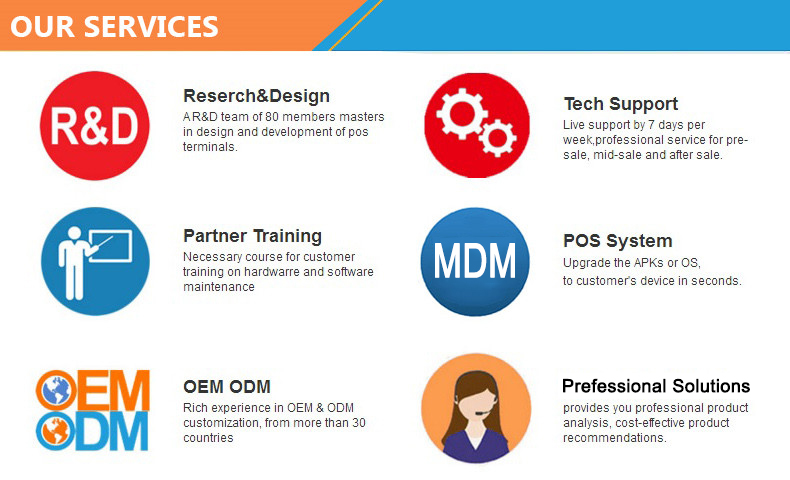
The services we provide.
What to Check Before Ordering
Choosing a POS terminal should go beyond comparing screen size and processor specifications.
1. Confirm the Android Version
Ask for the exact Android version installed on the production unit and confirm that your POS application supports it.
2. Confirm Payment Compatibility
If the device will be used for payments, confirm the required payment certifications, contactless functionality, card-reader configuration, and payment software compatibility for your target country.
3. Check Cellular Bands
For LTE deployments, confirm that the available cellular configuration supports the frequency bands used by the intended network operator.
4. Confirm Printer Requirements
Verify paper width, roll diameter, print speed, expected print volume, and replacement-paper availability.
5. Select the Right Battery
For mobile deployments, compare the standard 2500mAh battery with the optional 5000mAh configuration according to the expected workload.
6. Evaluate Software Requirements
Check RAM, storage, Android compatibility, API requirements, external peripheral support, and any required SDK or integration documentation.
Why Choose an Integrated POS Terminal?
An integrated POS design can simplify hardware procurement and installation.
Instead of purchasing a display, Android computer, receipt printer, network adapter, and battery-powered equipment separately, businesses can combine several functions in one terminal.
This can provide practical benefits such as:
- Fewer separate devices
- Reduced cable clutter
- Easier deployment
- More flexible placement
- Integrated receipt printing
- Android application compatibility
- Multiple connectivity options
For large deployments, simplifying the hardware configuration can also make device installation, maintenance, and replacement easier to organize.
Frequently Asked Questions
What is a 7-inch Android POS terminal?
A 7-inch Android POS terminal is a point-of-sale device that combines an Android touchscreen computer with POS-related hardware. This model also integrates a 58mm thermal printer and can optionally include a contactless card reader, cellular communication, GPS, and MDM.
Does this POS terminal have a built-in printer?
Yes. The terminal includes an integrated 58mm thermal printer designed for paper rolls with a maximum diameter of 50mm.
Does it support contactless cards?
An optional contactless card reader supports ISO14443 Type A/B, Mifare, and ISO18092. Payment application and certification requirements should be confirmed separately for the intended market.
Does the terminal support Wi-Fi and Ethernet?
Yes. The specifications include both Wi-Fi and Ethernet connectivity. WCDMA, GPRS, and Bluetooth are also supported, while LTE and GPS are optional.
Can it be used as a mobile POS?
Yes. The built-in lithium-ion battery and wireless communication options make the terminal suitable for mobile POS applications. The standard battery is 7.4V 2500mAh, with a 5000mAh option available.
Can the battery capacity be upgraded?
Yes. A 7.4V 5000mAh lithium-ion battery is available as an optional configuration.
Does it support dual SIM?
The standard configuration provides one SIM slot, while a two-SIM configuration is available as an option.
Is MDM supported?
Yes. Mobile Device Management is available as an optional feature for projects that require centralized device administration.
What Android version does it use?
The product specification lists Android 7.0 or above. For a new project, customers should confirm the exact Android version and software environment of the production configuration before ordering.
What is the size of the POS terminal?
The physical dimensions are 256 × 121 × 83 mm.
A Flexible POS Platform for Different Business Environments
The 7 Inch Android POS Terminal with Integrated Printer provides a practical combination of touchscreen computing, receipt printing, wired and wireless communication, and optional contactless functionality.
Its 7-inch display makes it more suitable for information-rich POS interfaces than many compact handheld terminals, while the integrated 58mm thermal printer reduces the need for an additional receipt-printing device.
With optional LTE, GPS, dual SIM, 5000mAh battery capacity, contactless reader, and MDM, the platform can be adapted to different deployment requirements.
For businesses, system integrators, distributors, and POS solution providers, the most important step is to select the hardware configuration according to the intended application, payment requirements, network environment, software platform, and deployment scale.
If you need a compact Android POS terminal with an integrated thermal printer and configurable connectivity options, this 7-inch model provides a flexible hardware foundation for developing or deploying customized POS solutions. Feel free to contact us.