September 28, 2026
If you have an RFID card but do not know its frequency, you are not alone. Many RFID cards look almost identical from the outside, even though they may use completely different technologies.
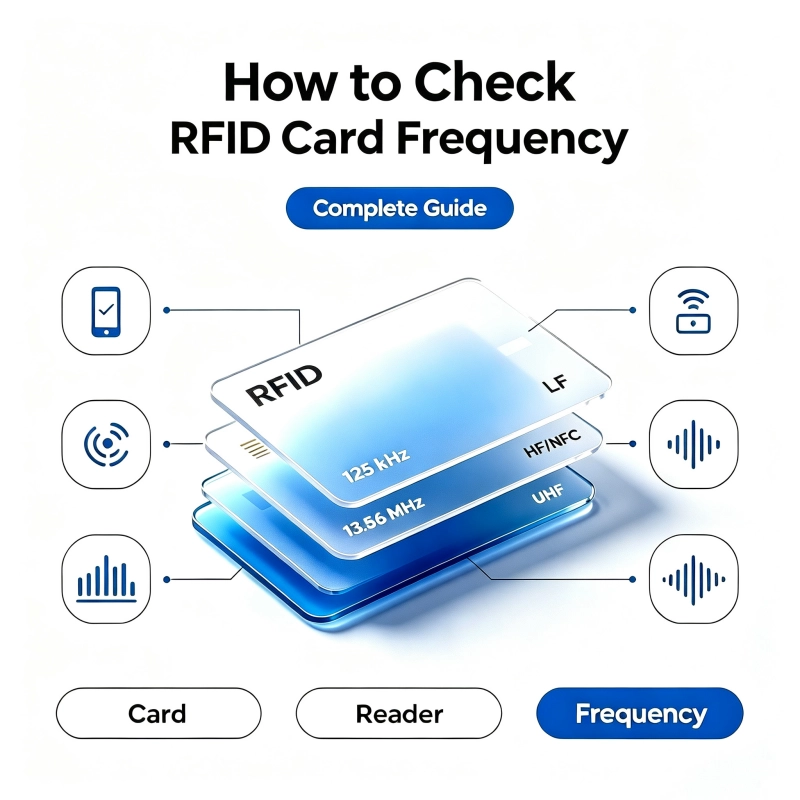
A card may operate at 125 kHz, 13.56 MHz, or a UHF frequency such as 860–960 MHz, depending on its chip, antenna, communication standard, and application. Using the wrong card with an RFID reader is one of the most common reasons an access card, employee badge, hotel card, or identification card does not work.
The good news is that checking an RFID card frequency does not always require expensive equipment. In many cases, you can start by checking the card markings, testing it with an NFC-enabled smartphone, or using an RFID reader. For professional applications, a multi-frequency RFID reader or dedicated RFID diagnostic equipment provides a much more reliable result.
This guide explains how to check RFID card frequency step by step, how to distinguish 125 kHz from 13.56 MHz cards, when a smartphone can help, why some cards cannot be detected by phones, and how to choose the correct RFID card and reader for your application.
What Is RFID Card Frequency?
RFID stands for Radio Frequency Identification. An RFID system normally consists of an RFID card or tag, an RFID reader, an antenna, and software or a control system.
The RFID card communicates with the reader through radio frequency signals. The operating frequency determines how the card communicates, what type of reader it needs, its typical read range, and which applications it is suitable for.
The three frequency categories most relevant when identifying RFID cards are:
| RFID Type | Typical Frequency | Common Applications | Can a Smartphone Usually Read It? |
|---|---|---|---|
| LF RFID | 125 kHz | Access control, proximity cards, older identification systems | No |
| HF RFID / NFC | 13.56 MHz | Smart cards, access control, transit, NFC applications | Yes, for many compatible cards |
| UHF RFID | 860–960 MHz | Logistics, inventory, vehicle identification, asset tracking | No, not with standard phone NFC |
The exact frequency alone, however, does not tell you everything about an RFID card. Two cards can operate at 13.56 MHz but use different protocols or chip families.
For example, 13.56 MHz RFID technology includes standards such as ISO/IEC 14443 and ISO/IEC 15693. NFC devices can support several 13.56 MHz technologies, but compatibility depends on the NFC implementation and tag type.
That is why identifying the frequency is the first step, not always the final step.
Why Do You Need to Know the RFID Card Frequency?
Knowing the frequency is important when you are replacing cards, installing an access control system, troubleshooting an existing RFID system, or purchasing cards in bulk.
The most common problem is a card-reader frequency mismatch.
For example, a 125 kHz proximity card cannot normally be read by a standard 13.56 MHz RFID reader. Likewise, a 13.56 MHz smart card will not automatically work with a 125 kHz reader.
This is similar to trying to use the wrong type of wireless technology: the card and reader may both be called “RFID,” but they do not necessarily communicate using the same radio technology.
You may need to check the frequency when:
- Your new RFID card does not work with an existing reader.
- You do not know what type of access card you have.
- You are replacing old cards with new cards.
- You are buying RFID cards from a new supplier.
- You want to determine whether a card supports NFC.
- You are upgrading an access control system.
- You need to identify an unknown hotel key card.
- You want to select the correct RFID reader.
- You are troubleshooting inconsistent card reading.
- You need to identify cards before ordering them in large quantities.
How to Check RFID Card Frequency
There are several ways to check RFID card frequency. The best method depends on what information you have and what equipment is available.
The easiest approach is to work through the methods in this order:
- Check the card and packaging.
- Identify markings and chip names.
- Try an NFC-enabled smartphone.
- Test the card with a compatible RFID reader.
- Use a multi-frequency RFID reader or professional diagnostic equipment.
- Check the original card specifications or contact the manufacturer.
For most users, the first three methods are enough to narrow down the possibilities. For professional identification, a reader-based test is more reliable.
Method 1: Check the RFID Card, Packaging, or Product Label
Start with the simplest method: look at the card itself.
Some RFID cards have their frequency or technology printed directly on the card, although many do not.
Look for terms such as:
- 125 kHz
- 13.56 MHz
- NFC
- MIFARE
- ISO 14443
- ISO 15693
- Proximity
- RFID
- IC
- ID
You may also find this information on:
- The original packaging
- The product label
- The supplier’s datasheet
- The purchase order
- The reader manual
- The access control system documentation
For example, a card clearly identified as 13.56 MHz is an HF RFID card.
A card labeled 125 kHz proximity is an LF RFID card.
However, do not assume that a blank card is not an RFID card. Many RFID cards have no visible frequency information because the RFID chip and antenna are embedded between the plastic layers.
In other words, appearance alone is not a reliable way to determine frequency.
Method 2: Look for Clues From the Chip or Technology Name
Sometimes the card does not show its frequency, but it displays the chip family or technology.
For example, MIFARE products are associated with 13.56 MHz contactless smart card technology. NXP’s NFC product portfolio includes 13.56 MHz technologies based on standards such as ISO/IEC 14443 and ISO/IEC 15693.
This means that a card marked with a compatible MIFARE or NFC technology name is a strong indication that you are dealing with a 13.56 MHz HF card.
By contrast, terms such as “Proximity” are often associated with older LF access control systems, although you should still verify the exact card technology before purchasing replacements.
The important point is:
A chip name can provide a useful clue, but it is not always enough to identify the complete card specification.
You may still need to determine:
- Operating frequency
- Communication protocol
- Chip model
- Memory capacity
- UID or serial number
- Read/write capability
- Security features
- Reader compatibility
Method 3: Use an NFC-Enabled Smartphone
For many people, this is the fastest practical test.
Modern smartphones often include NFC hardware that can communicate with compatible 13.56 MHz tags and cards.
To test your card:
- Turn on NFC on your smartphone.
- Open an NFC reader or tag identification application.
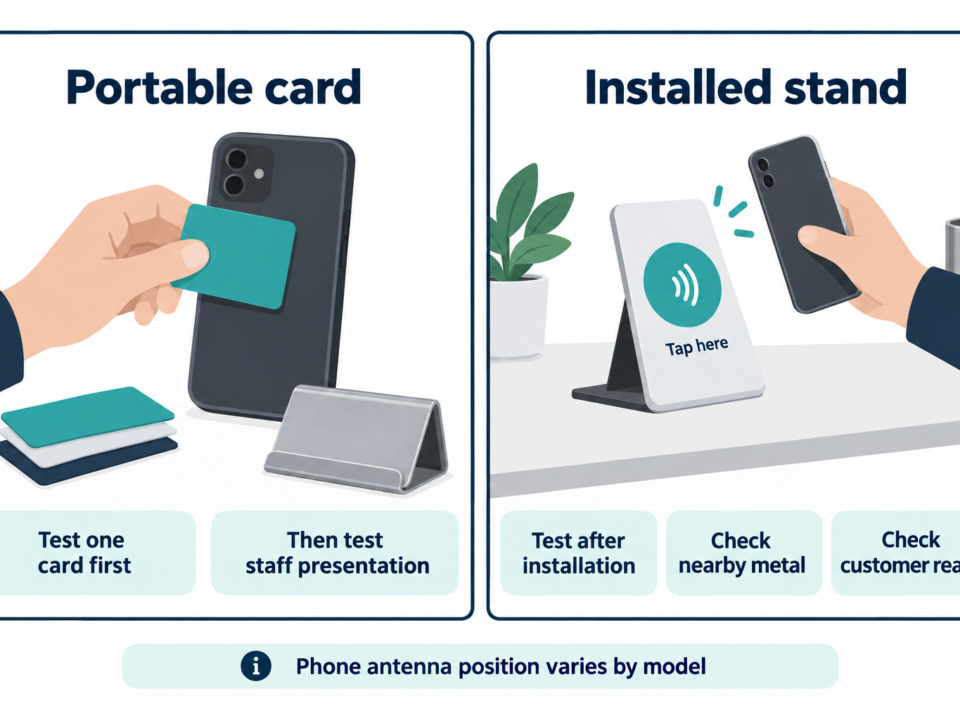
- Hold the RFID card against the NFC antenna area of the phone.
- Move the card slowly around the back of the phone if it is not detected immediately.
- Wait for the phone or application to respond.
- Check whether the application identifies the tag technology or protocol.
If the phone detects the card, there is a good chance that it is a 13.56 MHz HF/NFC-compatible card.
Smartphones have been widely used as HF RFID/NFC readers, including for 13.56 MHz technologies based on ISO 14443 and ISO 15693. However, support varies by phone and by card technology.
Important: A Phone Not Detecting the Card Does Not Mean the Card Is Broken
This is one of the most important points when checking RFID frequency.
If your phone does not detect the card, the card could still be perfectly functional.
The card might be:
- A 125 kHz LF card
- A UHF RFID card
- A 13.56 MHz card that is not supported by the phone or application
- A card with a damaged antenna or chip
- A card that requires a specific reader or protocol
Standard smartphones are generally designed for NFC and compatible HF RFID technologies, not 125 kHz LF RFID or UHF RFID. Dedicated readers are required for those technologies.
Therefore, “my phone cannot read it” is not the same as “the card has no RFID.”
Method 4: Test the Card With a 125 kHz RFID Reader
If you suspect the card is an LF access card, test it with a 125 kHz RFID reader.
Place the card close to the reader’s antenna.
If the reader recognizes the card, the card is likely a 125 kHz LF RFID card.
This type of RFID technology is common in traditional access control and proximity identification systems.
A simple frequency comparison is:
| Test Result | Likely RFID Frequency |
|---|---|
| Works on a 125 kHz reader | 125 kHz LF |
| Works with compatible NFC smartphone | Usually 13.56 MHz HF/NFC |
| Requires a UHF RFID reader | Usually 860–960 MHz |
| Does not work with any tested reader | Requires further investigation |
Do not use a 13.56 MHz reader to test a suspected 125 kHz card and conclude that the card is defective. The reader must support the card’s frequency.
Method 5: Use a Multi-Frequency RFID Reader
For professional users, a multi-frequency RFID reader is often the most practical solution.
Instead of testing cards one by one with different readers, a multi-frequency device can support multiple RFID technologies.
Depending on the model, it may identify:
- 125 kHz LF cards
- 13.56 MHz HF cards
- NFC technologies
- Specific RFID protocols
- Chip families
- Card UID or serial number
This approach is particularly useful for:
- RFID installers
- Access control companies
- System integrators
- RFID distributors
- Maintenance technicians
- Security system providers
- Card manufacturers
- Large organizations replacing existing cards
A reader that supports multiple HF standards can be especially useful because 13.56 MHz includes multiple protocols. For example, RFID systems may use ISO 14443, ISO 15693, ISO 18000-3, NFC, and other technologies within the HF ecosystem.
Method 6: Use a Dedicated RFID Frequency Detector
If your job requires identifying unknown cards regularly, a dedicated RFID frequency detector can save considerable time.
Instead of manually testing multiple readers, a diagnostic device can analyze the RFID signal and help determine the operating technology.
This is useful when you are working with a large number of unidentified cards.
However, frequency detection and protocol identification are not necessarily the same thing.
A professional diagnosis may need to determine both:
Frequency → Protocol → Chip → System Compatibility
For example:
13.56 MHz → ISO 14443 → specific chip family → compatible access reader
Knowing only “13.56 MHz” may still not be enough to guarantee that a replacement card will work.
Method 7: Check the Existing RFID Reader
If you do not have special card-testing equipment, look at the RFID reader already installed in your system.
The reader may have information printed on:
- The reader housing
- The rear label
- The product model
- The installation manual
- The manufacturer’s datasheet
- The software configuration page
If the existing reader is clearly specified as a 125 kHz reader, the card used with it is likely an LF card.
If the reader is specified as a 13.56 MHz HF/NFC reader, the card is likely a compatible HF card.
This method is especially useful for access control systems where the card and reader have been installed together for years.
However, be careful with multi-frequency readers. A reader may support more than one frequency, so the reader specification alone may not tell you exactly which card technology is being used.
125 kHz vs. 13.56 MHz vs. UHF RFID Cards
Understanding the three major frequency categories makes identification much easier.
| Feature | 125 kHz LF | 13.56 MHz HF/NFC | 860–960 MHz UHF |
|---|---|---|---|
| Frequency | 125 kHz | 13.56 MHz | Approximately 860–960 MHz |
| Typical range | Short | Short to moderate | Longer |
| Smartphone NFC | No | Often yes | No |
| Common use | Access control | Smart cards, NFC, access control | Logistics, inventory |
| Typical card format | Card/key fob | Smart card/card/tag | Often labels/tags, but cards are possible |
| Typical communication | Low-frequency proximity | HF/contactless | UHF backscatter |
| Common standards | Proprietary/legacy systems vary | ISO 14443, ISO 15693, NFC and others | EPC Gen2 / ISO 18000-63 and related systems |
| Best identification method | LF reader | NFC phone or HF reader | UHF reader |
The frequency ranges and applications are broadly consistent with common RFID system classifications. UHF RFID is widely used for longer-range identification, while 13.56 MHz technologies support many smart-card and NFC applications.
How to Tell if an RFID Card Is 125 kHz
If you suspect a 125 kHz card, look for these clues:
- It is used for traditional door access.
- It works with an older proximity reader.
- It is described as an LF or proximity card.
- An NFC phone cannot detect it.
- A 125 kHz reader recognizes it.
- The system uses older access control hardware.
The most reliable confirmation is a compatible 125 kHz RFID reader.
Do not rely only on card thickness, color, printed number, or physical appearance.
How to Tell if an RFID Card Is 13.56 MHz
A card is likely to be 13.56 MHz if:
- An NFC-enabled smartphone detects it.
- It is marked NFC.
- It is marked MIFARE or another compatible HF technology.
- It uses ISO 14443 or ISO 15693.
- It works with a 13.56 MHz RFID reader.
- It is used in a modern smart-card or contactless system.
13.56 MHz is particularly important because it covers both conventional HF RFID and many NFC applications.
NXP, for example, lists NFC and HF RFID products based on ISO/IEC 14443 and ISO/IEC 15693 within its 13.56 MHz product portfolio.
How to Tell if an RFID Card Is UHF
UHF RFID is different from the cards most people encounter in access control.
UHF RFID is commonly associated with:
- Inventory management
- Warehouse tracking
- Logistics
- Supply chain management
- Vehicle identification
- Asset tracking
- Retail item tracking
UHF RFID systems are designed for longer-range communication and can read tags from much greater distances than typical LF/HF cards.
If your card cannot be detected by an NFC phone and is intended for long-range identification, it may be a UHF RFID product.
A dedicated UHF RFID reader is required for confirmation.
Why Read Range Alone Cannot Identify RFID Frequency
Some people try to identify RFID frequency simply by measuring how far away the card can be read.
This can provide a clue, but it should not be treated as a definitive test.
Read range depends on many factors, including:
- Reader output power
- Antenna design
- Card antenna size
- Card orientation
- Reader antenna size
- Environment
- Metal surfaces
- Human body proximity
- Tag chip sensitivity
- Protocol
- Reader configuration
For 13.56 MHz systems, antenna coupling and the relative position of the reader and card antenna can strongly affect communication stability and power transfer.
Therefore, a short read distance does not automatically mean 125 kHz, and a longer distance does not automatically mean UHF.
Use read distance as a supporting clue, not as the primary identification method.
RFID Frequency vs. RFID Protocol: What Is the Difference?
This distinction is extremely important when buying replacement cards.
Frequency describes the radio frequency used for communication.
Protocol describes how the card and reader communicate.
For example, many HF RFID cards operate at 13.56 MHz, but they may use different protocols or standards.
Common examples include:
- ISO/IEC 14443
- ISO/IEC 15693
- NFC Forum technologies
- ISO 18000-3
A 13.56 MHz card is therefore not automatically compatible with every 13.56 MHz reader.
This is why simply telling an RFID supplier, “I need 13.56 MHz cards,” may not be enough.
A better specification includes:
Frequency + Protocol + Chip + Application + Existing Reader Model
What Information Should You Check Before Buying Replacement RFID Cards?
If you are replacing existing cards, collect as much information as possible before placing an order.
| Information | Why It Matters |
|---|---|
| Frequency | Ensures the radio technology matches |
| Protocol | Determines communication compatibility |
| Chip model | Identifies specific card technology |
| UID/serial format | Important for system registration |
| Memory | Relevant for writable applications |
| Security | Important for access control |
| Card dimensions | Ensures physical compatibility |
| Printing | Required for employee or membership cards |
| Material | Important for durability and environment |
| Reader model | Confirms system compatibility |
If possible, provide your RFID supplier with a sample card and the model number of your existing reader.
A professional supplier can then help determine the appropriate replacement.
Common Mistakes When Checking RFID Card Frequency
Mistake 1: Assuming Every RFID Card Is NFC
RFID is a broad technology family. NFC is one part of the broader 13.56 MHz ecosystem.
A 125 kHz access card is RFID, but your smartphone’s NFC function will normally not detect it.
Mistake 2: Assuming a Phone Can Detect All RFID Cards
A smartphone is convenient for HF/NFC identification, but it is not a universal RFID frequency detector.
Standard smartphones do not normally contain 125 kHz or UHF RFID readers.
Mistake 3: Buying a New Card Based Only on Frequency
Two cards may both be 13.56 MHz but use different protocols, chip families, security configurations, or system requirements.
Always check the complete technology specification.
Mistake 4: Assuming a Non-Working Card Has the Wrong Frequency
A card may fail because of:
- Damaged antenna
- Damaged chip
- Incorrect reader configuration
- Poor antenna coupling
- Metal interference
- Unsupported protocol
- Access control software configuration
- Card not registered in the system
Frequency mismatch is only one possible cause.
Mistake 5: Judging Frequency From Card Appearance
The color, thickness, printed design, and shape are not reliable frequency indicators.
The RFID inlay is embedded inside the card, and two visually identical cards can contain completely different RFID technologies.
RFID Card Frequency Troubleshooting Checklist
If your RFID card is not working, follow this checklist.
Step 1: Check the card markings.
Step 2: Check the original product documentation.
Step 3: Identify the existing RFID reader model.
Step 4: Try an NFC-enabled smartphone if you suspect 13.56 MHz.
Step 5: Test the card with a 125 kHz reader if you suspect LF.
Step 6: Use a UHF reader if the application involves long-range tracking.
Step 7: Identify the protocol.
Step 8: Check the chip model if possible.
Step 9: Test another known-good card on the same reader.
Step 10: Test the suspected card on a known-good compatible reader.
This last two-way test is particularly useful.
If another card works on the reader but your card does not, the problem may be the card.
If your card works on another compatible reader but not the original reader, the problem may be the reader or system configuration.
Which RFID Frequency Is Best for Access Control?
There is no single RFID frequency that is best for every access control system.
Traditional access control systems often use 125 kHz LF proximity cards, while newer systems commonly use 13.56 MHz HF smart cards and related technologies.
For simple legacy access control, 125 kHz can be a practical choice.
For applications requiring more advanced smart-card functionality, security features, NFC compatibility, or data capabilities, 13.56 MHz technologies may be more appropriate.
The correct choice depends on:
- Required security level
- Existing reader infrastructure
- Desired read distance
- Card data requirements
- System integration
- Budget
- Future upgrade plans
The key principle is simple:
Choose the card to match the system, not the other way around.
How DO RFID Reader Helps You Choose the Right RFID Card
DO RFID Reader is a factory under D.O RFID Group with extensive experience in RFID and smart card manufacturing.
DO RFID Reader provides RFID readers, RFID cards, RFID tags, and NFC tags for applications including access control, vehicle identification, logistics, and inventory management.
With around 15 years of experience in the RFID and smart card field, DO RFID Reader focuses on designing and manufacturing NFC and RFID products for different application requirements.
For customers who are not sure what RFID card frequency they need, the most useful information to provide is usually:
- Existing card sample
- Existing RFID reader model
- Application
- Required reading distance
- Required security level
- Card size
- Printing requirements
- Required quantity
- Target market
This information can help determine whether you need a 125 kHz LF card, a 13.56 MHz HF/NFC card, a UHF product, or a specific chip and protocol combination.
DO RFID Reader also supports customized RFID and NFC products, allowing RFID inlays and transponders to be embedded into different housings for different applications.
The company’s core value is:
Source Quality Products and Enjoy Efficient Service.
DO RFID Reader provides a 36-month warranty for products it manufactures and offers technical support designed to help customers solve product and application questions efficiently.
For customers who need custom RFID cards or tags, working directly with an experienced manufacturer can also reduce the risk of choosing a card based only on a general frequency description.
Competitor Analysis: What Existing RFID Frequency Guides Often Miss
A review of current search results shows that many competing articles answer the basic question well but stop at the first level of identification.
For example, some pages focus mainly on three methods: checking the card label, using an RFID reader, and using an NFC-enabled phone. Other pages emphasize the common comparison between 125 kHz, 13.56 MHz, and UHF.
These approaches are useful, but users often have a second question after identifying the frequency:
“Will this card actually work with my RFID reader?”
That is where a more complete guide needs to go further.
| Competitor Content Pattern | Strength | Common Gap | Our Recommended Approach |
|---|---|---|---|
| Basic frequency comparison | Easy to understand | Limited troubleshooting | Add practical diagnostic steps |
| Smartphone NFC method | Convenient | Only covers compatible HF/NFC cards | Clearly explain phone limitations |
| RFID reader method | More reliable | Often lacks protocol explanation | Explain frequency + protocol + chip |
| 125 kHz vs. 13.56 MHz | Useful for access control | Can oversimplify RFID | Include UHF and system compatibility |
| Appearance-based identification | Easy first step | Not definitive | Treat markings as clues only |
| Product-focused articles | Good for buyers | Can be commercially biased | Give neutral selection criteria first |
| General RFID explanation | Builds knowledge | May not answer the actual question quickly | Put actionable testing steps near the beginning |
This article therefore targets several related search intents at once:
- How to check RFID card frequency
- How to identify RFID card type
- How to know if an RFID card is 125 kHz
- How to identify a 13.56 MHz RFID card
- Can a phone detect RFID cards?
- RFID card frequency checker
- 125 kHz vs. 13.56 MHz RFID
- RFID card reader compatibility
- How to choose RFID cards
This broader topical coverage is useful because users rarely stop after learning the frequency. They usually want to solve a practical problem such as card compatibility, replacement, purchasing, or troubleshooting.
Quick Answer: What Is the Fastest Way to Check an RFID Card Frequency?
If you need the shortest practical answer:
First, check the card or packaging for frequency markings.
If there is no information, try the card with an NFC-enabled smartphone.
If the phone detects the card, it is likely a 13.56 MHz HF/NFC-compatible card.
If the phone does not detect it, do not assume the card is defective. It may be a 125 kHz LF card, UHF card, or another technology not supported by the phone.
For a reliable professional result, use a compatible RFID reader or multi-frequency RFID diagnostic reader.
Then check the protocol and chip type before purchasing a replacement.
FAQ About RFID Card Frequency
How do I know if my RFID card is 125 kHz or 13.56 MHz?
Try an NFC-enabled smartphone first. If it recognizes the card, the card is likely a compatible 13.56 MHz HF/NFC card. If it does not respond, test it with a 125 kHz RFID reader. A dedicated reader provides more reliable confirmation.
Can my phone check RFID card frequency?
A phone with NFC can identify many 13.56 MHz NFC/HF cards, but it cannot normally detect 125 kHz LF cards or standard UHF RFID tags. Smartphone compatibility also depends on the card technology and the phone’s NFC implementation.
Can a 125 kHz card work with a 13.56 MHz reader?
Normally, no. The card and reader use different radio frequencies and technologies. You need a reader designed to support the card’s frequency.
Are all 13.56 MHz RFID cards compatible with NFC phones?
No. Many NFC technologies operate at 13.56 MHz, but compatibility depends on the specific tag type, standard, and smartphone support. ISO 14443 and ISO 15693 are both examples of 13.56 MHz technologies, but they are not identical.
Can I identify an RFID card by its appearance?
Only to a limited extent. Printed information can provide clues, but card color, thickness, shape, and design cannot reliably determine frequency.
What frequency is commonly used for access cards?
Both 125 kHz and 13.56 MHz are common in access control. The exact choice depends on the installed access control system, reader, security requirements, and card technology.
What frequency does NFC use?
NFC operates at 13.56 MHz. However, NFC is not simply another name for every 13.56 MHz RFID product. NFC is a specific technology ecosystem with defined communication modes and supported tag technologies.
What should I do if my RFID card does not work?
First determine the card frequency and protocol. Then check whether the reader supports that technology. Test another known-good card with the reader and, if possible, test the suspected card with another compatible reader. This helps distinguish a card problem from a reader or system problem.
Final Takeaway
Checking an RFID card frequency is usually straightforward if you follow a logical process.
Start with the easiest method:
Check the card → check the documentation → try an NFC phone → test with an RFID reader → identify the protocol and chip.
For most access cards, the key distinction is between 125 kHz LF and 13.56 MHz HF/NFC. UHF RFID, typically used in logistics, inventory, asset tracking, and longer-range identification, requires a different type of reader.
The most important thing to remember is that frequency is only one part of RFID compatibility.
Before replacing or ordering RFID cards, confirm the:
Frequency + Protocol + Chip + Reader + Application
If you are unsure which RFID card or RFID tag is suitable for your system, DO RFID Reader can help evaluate the application requirements and provide customized RFID and NFC product solutions.
With extensive experience in RFID and smart card manufacturing, DO RFID Reader focuses on high-quality RFID products, customization, efficient service, and practical solutions for customers worldwide.
Not sure which RFID card or frequency is right for your system? Contact DO RFID Reader today for expert RFID card selection, custom solutions, and reliable technical support.

Do RFID is a leading China-based manufacturer with over 15 years of experience. We specialize in customized RFID readers, tags, and cards, delivering high-quality, tailored solutions that meet your unique business needs and drive seamless, efficient identification.