October 29, 2026
NTAG215 NFC tags make it easy to share information, connect users to digital content, and create convenient contactless interactions. With a compatible smartphone or NFC reader/writer, you can program an NTAG215 tag to open a website, display text, share contact details, or support a wide range of business applications.
If you are new to NFC technology, learning how to use NTAG215 NFC tags is straightforward. You need a compatible tag, an NFC-enabled device, and an NFC writing application. This guide explains how to write, read, rewrite, and lock NTAG215 tags, check smartphone compatibility, troubleshoot common problems, and choose the right NFC tag for your project.
What Is an NTAG215 NFC Tag?
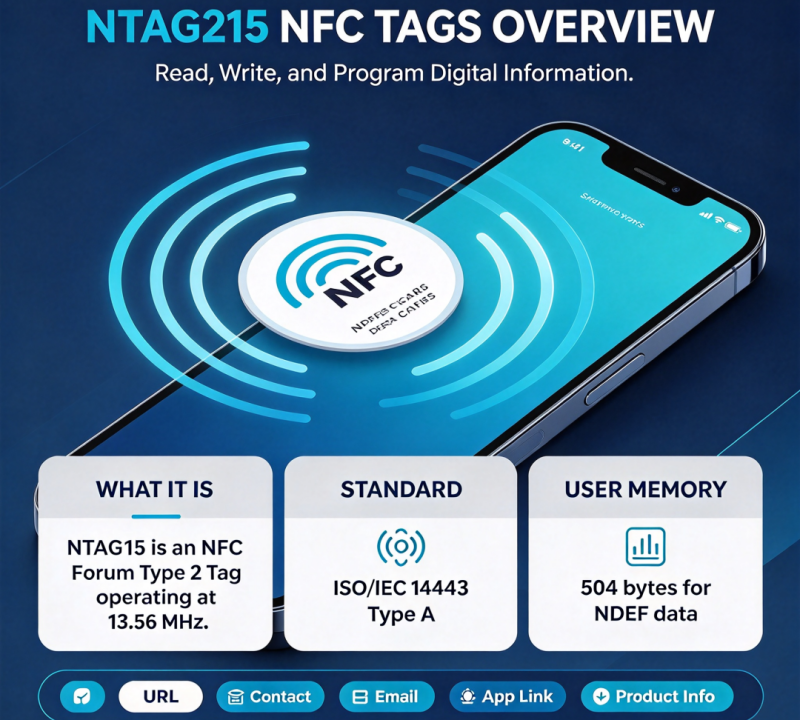
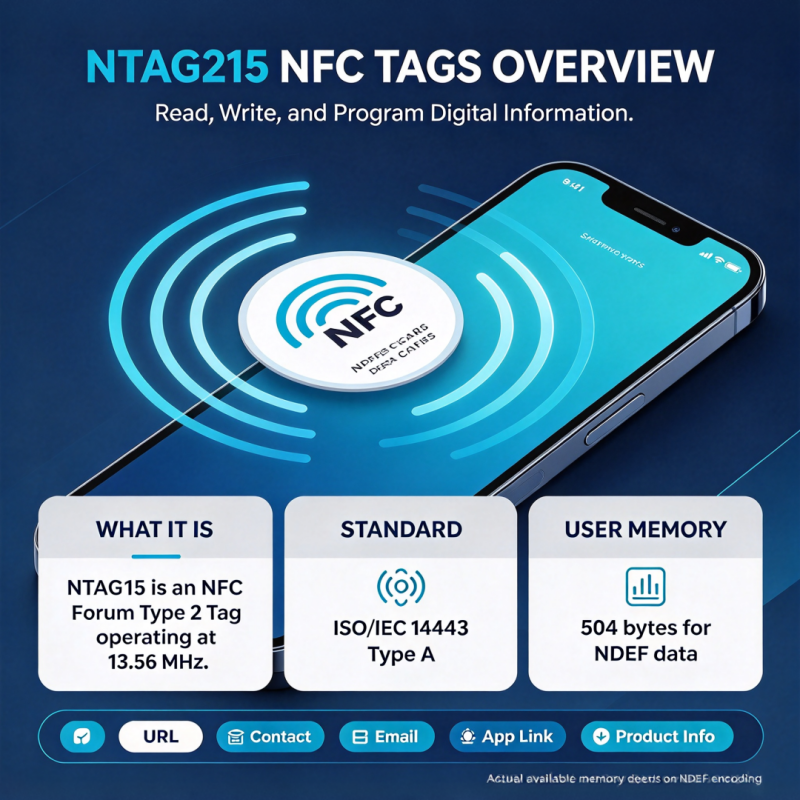
An NTAG215 NFC tag is a contactless tag built around the NTAG215 integrated circuit developed by NXP Semiconductors. It complies with NFC Forum Type 2 Tag specifications and ISO/IEC 14443 Type A, making it suitable for many applications involving smartphones and compatible NFC readers.
NTAG215 is part of the NTAG21x family, which also includes NTAG213 and NTAG216. Compared with NTAG213, NTAG215 offers more user memory, making it a practical option for applications that need to store longer NDEF messages or additional data.
NTAG215 NFC tags are available in different product formats, including stickers, cards, key fobs, and other tag designs, depending on the manufacturer’s product range.
NTAG215 NFC Tag Specifications
Understanding the main technical specifications helps you determine whether NTAG215 is suitable for your application.
| Specification | NTAG215 |
|---|---|
| Chip manufacturer | NXP Semiconductors |
| NFC standard | NFC Forum Type 2 Tag |
| Communication standard | ISO/IEC 14443 Type A |
| Operating frequency | 13.56 MHz |
| Data transfer rate | 106 kbit/s |
| Total EEPROM capacity | 540 bytes |
| User memory | 504 bytes |
| Unique identifier (UID) | 7 bytes |
| Typical write endurance | 100,000 write cycles |
| Typical data retention | 10 years |
| Security features | Configurable password protection and memory locking |
These are chip-level specifications. The performance of a finished NFC tag also depends on its antenna, material, dimensions, installation environment, and the NFC device used to read it.
What Can You Store on an NTAG215 NFC Tag?
NTAG215 supports NFC Data Exchange Format (NDEF), a standard format for storing data that compatible NFC devices and applications can interpret.
Common data types include:
- Website URLs: Open a product page, company website, or online catalog.
- Plain text: Display product instructions, contact information, or short messages.
- Contact information: Share a digital business card.
- Email and telephone links: Help users contact a business.
- Application links: Direct users to a supported app or online service.
- Product information: Connect physical products to digital specifications, manuals, or support pages.
NTAG215 provides 504 bytes of user memory, but the complete NDEF message also uses space for record structure and metadata. Therefore, the amount of actual content you can store depends on the data type and encoding.
For most marketing and information-sharing applications, storing a short URL is a practical approach. The destination page can contain much more information than the tag itself.
What Do You Need to Use NTAG215 NFC Tags?
Before programming an NTAG215 tag, prepare the following items.
1. An NTAG215 NFC Tag
Choose a tag with an NTAG215 chip that meets your application requirements. Depending on your project, you may need a sticker, PVC card, key fob, or another form factor.
For business deployments, confirm the chip type and test the finished tag rather than relying solely on product labels or appearance.
2. An NFC-Enabled Smartphone
Most modern NFC-capable smartphones can interact with compatible NTAG215 tags, although supported functions vary by device, operating system, and application.
For Android devices, check whether NFC is supported and enabled. For iPhones, check the device’s NFC capabilities and whether your intended operation requires a dedicated application.
3. An NFC Writing Application
An NFC writing app lets you create records and write them to a compatible tag. Examples include NFC Tools and NFC TagWriter by NXP.
Available features vary by platform and app version. Before starting, confirm that the application supports your device and the operations you need.
For projects involving many tags, consider using a compatible desktop NFC reader/writer with suitable encoding software. This can make batch programming and quality checks more efficient.
How to Write Data to an NTAG215 NFC Tag
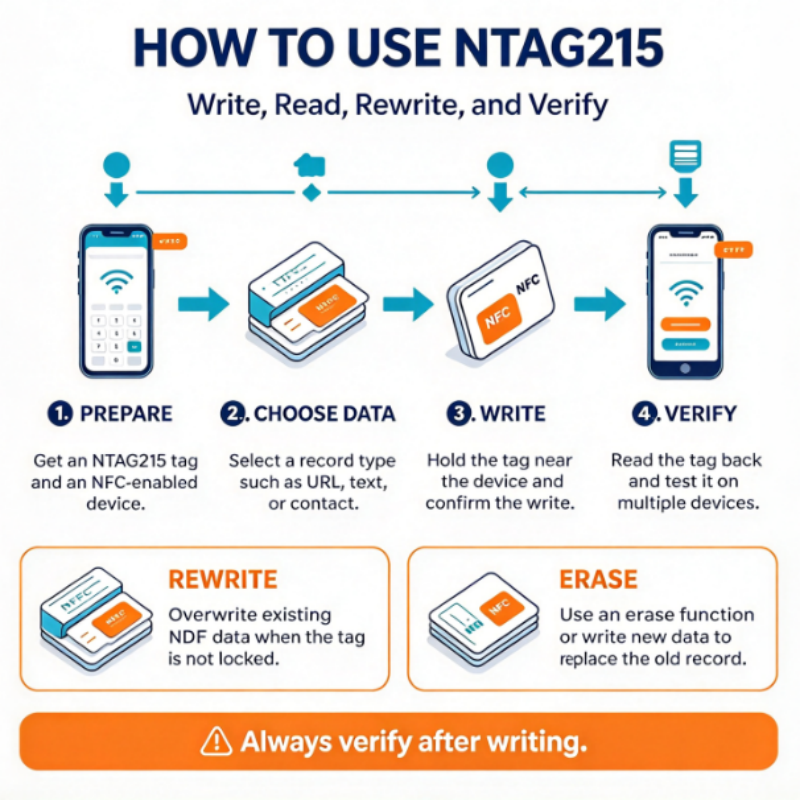
Writing data to an NTAG215 tag involves preparing the content, creating an NDEF record, writing it to the tag, and verifying the result.
The following example uses a website URL, but the same general workflow applies to other supported NDEF record types.
Step 1: Prepare Your NTAG215 Tag and Smartphone
Place the NTAG215 tag on a clean, non-metallic surface.
Make sure your smartphone supports NFC. If your device has an NFC setting, enable it before proceeding.
If the tag is attached to metal or another material that may interfere with NFC communication, test it in its intended installation environment. Standard NFC stickers may require a specialized on-metal construction for reliable performance on metal surfaces.
Step 2: Open an NFC Writing App
Install and open a compatible NFC writing application.
Look for an option such as Write, Add a Record, or New NFC Record. The exact interface depends on the application.
If you are using a dedicated NFC reader/writer, connect it to your computer and open the compatible encoding software.
Step 3: Choose the Data You Want to Write
Select the appropriate record type and enter your content.
For example, to create a tag that opens a website:
- Select the URL or website record type.
- Enter the complete web address, including
https://. - Check the spelling and destination.
- Save the record in the application.
You can also select supported record types such as plain text, contact information, email, or telephone links.
Keep the content concise to avoid unnecessary use of the tag’s limited memory.
Step 4: Write the Data to the NTAG215 Tag
Select the application’s write command and follow the instructions on the screen.
Hold the NFC sensing area of your phone close to the tag. Depending on the phone model, the NFC antenna may be located near the top, center, or back of the device.
Keep the phone steady while the application communicates with the tag.
Wait for the application to confirm that the operation has completed. Do not move the tag away too early.
If the write operation fails, check the tag’s writable status, the phone’s NFC settings, and the application’s compatibility before trying again.
Step 5: Read Back and Verify the Tag
After writing the data, use the application’s read function to inspect the tag.
Confirm that the stored record matches the content you intended to write.
For a URL tag, scan it with a compatible smartphone and verify that the correct website opens. If the tag will be used by customers, test it with more than one compatible device whenever possible.
For business projects, verification should include both the encoded data and the complete user experience.
Tip: Do not rely exclusively on the application’s successful-write message. Reading the tag back is an important quality-control step.
How to Read an NTAG215 NFC Tag
Reading an NTAG215 tag is generally simpler than programming one. The steps depend on whether the tag contains a standard NDEF message or data intended for a particular application.
Reading NTAG215 with an iPhone
On supported iPhone models, compatible NFC tags containing recognized NDEF records, such as website URLs, can trigger a notification when background tag reading is available.
To read a tag:
- Wake and unlock your iPhone as needed.
- Hold the phone close to the NTAG215 tag.
- Wait for the NFC notification, if supported.
- Tap the notification to open the associated content.
Some operations require an NFC application instead of background reading. Device state and software behavior can also affect scanning.
Reading NTAG215 with an Android Phone
To read an NTAG215 tag with Android:
- Confirm that the phone supports NFC.
- Enable NFC if required.
- Open a compatible NFC reader application if necessary.
- Hold the phone close to the tag.
- View the detected record or follow the displayed link.
The exact procedure varies by Android model and software version.
Reading NTAG215 with a Computer
A computer generally needs a compatible external NFC reader/writer unless suitable NFC hardware is already available.
Connect the device, install the appropriate software or drivers, and select a read function. For industrial or business applications, test the complete combination of reader, software, tag, and intended data format.
How to Rewrite or Erase an NTAG215 NFC Tag
NTAG215 tags can generally be rewritten while their relevant memory remains writable and the writing application supports the required operation.
However, rewriting data is not the same as permanently unlocking a tag.
How to Rewrite an NTAG215 Tag
- Open a compatible NFC writing application.
- Prepare the new NDEF record.
- Select the write command.
- Scan the tag when prompted.
- Read the tag again to verify the updated content.
If the application cannot write to the tag, check whether the memory has been locked or whether access protection is enabled.
How to Erase an NTAG215 Tag
Some NFC applications provide an erase or clear function. Others overwrite the existing NDEF message with new data instead.
An erase operation may clear or replace the user-facing message without physically resetting every memory location on the chip.
If a tag has been permanently locked as read-only, ordinary NFC writing operations cannot restore its write access.
For reusable tags, test the rewriting and erasing workflow before deploying a large quantity.
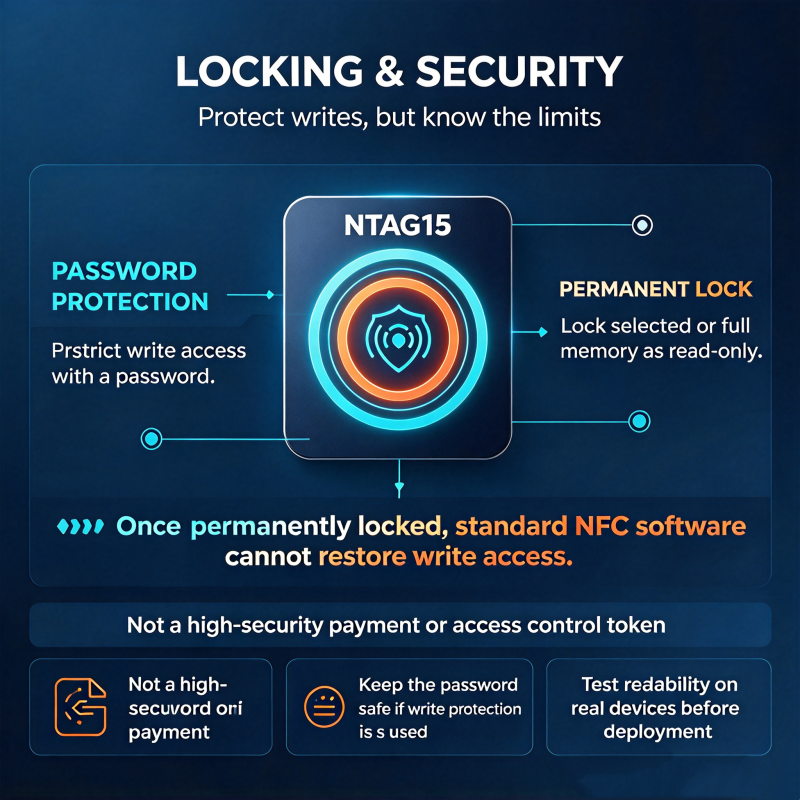
How to Lock an NTAG215 NFC Tag
Locking an NTAG215 tag can prevent unauthorized changes to selected memory areas. This is useful when a tag’s content should remain unchanged after programming.
NTAG215 supports memory locking and configurable password protection, but these functions are not identical.
Password Protection
Password protection can restrict access to protected memory operations, depending on the configuration.
Before enabling it, document the configuration and credentials securely. Losing the password or configuring access restrictions incorrectly may prevent future updates.
Permanent Read-Only Locking
NTAG215 also supports lock bits that can make selected memory areas read-only. Depending on the lock configuration, the effect can be permanent.
Before locking a tag:
- Write the final intended content.
- Read the tag back and verify the content.
- Test the tag with the intended devices.
- Confirm which memory areas will be locked.
- Apply the lock only when you are certain no further changes are required.
Important: Password protection and memory locking should not be treated as equivalent to strong cryptographic authentication. If your application involves sensitive access control, payment, or high-security identification, evaluate the security of the complete system rather than relying on NTAG215 alone.
Does NTAG215 Work with iPhone and Android?
NTAG215 is designed for use with compatible NFC devices, including many modern smartphones. However, reading, writing, and application-specific functions should be evaluated separately.
| Device or platform | Reading | Writing | Important considerations |
|---|---|---|---|
| Compatible iPhone | Supported for compatible tags and records | Depends on device, app, and operation | Background reading does not cover every NFC operation |
| NFC-enabled Android phone | Generally supported | Supported by compatible apps and devices | Check NFC settings and application support |
| Windows computer | Requires compatible NFC hardware and software | Requires compatible reader/writer and software | Confirm driver and software compatibility |
| Mac computer | Usually requires a compatible external reader/writer for general-purpose workflows | Depends on the reader and software | Check support for the intended operating system |
For iPhones, Apple documents background tag reading on iPhone XS and later, subject to system conditions and supported record types. This does not mean every tag operation is available on every iPhone.
For Android and computer-based workflows, compatibility depends on the hardware, operating system, software, and tag configuration.
If you are selecting NTAG215 tags for a commercial project, test representative samples using the actual devices your customers or employees will use.
NTAG213 vs. NTAG215 vs. NTAG216: Which Should You Choose?
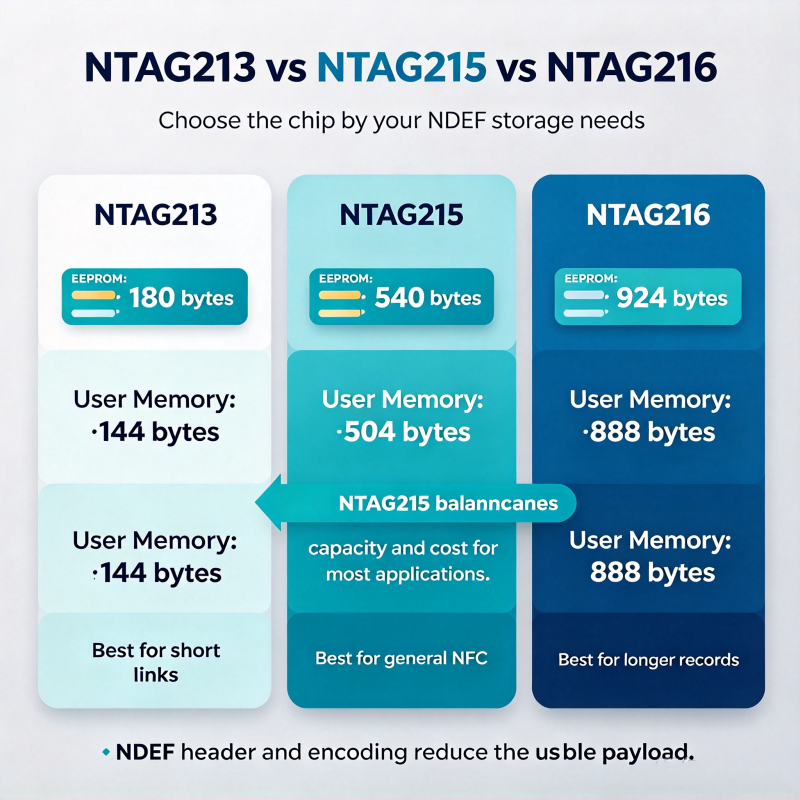
NTAG213, NTAG215, and NTAG216 belong to the same NFC tag IC family, but they provide different amounts of user memory.
| Feature | NTAG213 | NTAG215 | NTAG216 |
|---|---|---|---|
| Total EEPROM capacity | 180 bytes | 540 bytes | 924 bytes |
| User memory | 144 bytes | 504 bytes | 888 bytes |
| Suitable use cases | Short URLs and simple records | General-purpose NFC applications | Applications requiring more data |
| Main selection factor | Compact data requirements | Balance of capacity and application needs | Larger memory requirements |
These capacities are based on the NXP NTAG21x specifications. Actual usable space for an NDEF message depends on the encoded content and record structure.
When Should You Choose NTAG213?
NTAG213 may be sufficient when you only need to store a short URL or a small amount of data. If the application has simple requirements, a smaller-capacity chip may be worth evaluating.
When Should You Choose NTAG215?
NTAG215 is a practical option when you need more user memory than NTAG213 provides but do not require the larger capacity of NTAG216.
It can be considered for digital business cards, product information, marketing links, and other compatible NFC applications.
When Should You Choose NTAG216?
NTAG216 provides more user memory and may be suitable for applications involving longer NDEF messages or additional data.
Before choosing a chip, estimate the size of the encoded message rather than comparing memory capacity alone.
The best option depends on the application, tag construction, device compatibility, and total project cost.
Common NTAG215 NFC Tag Problems and Solutions
If an NTAG215 tag does not work as expected, use the following troubleshooting guide.
| Problem | Possible cause | Recommended solution |
|---|---|---|
| Phone cannot detect the tag | NFC disabled, incorrect antenna position, damaged tag | Check NFC settings, adjust the phone position, and test another device |
| Tag reads but does not open a website | Incorrect URL or unsupported record handling | Inspect the NDEF record and verify the URL |
| Writing operation fails | Tag is locked, access protection is enabled, or app is incompatible | Check the tag’s write status and confirm application support |
| Tag cannot store the intended content | NDEF message exceeds available memory | Shorten the content or consider a larger-capacity chip |
| Tag works inconsistently on metal | Metal affects antenna performance | Use and test a tag designed for metal surfaces |
| Computer cannot program the tag | Reader, driver, or software incompatibility | Check the hardware connection, software configuration, and supported tag types |
| One phone reads the tag but another does not | Different NFC capabilities or software behavior | Test the tag’s record format and both devices’ compatibility |
Why Is My NTAG215 Tag Not Working?
Start with the simplest checks:
- Make sure the phone supports NFC.
- Check whether NFC is enabled.
- Move the phone slowly across the tag’s likely antenna area.
- Remove interfering objects when possible.
- Try another compatible NFC device.
- Read the tag using an NFC application.
- Check whether the tag is writable or permanently locked.
- Confirm that the data was encoded correctly.
For commercial deployments, repeat these checks on multiple samples. If a problem occurs consistently, investigate the tag design, chip authenticity, reader configuration, and installation environment.
Practical Applications of NTAG215 NFC Tags
NTAG215 can support a variety of applications where short-range, contactless access to digital information is useful.
Product Information and Smart Packaging
Manufacturers can place NFC tags on packaging or product labels to connect customers to digital manuals, specifications, care instructions, or support pages.
The tag can store a short URL, while the destination website provides detailed information that can be updated without rewriting the tag.
Marketing and Advertising
Businesses can use NTAG215 tags on posters, displays, and promotional materials to direct customers to product pages, campaigns, or registration forms.
For best results, test the tag’s readability in its final position and make the intended action clear to users.
Digital Business Cards
An NTAG215 tag can store contact information or a link to a digital business card. Users can scan the tag with a compatible smartphone to access the information.
A URL pointing to an online profile is often easier to maintain than storing extensive contact data directly on the chip.
Inventory and Asset Identification
NTAG215 tags can associate physical items with digital records, such as maintenance instructions, inventory pages, or asset information.
However, the tag itself does not automatically provide a complete tracking system. Inventory management requires appropriate software, identification procedures, and compatible reading equipment.
Access Control and Identification
NTAG215 may be suitable for certain identification workflows when the complete system supports the chip and its security characteristics meet the application’s requirements.
For secure access control, select the credential technology and authentication architecture based on a proper security assessment. Do not assume that any NFC-compatible tag can replace a secure access credential.
How to Choose NTAG215 NFC Tags for Your Project
Selecting the right NTAG215 tag involves more than choosing a chip with sufficient memory.
Before placing an order, evaluate the following factors.
1. Chip Type and Product Quality
Confirm the required chip specification and ask the supplier about product verification and quality-control procedures.
For projects requiring a particular chip manufacturer or specification, verify the supplied product through appropriate documentation and testing.
2. Tag Format and Dimensions
Choose a product format that fits the intended application, such as a sticker, card, key fob, or customized housing.
The tag’s dimensions and antenna design can affect readability, especially when space is limited or the tag is embedded in another product.
3. Surface and Installation Environment
Consider whether the tag will be attached to plastic, glass, paper, wood, or metal.
Metal surfaces can interfere with conventional NFC antenna performance. If the tag will be installed on metal, evaluate a suitable on-metal design and test it in the actual environment.
4. Printing and Customization
For branded products, ask about available printing methods, artwork requirements, tag materials, and production tolerances.
If the application requires pre-encoded data, clarify the data format, encoding process, verification method, and whether each tag needs a unique record.
5. Sample Testing and Quality Control
Before ordering in bulk, request samples and test them using the intended smartphones or readers.
A practical validation process should cover:
- Successful reading and writing.
- Correct encoded data.
- Compatibility with intended devices.
- Readability in the final installation environment.
- Consistency across multiple samples.
- Durability requirements for the intended application.
6. Warranty and Technical Support
For long-term projects, consider the supplier’s warranty terms, production capabilities, communication, and technical support.
Clear specifications and testing procedures can reduce misunderstandings during manufacturing and help ensure that the delivered tags meet the project’s requirements.
Frequently Asked Questions About NTAG215 NFC Tags
What Is an NTAG215 NFC Tag Used For?
NTAG215 NFC tags are used to share digital information through compatible NFC devices. Typical applications include website links, digital business cards, product information, marketing materials, and certain identification workflows.
How Much Data Can an NTAG215 Tag Store?
NTAG215 provides 504 bytes of user memory. The amount of usable content depends on the NDEF record structure and encoding overhead.
Can I Program an NTAG215 Tag with My Phone?
Yes, provided that your phone supports the required NFC operations and you use a compatible writing application. The available functions depend on the phone, operating system, application, and tag configuration.
Can I Rewrite an NTAG215 NFC Tag?
Yes, if the relevant memory remains writable. A permanently locked read-only tag cannot be restored to writable status through ordinary NFC writing operations.
Can I Use NTAG215 with an iPhone?
Many compatible iPhones can read supported NTAG215 records. Writing and other advanced operations may require a suitable application and depend on the device and software version.
Is NTAG215 Suitable for Access Control?
It may be suitable for certain identification applications, but compatibility and security requirements must be evaluated against the complete access control system. NTAG215 should not automatically be considered a high-security credential.
How Do I Choose an NTAG215 NFC Tag Manufacturer?
Compare chip specifications, product formats, customization capabilities, quality-control procedures, sample testing, warranty terms, and technical support. For commercial projects, also verify the manufacturer’s ability to meet your quantity and delivery requirements.
Can I Order Custom NTAG215 NFC Tags in Bulk?
Custom and bulk orders may be available depending on the manufacturer’s capabilities. Before requesting a quotation, prepare the desired tag format, dimensions, materials, printing requirements, encoding needs, order quantity, and intended application.
About DO RFID Reader
DO RFID Reader is one of the factories of D.O RFID Group, a China-based manufacturer specializing in RFID and NFC products. The company provides RFID readers, RFID cards, RFID tags, and NFC tags for applications including access control, vehicle identification, logistics, and inventory management.
With experience in RFID and smart card manufacturing, DO RFID Reader supports customers seeking application-specific products, customization, and technical assistance.
The company’s service commitments include a 36-month warranty for products it manufactures, subject to applicable warranty terms, and 24-hour technical support.
For businesses sourcing NTAG215 NFC tags, DO RFID Reader can help evaluate tag formats, product specifications, printing requirements, and encoding needs based on the intended application.
Whether you need NFC tags for product information, smart marketing, identification, or a custom project, defining the technical requirements before production can help you choose a suitable solution.
Looking for NTAG215 NFC Tags for Your Project?
Choose the right NFC product for your project with a clear understanding of compatibility, performance, and quality requirements.

Do RFID is a leading China-based manufacturer with over 15 years of experience. We specialize in customized RFID readers, tags, and cards, delivering high-quality, tailored solutions that meet your unique business needs and drive seamless, efficient identification.