
Custom NFC Menu Stands for Restaurants
Create a visible, branded way for guests to open an approved digital menu at the table, counter or service point. DO RFID supplies custom acrylic stands with NFC, a marked tap area, full-color artwork and an optional QR scan alternative.
The physical display makes menu access easier to notice than an unmarked tag or a loose printed code. It also gives restaurants, hotels and hospitality operators a repeatable touchpoint that can be configured around the place where guests decide, order or collect.
Start with the stand you need, an approximate quantity and the intended location. Sales can help confirm the remaining details.
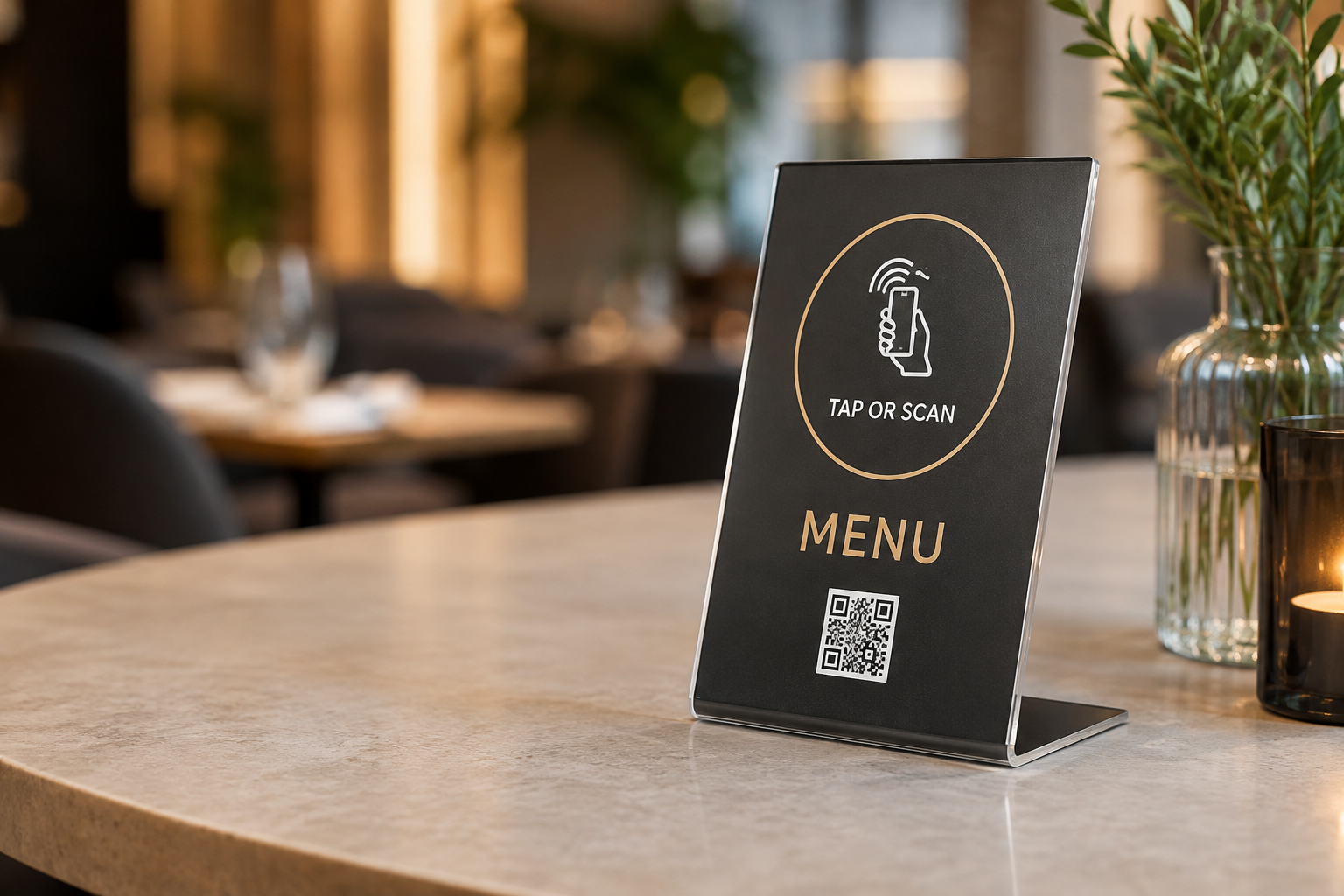
Place menu access where the guest needs it
A good NFC restaurant menu stand supports the service flow instead of becoming another object guests overlook. Choose the position first, then select the form, viewing angle and artwork for that moment.
Dining tables
Keep the prompt visible from a seated position without taking over useful table space. A custom NFC table menu stand can give each table a consistent tap or scan point while the restaurant controls the external menu destination. For shared tables approached from two directions, compare a double-sided NFC table stand.
Host and counter areas
Use the waiting moment at a host desk, ordering counter or bar to make the menu available before service begins. Position the stand where it stays visible without blocking payment, signage or staff movement.
Pickup and service points
At takeaway, collection or room-service points, a compact menu display can direct returning guests to the approved ordering or menu page. Test glare, stability and phone access in the real position.
Hotels and hospitality
Breakfast areas, lounges, guest-service desks and in-room settings may use the same product direction with artwork and destinations suited to each service.
Multiple locations or languages
Groups can keep a consistent physical format while approved URLs, artwork or languages vary by branch. Variable encoding, QR matching and packing remain project-specific and are confirmed when required.
What the physical stand adds
A visible invitation
The printed face tells guests what the interaction does and where to tap, reducing the ambiguity of an unmarked NFC tag.
Two familiar access paths
NFC gives a quick close-range interaction, while QR provides a visible camera-based alternative for guests who prefer to scan.
A branded service touchpoint
Acrylic form, color and artwork help the digital menu feel connected to the venue rather than added as an afterthought.
Select the form around placement
These verified products show available acrylic construction and form-factor directions. The displayed artwork is an example of previous product production; Menu artwork is customized for the approved restaurant or hospitality project.
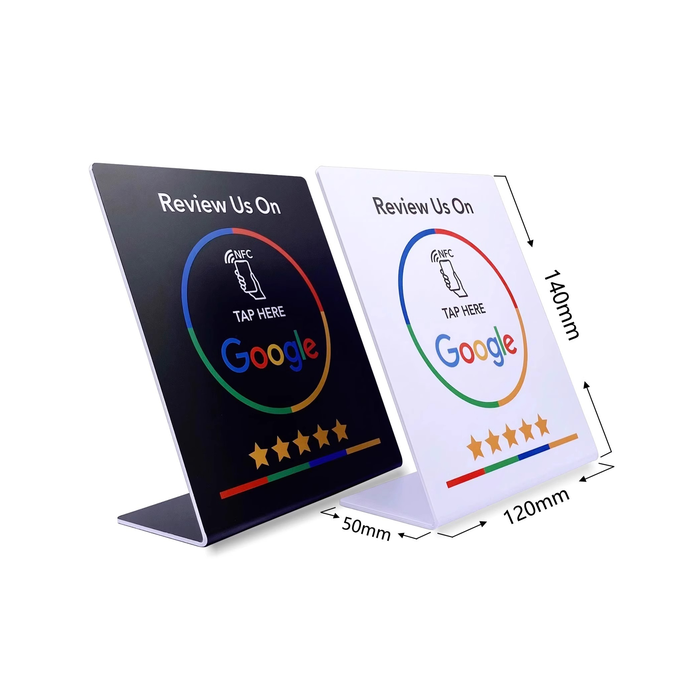
Freestanding table display
An L-shaped acrylic NFC menu stand gives the message a stable front-facing angle on dining tables, host desks and counters. Available face examples include 76 × 127.5 mm, 120 × 190 mm and 120 × 140 mm with a 50 mm base.
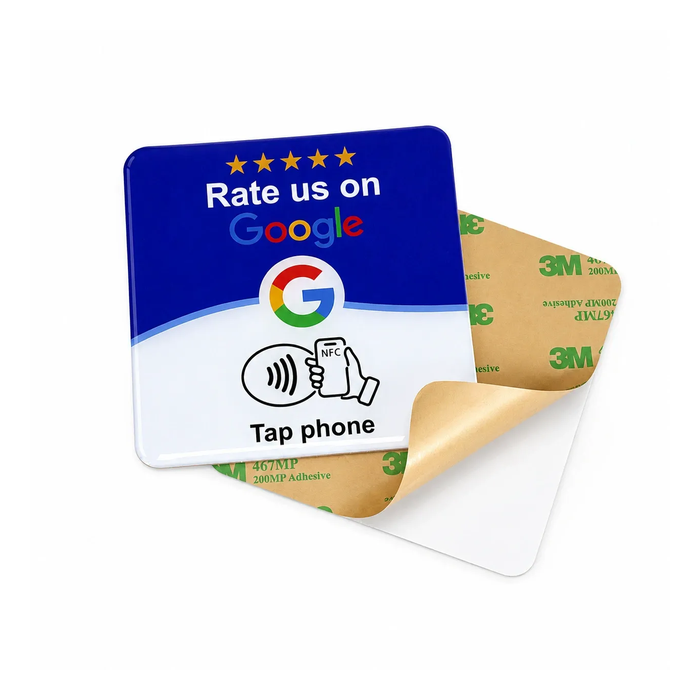
Square or rectangular plaque
A 120 × 120 mm example creates a compact fixed touchpoint where a freestanding base is not needed. Confirm the mounting surface and attachment specification.
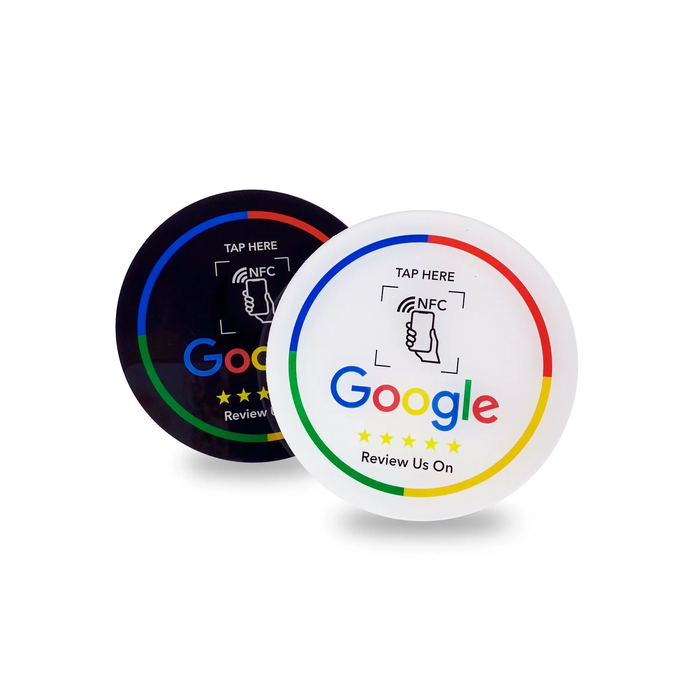
Round menu tap point
A Ø100 mm example suits locations where a compact branded marker is more useful than a larger digital menu stand.
Dimensions are starting examples, not fixed limits. Viewing distance, message length, phone approach, available surface and cleaning routine should guide the final format.
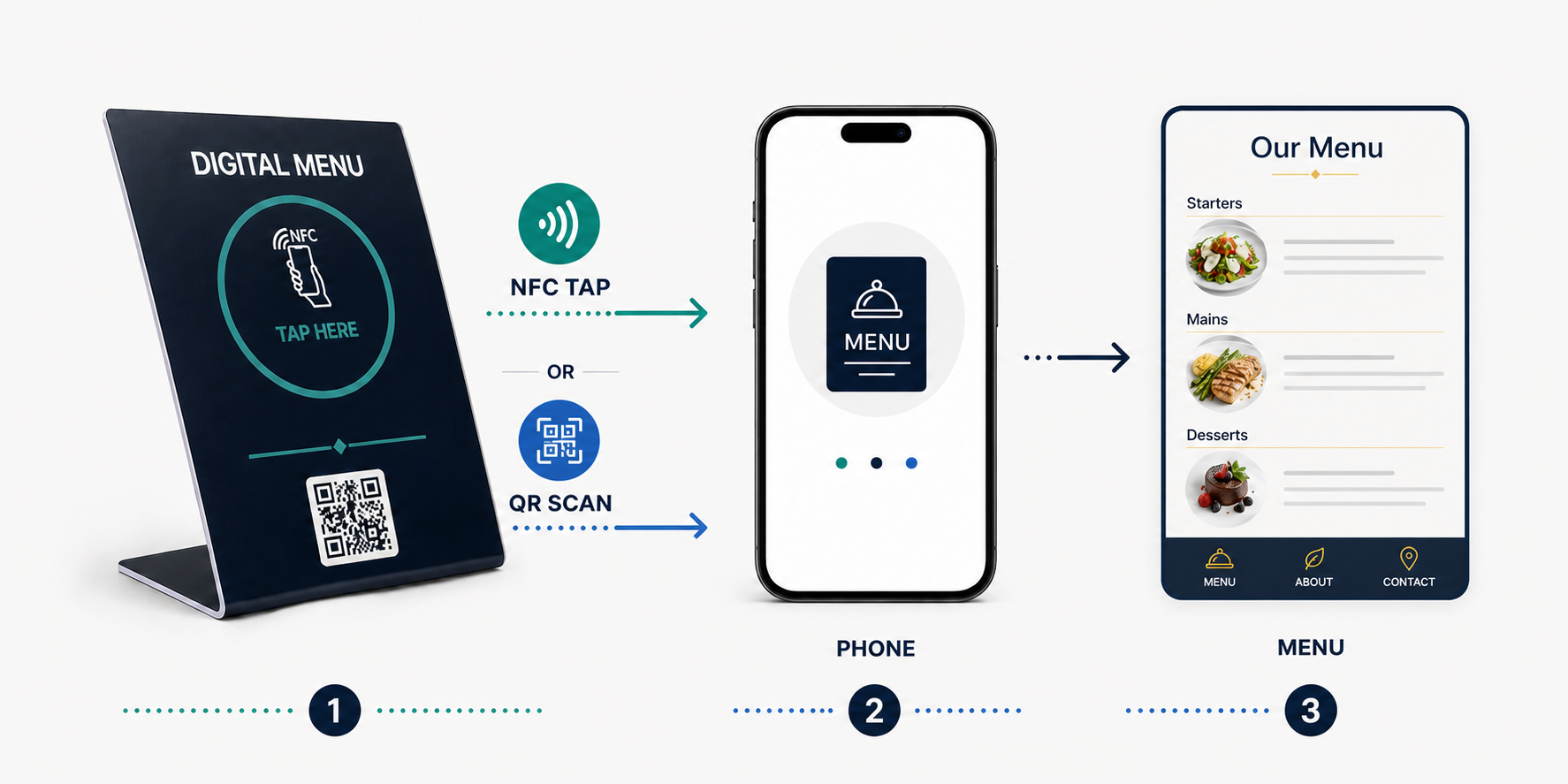
Tap NFC or scan QR to open the menu
A compatible phone can tap the marked NFC area to open the customer-approved menu URL. When QR is included, a guest can scan the printed code to reach the same destination in a normal shared-link configuration.
This makes an NFC QR menu stand useful where a venue wants NFC to remain the primary product direction while offering a clear fallback. Both routes should be checked against the approved URL before production.
The stand is the physical access point. Menu hosting, content management, ordering, POS and payment functions remain outside the product.
Make the action clear without overloading the artwork
A custom-printed menu display usually needs the venue identity, a short instruction such as “Tap or Scan for Menu,” a visible NFC marker and a QR code when selected. Good hierarchy matters more than filling every available area.
Helpful choices—not inquiry prerequisites
If available, share the logo, colors, display language, menu URL, preferred form or NFC + QR direction. If these are not ready, a basic product idea, approximate quantity and application are enough to begin; sales can help clarify the rest.
Choose the NFC configuration for the destination
NTAG213, NTAG215 or NTAG216
These chip directions can be considered according to the final NDEF payload, memory requirement, antenna and physical design. An NTAG213 NFC menu stand may suit a straightforward URL project, but the final selection follows the approved data and sample.
Encoding and verification
Confirm the destination and whether the NFC record remains rewritable or is locked after approval. Representative-phone testing and real-placement checks are more useful than assuming one universal read distance.
Plan samples and venue-wide deployment
A sample can confirm viewing angle, stability, glare, phone access, printed readability and the complete NFC + QR interaction before bulk production.
One shared destination
A restaurant may use the same menu URL across many tables or service points, simplifying approval and verification.
Branch, table or language versions
Different destinations can be evaluated when the project needs them. Data preparation, encoding, QR matching, verification, sorting and packing must be agreed for that order.
OEM and reseller programs
DO RFID can support branded samples and bulk NFC menu stands for restaurant groups, hospitality suppliers, agencies, distributors and menu-platform providers.
From a simple inquiry to bulk supply
1. Describe the need
Tell us the product direction, approximate quantity and intended restaurant or hospitality application.
2. Confirm the sample
Sales helps clarify form, artwork, URL, chip choice and tap/scan behavior, then prepares a project-specific sample quotation.
3. Approve bulk production
After the sample and specification are agreed, confirm the OEM order. Normal customized orders start at 100 pcs.
Production timing, finish, attachment, packaging and any variable-data workflow are confirmed in the quotation rather than assumed as universal specifications.
Tell us what you know so far
You do not need a finished artwork file or complete technical specification to contact DO RFID. Start with the type of stand, approximate quantity and intended use. If you already have a menu URL, chip preference, dimensions or artwork, include them; otherwise sales can help define the next step.
Ask about a custom sample or a manufacturer quotation for restaurant and hospitality supply.
Frequently asked questions
Can NFC and QR open the same menu?
Yes. In a normal same-destination configuration, the encoded NFC record and printed QR code can be verified against the approved menu URL.
Can each table or branch use a different link?
That can be evaluated as a project requirement. Variable encoding, QR matching, verification and packing must be confirmed for the order.
Does the stand include menu hosting or ordering software?
No. It opens the customer-approved external destination. Hosting, content management, POS and payment functions are outside the physical product scope.
Which stand form works best?
Use a freestanding form where visibility and portability matter, and a plaque where a compact fixed touchpoint is more suitable. A sample helps confirm the real placement.
Do I need complete artwork and specifications before contacting you?
No. A general product direction, approximate quantity and application are enough for an initial inquiry. Sales can help confirm the remaining choices.