November 5, 2026
26 NFC Tag Uses: Creative Ideas for Home, Work, and Business
NFC technology is best known for contactless payments, but its potential goes far beyond tapping a phone to pay. With a small, programmable NFC tag, you can share information, simplify everyday tasks, create interactive experiences, and connect physical objects to digital services.
From wedding invitations and pet identification to smart posters and product authentication, NFC tags offer a simple way to make everyday interactions faster and more convenient.
Whether you’re new to NFC or looking for fresh ideas for your next project, this guide explores 26 practical NFC tag uses, explains how they work, and helps you decide which applications are right for you.
How Do NFC Tags Work?
NFC stands for Near Field Communication. It is a short-range wireless technology that allows compatible devices to exchange information when they are brought close together.
Most everyday NFC tags are passive, meaning they do not need their own battery. Instead, they use energy from a nearby NFC-enabled reader, such as a smartphone, to communicate.
A programmable NFC tag can store information or provide a link to an action. Depending on the tag’s content, a phone may open a website, display contact information, show a location on a map, or launch a supported app or automation.
For example, you could place an NFC tag beside your front door to open a smart-home routine, attach one to a storage box to display its contents, or add one to a product so customers can access its user manual.
Keep in mind that an NFC tag does not perform every action by itself. The result depends on the phone, operating system, app, reader, and online service involved. Some actions require additional setup or user confirmation.
Part 1: NFC Tag Uses for Everyday Life
1. Create Interactive Wedding Invitations
NFC tags can turn a traditional invitation into an interactive digital experience.
Instead of printing every detail on a paper invitation, you can embed an NFC tag in a wedding card or attach one to its envelope. When guests tap the tag with a compatible smartphone, they can open a wedding website with the event schedule, venue address, dress code, accommodation information, and RSVP form.
You can also link to a photo gallery, a couple’s story, or a gift registry.
This approach combines the charm of a physical invitation with the flexibility of digital information. If the venue or schedule changes, you can update the linked webpage without replacing every invitation, provided the tag points to a page you control.
Best for: Weddings, engagement parties, anniversaries, and other special events.
2. Add Lost-and-Found Information to Bags and Valuables
Losing a bag, suitcase, or personal item can be stressful. An NFC tag can make it easier for someone who finds the item to contact its owner.
Attach a tag to a bag, luggage tag, wallet accessory, or key holder. Program it to open a contact page with an email address, a phone number, or instructions for returning the item.
For privacy, consider using a dedicated contact email or a webpage that lets the finder send you a message without revealing your home address or other personal information.
Important: An ordinary NFC tag does not provide GPS tracking or show an item’s live location. It only shares information when someone scans it. If you need location tracking, use a dedicated tracking device designed for that purpose.
Best for: Luggage, backpacks, camera bags, keys, and other frequently misplaced belongings.

Anti-theft handbags are a popular application for NFC tags. Choklat designer handbags are NFC-enabled. It allows owners to quickly identify their bags with a single touch. The most amazing feature is the journey log, which allows owners to track the bag if it is stolen.
Surprisingly, NFC tags are used for more than just bags. It can also be used for more expensive items such as shoes, clothing, or antiques. The added security and anti-functionality aid in the recovery of these items if they are stolen.
3. Share Travel Information and Digital Credentials
NFC can help organize travel information, but it is important to distinguish a regular NFC tag from an official electronic passport or digital identity credential.
For personal travel organization, you can program an NFC tag to open an itinerary, hotel reservation details, emergency contacts, travel insurance information, or a page containing copies of documents you choose to share.
For example, a tag inside a travel organizer could open a private webpage with your flight details and hotel address.
Avoid storing sensitive passport details, payment information, or unprotected document scans directly on a basic tag. A safer option is to link to a secure service that requires authentication.
An ordinary NFC tag also does not grant airport privileges, replace an official passport, or provide access to priority security screening.
Best for: Travelers who want convenient access to itineraries, emergency information, and trip resources.

VIPs typically have NFC passports for ease of passage. An NFC passport can function as a passport by being embedded behind a customer’s mobile phone.
As a result, VIPs with smart passports can benefit from priority security checks and enter terminals more quickly. NFC definitely improves the consumer experience.
4. Turn NFC Key Chains into Smart Shortcuts
An NFC key chain can do more than help you keep your keys together. It can also serve as a portable shortcut to information or a smartphone action.
Depending on the tag and your device, you could program a key chain to:
- Open a digital business card.
- Display your contact information.
- Launch a website or personal portfolio.
- Open a navigation app with a saved destination.
- Trigger a compatible smartphone automation.
- Share instructions for returning lost keys.
For example, a key chain used for work could link directly to your company’s contact page, while a personal one could open a digital profile.
A key chain is especially useful because it stays with you and can be scanned whenever needed.
Best for: Personal organization, networking, and sharing useful information on the go.

Keyfobs are NFC tags that can function as remote controls. Controls in your smart home, such as turning on lights, managing the temperature, and closing blinds, can be accessed without touching them.
You can program keyfobs to perform routine tasks, such as turning on your phone’s navigation. They make life simpler and more convenient.
5. Simplify Bluetooth Speaker Connections
Pairing a phone with a Bluetooth speaker can involve searching for the correct device, opening Bluetooth settings, and selecting the speaker manually.
An NFC-enabled speaker or a compatible NFC tag can simplify the process by providing pairing information or directing your phone to the appropriate connection workflow.
For example, you could place a tag beside a speaker in your living room. When tapped, it could open the speaker’s setup instructions or trigger a supported automation that helps you connect to it.
The exact experience depends on the speaker, phone, and software. A generic NFC tag cannot automatically pair every phone with every Bluetooth speaker.
Best for: Home audio systems, offices, meeting rooms, and shared entertainment spaces.

You can avoid the hassles of Bluetooth functionality by using an NFC tag. Consider this: after a long day at work, all you want to do is sink into the couch and blast some music. However, Bluetooth still takes at least 2-5 minutes to turn on and connect to your speaker.
If your speaker has an NFC tag, however, you only need to place your NFC mobile phone on top of the sticker. You can listen to great music and completely relax with just one tap.
6. Share Wi-Fi Access with a Tap
If visitors frequently ask for your Wi-Fi password, an NFC tag can make connecting easier.
Program a compatible tag with the appropriate Wi-Fi network information or link it to a page containing connection instructions. Place it near the entrance, in a guest room, or beside a meeting-room table.
Visitors can tap the tag with a compatible phone and follow the supported connection process rather than typing a long password.
Before setting this up, test it with both Android and iPhone devices. The behavior can vary by phone model, operating system, and tag configuration.
For extra security, consider creating a separate guest network instead of sharing access to your primary home or business network.
Best for: Homes, cafés, guest houses, coworking spaces, and offices.
7. Verify Products and Share Brand Information
NFC tags can help brands connect physical products with digital information, including authenticity checks, product details, warranty registration, and after-sales support.
A tag attached to a product can open a verification page where customers can check product information, view care instructions, register a purchase, or contact the manufacturer.
For example, a clothing brand could use NFC tags to provide fabric details and care instructions. A manufacturer could link a product to its warranty page and maintenance guide.
However, a basic NFC tag or its serial number is not, by itself, proof that a product is genuine. Tags can be copied or replaced. More robust authentication may require secure NFC chips, cryptographic verification, and a backend system that validates the product.
Best for: Retail brands, luxury goods, electronics, apparel, and manufacturers.
8. Use NFC Wristbands for Events and Access
NFC wristbands can make event check-in and attendee experiences more convenient.
At an event, a wristband may contain or reference an attendee credential that a compatible reader can verify. Depending on the event system, it may be used for registration, access control, cashless purchases, or entry to specific areas.
Wristbands can also link attendees to event schedules, speaker information, maps, or digital photo galleries.
For access control and payments, the wristband must work with the event’s compatible readers and backend system. A generic NFC sticker or wristband will not automatically function as a secure ticket or payment credential.
Best for: Concerts, festivals, conferences, sports events, and private functions.

For events, NFC wristbands are ideal. Event sponsors no longer sell paper tickets. NFC wristbands have simplified everything. It allows for faster admission and eliminates the need for people to wait in line at the entrance.
Guests can scan their wristbands using NFC tags. Most importantly, event sponsors can gather customer information for future market research.
9. Make Tourist Directions and Local Information Easier to Access
NFC tags can turn physical locations into convenient gateways to local information.
A hotel could place a tag in the lobby that opens a neighborhood guide. A museum could use tags to provide additional information about exhibits. A tourist attraction could link to walking routes, opening hours, accessibility information, or audio guides.
You can also place tags at selected points along a self-guided tour. Visitors tap each tag to open a map, read historical facts, or access additional content.
Because the tag can point to a webpage, you can update the information without replacing the physical tag.
Best for: Hotels, museums, tourism boards, heritage sites, and local businesses.
10. Create an NFC Pet ID Tag
An NFC pet tag can help someone contact you if your dog or cat gets lost.
Attach a tag to your pet’s collar and program it to open a pet profile containing useful information, such as:
- Your preferred contact method.
- Your pet’s name and a recent photo.
- Important care instructions.
- Information about medications or allergies, if relevant.
- Instructions for safely contacting you.
Think carefully about which personal details you share publicly. A contact form or dedicated email address may be preferable to publishing your full home address.
An NFC pet tag does not track your pet’s live location. It only provides information when a compatible device scans it. You may want to pair it with a traditional ID tag and a microchip.
Best for: Pet owners who want a convenient digital identification option.
11. Turn Recipe Books into Digital Cooking Bookmarks
If you enjoy cooking, NFC tags can help you organize recipes and kitchen resources.
Place a tag inside a cookbook, on a recipe card, or beside an ingredient storage area. Program it to open a particular recipe, a cooking video, a shopping list, or a page of preparation notes.
For example, tapping a tag on your favorite bread recipe could open the latest version of the recipe on your phone, complete with ingredient quantities and baking instructions.
You can also use separate tags for meal plans, dietary notes, or recipes you want to try later.
If the tag links to a webpage, you can update the recipe whenever you make improvements.
Best for: Home cooks, meal planners, food bloggers, and busy families.
12. Trigger an Alarm or Morning Routine
An NFC tag can act as a shortcut for starting a morning routine.
Place a tag on your bedside table or near your bathroom mirror. When you tap it, a compatible smartphone automation may open your alarm settings, launch a morning checklist, display the weather, or start a preferred music app.
You could also create a routine that opens your calendar and displays your first appointment of the day.
The important distinction is that the tag usually triggers an action on your phone; it does not independently function as an alarm clock. Some devices may require you to confirm the action or grant permissions in advance.
Test your routine before relying on it for an important wake-up time.
Best for: Morning routines, daily planning, and personal productivity.
13. Organize Storage Boxes and Household Items
Finding the right box in a cupboard, storage room, or garage can be surprisingly time-consuming.
Attach an NFC tag to each box and link it to a digital inventory. When you tap the tag, you can see a list of its contents, photographs, storage notes, or the date you last checked it.
For example, a holiday decoration box could link to a list of lights, ornaments, and seasonal accessories inside. A moving box could link to an inventory that makes unpacking easier.
You can also use NFC tags to organize office supplies, craft materials, cables, tools, and important documents.
For larger collections, use a consistent naming system and keep the inventory in a service you can update.
Best for: Home organization, moving, garages, offices, and hobby spaces.
14. Trigger Battery-Saving Automations
NFC tags can help you switch to a battery-saving routine without navigating through several settings menus.
Place a tag near your desk, in your bag, or beside your bed. Configure your phone’s supported automation tool so that scanning the tag activates selected actions, such as enabling a low-power mode where permitted, reducing screen brightness, or opening battery settings.
You might create one routine for long workdays and another for travel.
However, the NFC tag itself does not shut down background apps or directly manage your phone’s battery. Those actions depend on your device, operating system, available automation features, and permissions.
Check the automation carefully, especially if it changes connectivity or notification settings.
Best for: Travelers, commuters, and people who want quick access to power-saving settings.
15. Automatically Prepare Your Phone for Meetings
If you regularly attend meetings, classes, or conferences, an NFC tag can help you prepare your phone with one tap.
Place a tag on your desk or near a meeting-room entrance. Configure a compatible automation to enable a focus mode, open your calendar, launch a note-taking app, or display your meeting agenda.
You may also be able to change notification behavior or adjust volume settings, depending on your phone and operating system.
For example, tapping a tag at your office desk could open your work calendar and prepare your phone for a focused work session.
Because automation permissions differ across devices, test whether your chosen actions run automatically or require confirmation.
Best for: Offices, classrooms, conference rooms, and focused work sessions.
16. Make Laundry and Clothing Care Easier
NFC tags can help you organize laundry, particularly in shared households or places where clothing care instructions are easy to forget.
Attach a suitable tag to a laundry basket or storage area. Program it to open a checklist for sorting clothes, a washing schedule, or a page containing care instructions.
For example, a tag on a basket could open a list of items that need delicate washing, while a tag in a linen cupboard could display a restocking checklist.
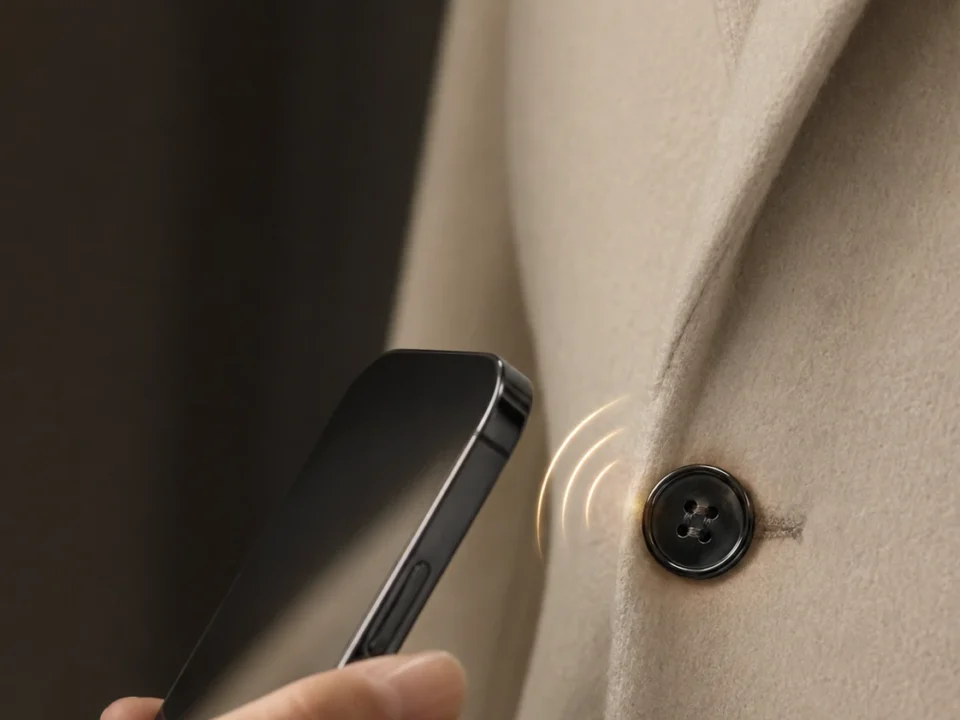
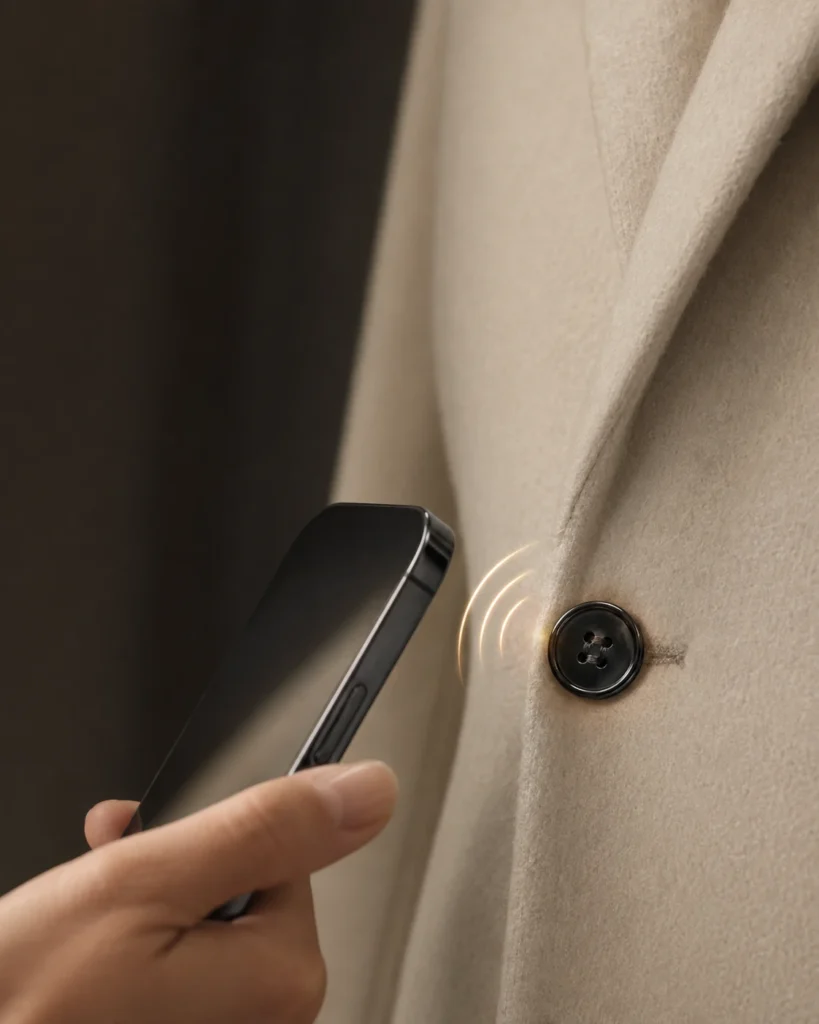
For tags attached directly to clothing, choose products designed for the fabric, washing temperature, moisture, and mechanical stress involved. Many ordinary NFC stickers are not designed to survive repeated washing or drying.
Best for: Families, shared laundry rooms, clothing inventory, and hospitality businesses.
17. Make Phone Calls and Share Contact Information Quickly
An NFC tag can make it easier to reach an important contact or share your own details.
Place a tag near your desk, in your car’s parked-use area, or on a contact card. Program it to open a phone number, display a digital business card, or launch a contact page.
For example, a small tag beside your home phone could open a list of important contacts. A business card with an NFC tag could direct a potential client to your email, portfolio, or contact form.
Depending on the phone, tapping a tag containing a phone number may open the dialer rather than immediately placing a call. This helps prevent accidental calls.
Avoid putting a tag where interacting with it would distract you while driving.
Best for: Networking, emergency contact lists, customer service, and everyday communication.
18. Start Kitchen Timers and Cooking Shortcuts
NFC tags can simplify repetitive kitchen tasks by launching timers, recipes, or cooking-related shortcuts.
Place a tag near your oven, coffee maker, or meal-preparation area. Program it to open a timer app, launch a recipe, or run a supported automation for a familiar cooking task.
For example, a tag beside your coffee station could open your preferred brewing instructions. Another near your baking supplies could launch a timer workflow for a recipe you make regularly.
If you use a phone automation to start a timer, confirm that it works reliably on your device and that the phone is accessible when needed.
A basic NFC tag does not measure temperature or determine when food is ready. It simply triggers the action you’ve configured.
Best for: Home kitchens, meal preparation, baking, and coffee routines.
19. Log Car Mileage and Maintenance
An NFC tag can make vehicle recordkeeping more convenient by opening a mileage log or maintenance form.
Place a tag in a suitable location inside your parked vehicle. When you tap it, a phone can open a form where you record the current odometer reading, fuel purchase, service date, or maintenance notes.
Over time, the log can help you review fuel costs, plan routine maintenance, and keep records for business travel.
For example, a small business owner could use a dedicated form to record the date, mileage, and purpose of each work trip.
The tag does not measure mileage or automatically detect how far the vehicle has traveled. You must enter the information yourself or connect the workflow to a separate data source.
Best for: Drivers, fleet administrators, and people tracking vehicle expenses.
20. Make Smart Toys More Interactive
NFC tags can connect physical toys to digital content, adding another layer of interaction to playtime.
For example, an NFC tag attached to a character card could open a story, an educational activity, a puzzle, or a related audio clip. A learning toy could use tags to link to pronunciation guides, vocabulary exercises, or interactive lessons.
Parents and educators can create different experiences for different objects without printing long web addresses or requiring children to search for content manually.
The experience depends on the app or webpage associated with the tag. A generic NFC tag does not automatically communicate with every toy or game console.
For children, use age-appropriate content and avoid linking tags to pages that collect unnecessary personal information.
Best for: Educational toys, storytelling, classroom activities, and interactive games.
Part 2: NFC Tags for Travel, Events, and Access
21. Use NFC Smart Rings for Convenient Interactions
NFC smart rings can put tap-based functionality on your finger, making certain interactions more convenient.
Depending on the ring’s design, it may be able to share contact information, open a website, provide access credentials, or interact with compatible systems.
Some rings are also designed for contactless payments. However, payment-enabled rings require compatible payment technology and supported banking or payment services. A basic ring containing a programmable NFC tag does not automatically become a payment device.
Before buying a smart ring, check which functions it supports, whether it works with your phone or intended reader, and whether any subscription or service account is required.
Best for: Wearable shortcuts, contact sharing, compatible access systems, and supported payment solutions.

You can never claim to have arrived in the future unless you own an NFC ring. This fashionable ring is a versatile accessory that can be used for a variety of purposes. It can be used to gain access to terminals, pay for purchases, or remotely open doors.
This is due to the NFC tag embedded within the ring. How does it function? NFC tags typically include matching codes with your personal information. So, if you’re paying at a store, you can simply scan your ring instead of your phone.
Eventually, the NFC tag will use wireless technology to send information to your bank and process the payment. Because the NFC tag is uniquely programmed to work only for you while recording other security considerations, it can successfully pay for your transaction.
22. Use NFC for Race Timing and Event Check-In
NFC can support check-in and timing workflows at organized events when used with the appropriate reader and software.
For example, an event organizer might issue NFC-enabled credentials to participants. At a designated checkpoint, a compatible reader scans each credential and records the participant’s arrival time in the event system.
The system can then use those records for attendance, checkpoint validation, or timing calculations, depending on its design.
This is different from continuous movement tracking. A passive NFC tag does not follow a runner around a course or measure every step. It must be scanned by a compatible reader at a checkpoint.
For competitive race timing, organizers should choose a system designed for the event’s accuracy, participant volume, and operating conditions.
Best for: Event registration, checkpoint check-ins, attendance records, and selected race workflows.
23. Wake Up a Computer with an NFC-Triggered Shortcut
An NFC tag can help you start a computer-related workflow from your phone, but the tag alone cannot power on every computer.
For a compatible setup, you could configure your phone to scan an NFC tag and send a command to a computer or network service. Depending on the hardware and configuration, this may use Wake-on-LAN, a remote-access tool, or a home-automation system.
For example, a tag on your desk could trigger a supported shortcut that sends a Wake-on-LAN packet to a computer configured to receive one.
This requires compatible network hardware, firmware settings, network access, and appropriate software. Wake-on-LAN may not work across every network or when the computer is fully disconnected from power.
If you only want quick access to your computer, the tag could instead open a remote desktop app or a page with connection instructions.
Best for: Home offices, remote work, and users who already manage their computers remotely.
Part 3: NFC Tags for Business and Marketing
24. Create NFC Loyalty and Rewards Cards
NFC tags can make loyalty programs easier to access by connecting a physical card or sign to a digital rewards page.
For example, a café could place an NFC tag on its counter. Customers tap it to open a loyalty registration page, view available rewards, or access their existing account.
Retailers can also use NFC-enabled cards to direct customers to membership benefits, product recommendations, or personalized offers.
The tag itself does not automatically store or validate a customer’s points unless the overall system is designed to do so. In most cases, the actual loyalty records live in an app, database, or online service.
For a good customer experience, make the linked page mobile-friendly and explain clearly what happens after the tap.
Best for: Cafés, restaurants, retail stores, salons, and customer membership programs.
25. Use NFC Posters to Connect Offline and Online Marketing
NFC posters and signs can turn printed advertising into an interactive digital experience.
Place a tag behind or beside a poster, display stand, product shelf, or promotional sign. When a customer taps it, their phone can open a campaign page, product demonstration, booking form, event registration page, or discount offer.
For example, a museum poster could open ticket information, while a retail display could link to a product video or comparison guide.
Unlike a printed web address, an NFC tag lets customers access the linked destination without typing the URL. You can also update the destination later if the tag points to a page or redirect you control.
For best results, add a clear instruction such as “Tap your phone to learn more” and provide a QR code as an alternative for devices that cannot read the tag.
Best for: Retail displays, public information signs, events, exhibitions, and promotional campaigns.
26. Make App Downloads and Product Information Easier to Access
NFC tags can guide customers to an app, product page, or digital support resource with a single tap.
For app promotion, program a tag to open a landing page that detects the user’s device and directs them to the appropriate app store listing. The user can then review and install the app. A standard NFC tag cannot guarantee that an app downloads or installs automatically.
For physical products, a tag can also link to a digital product experience, such as:
- Product specifications and user manuals.
- Warranty registration and after-sales support.
- Care, repair, and maintenance instructions.
- Product origin and sustainability information.
- Tutorials, setup guides, and troubleshooting.
- Product registration or authenticity verification.
For example, a home appliance could carry an NFC tag that opens its instruction manual and maintenance schedule. A clothing label could link to fabric care information, while a reusable product could connect customers to repair and recycling guidance.
Some brands may use NFC as part of a digital product passport or a more advanced product-authentication system. The quality and trustworthiness of that experience depend on the linked service and, where necessary, the security features of the tag.
Best for: App developers, consumer brands, electronics manufacturers, retailers, and after-sales service teams.
How to Choose the Right NFC Tag
Not every NFC tag is suitable for every project. Before buying tags in bulk, consider the following factors.
1. Compatibility
Check whether your target phones and readers support the tag type and data format you plan to use. If your project needs to work across multiple phone platforms, test it on representative devices before deployment.
2. Memory Capacity
A simple website link usually requires little storage. More complex data or specialized applications may require a tag with greater memory capacity.
For many projects, storing a URL that points to an online resource is more flexible than trying to store all the information directly on the tag.
3. Physical Environment
Choose a tag designed for its installation location. Paper labels may be suitable for invitations, while durable or waterproof tags may be better for outdoor signs, luggage, or equipment.
If you plan to attach a tag to metal, select a tag specifically designed for metal surfaces. Ordinary NFC tags can perform poorly when placed directly against metal.
4. Read Range and Placement
NFC is designed for close-range interactions, typically requiring the phone to be brought within a few centimeters of the tag. Actual performance depends on the tag, reader, phone, and surrounding materials.
Place the tag where users can easily find and tap it. If necessary, add a visual marker and a short instruction.
5. Security and Privacy
Consider whether the tag will expose personal information or control access to a service.
For sensitive applications, avoid placing confidential data directly on an ordinary tag. Use secure authentication, a protected online service, or specialized NFC hardware when appropriate.
If a tag links to a website, keep the destination updated and use a domain customers can recognize.
6. Rewritability
Some NFC tags can be rewritten multiple times, while others may be locked against further changes.
Rewritable tags are useful when you expect to update a URL or workflow. Locking a tag may help prevent accidental changes, but it does not by itself guarantee that the destination or linked service is secure.
NFC Tags vs. QR Codes: Which Is Better?
NFC tags and QR codes both connect physical objects to digital information, but they work differently.
| Feature | NFC Tags | QR Codes |
|---|---|---|
| How users interact | Bring a compatible phone close to the tag | Open the camera or scanner and scan the code |
| Physical format | Usually a chip or tag embedded in a label, card, or object | A printed or displayed visual code |
| Requires camera scanning | No, but NFC support is required | Usually yes, through a camera or scanner |
| Requires NFC support | Yes | No |
| Updating the destination | Possible if the tag is rewritable or points to a page you control | Possible if the code points to a page or redirect you control |
| Best suited to | Tap-based interactions, cards, products, and compatible access systems | Broad public access, printed materials, menus, and low-cost campaigns |
Neither option is universally better.
Choose NFC when a quick tap is central to the experience, or when the tag needs to be integrated into a product or object. Choose QR codes when you want a low-cost solution that can be printed almost anywhere and scanned by a wide range of devices.
For customer-facing applications, using both can make the experience more accessible.
Frequently Asked Questions About NFC Tags
Do NFC tags need a battery?
Most ordinary passive NFC tags do not need their own battery. They draw the small amount of energy needed to communicate from a nearby compatible reader.
Specialized NFC devices may have additional electronics or power requirements, so always check the specifications of the product you’re buying.
Can NFC tags work with both iPhone and Android?
Many common NFC tags can be read by compatible iPhones and Android phones, but behavior varies by device, operating system, tag type, and the action being triggered.
If you’re using tags for a business or public installation, test the experience on the phones your audience is likely to use.
Can an NFC tag track my bag, pet, or car?
A standard passive NFC tag cannot independently track location, follow movement, or report GPS coordinates.
It can display contact details or open a digital log when scanned. For live location tracking, you’ll need a separate tracking device or system designed for that purpose.
Can an NFC tag automatically change every phone setting?
No. An NFC tag can trigger supported actions, but the phone’s operating system and permissions determine which actions are available and whether confirmation is required.
Some workflows need a compatible app or an automation configured in advance.
Are NFC tags secure?
Security depends on how the tag is used.
A basic tag containing a URL or contact details should not be treated as a secure identity credential. Tags can be copied, replaced, or programmed to point to an unsafe website.
For sensitive applications, use appropriate authentication, secure chips where needed, trusted software, and a protected backend service. Users should also verify unfamiliar links before entering personal information.
Can I rewrite an NFC tag?
Many programmable NFC tags can be rewritten, provided they have not been permanently locked and remain compatible with the writing app and data format.
If you want to change the information later, consider programming the tag with a URL that points to a page you control. You can then update the page without rewriting the physical tag.
How much information can an NFC tag store?
The amount depends on the tag’s memory capacity and the format of the stored data.
For many everyday projects, a short URL is a practical choice because the full information can live on a webpage rather than occupying the tag’s limited memory.
Final Thoughts: Make Everyday Interactions More Convenient with NFC
NFC tags are small, but they can support a wide range of useful experiences. They can simplify daily routines, help people access information, make events easier to manage, and give businesses new ways to connect physical products with digital services.
The key is to choose a use case that solves a real problem. Start with a simple project, such as sharing Wi-Fi access, opening a digital business card, or organizing household storage. Test the experience on the devices your intended users have, then expand as needed.
For more advanced applications—such as secure access, product authentication, or event timing—remember that the tag is only one part of the system. The reader, software, backend, and security design are just as important.
With the right setup, NFC can make the connection between the physical and digital worlds feel almost effortless.
Ready to get started? Explore our NFC tags and choose a format that fits your project, whether you need stickers for everyday automations, cards for sharing information, or durable tags for business applications. Welcome to contact us.

Do RFID is a leading China-based manufacturer with over 15 years of experience. We specialize in customized RFID readers, tags, and cards, delivering high-quality, tailored solutions that meet your unique business needs and drive seamless, efficient identification.