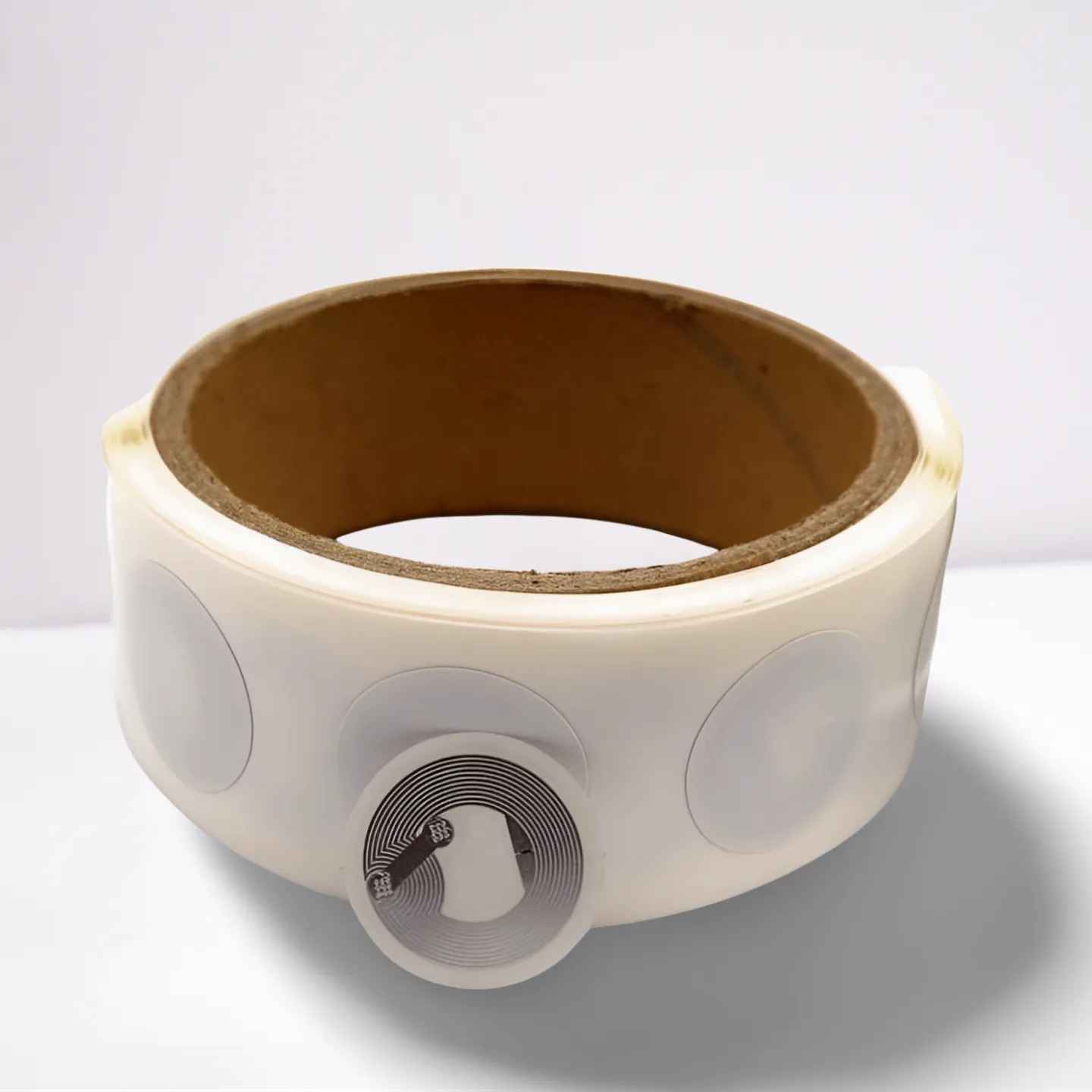
NTAG215 NFC Stickers Printable Custom Options

NTAG215 LABEL SELECTION

Choose a printed label, or the right blank stock for your printer

NTAG215 NFC stickers combine a visible label with a rewritable NFC chip. They can connect packaging, printed material or equipment with useful digital information, while your logo or identifier makes the tap point easy to find.

Choose the finished label around its surface, artwork and application. NTAG215 provides 504 bytes of user memory; printer compatibility comes from the label construction, not the chip name. A sample lets you check both the print and the intended NFC interaction.

NTAG215 label rolls and round labels
NTAG215 labels shown in our current range. Select the printable construction for your intended process.
Chip
NTAG215
User memory
504 bytes
Frequency
13.56 MHz
NFC standard
Type 2 · ISO/IEC 14443-A

Chip specifications; the label face material and reading performance depend on the finished construction.

Two ways to get the printed result you need

Order finished custom printing

Start with the item you want to label and the appearance you want to achieve. The design can include a logo, tap instruction, QR code or identifier. Choose the label shape, face material and finish alongside the printed result, then review an appropriate proof or sample.

Explore our custom printed NFC sticker options for this route.

Print compatible blank labels yourself

If you already have printing equipment, begin with that equipment and the consumables it accepts. The face coating, finished thickness, liner and sheet or roll presentation must suit the printer’s media path. Choose stock specifically intended for the process rather than assuming any blank NFC sticker will work.

For the differences between printing methods, use our NFC tag printing guide.

Decide what arrives on the label

RouteWhat the buyer getsWhat to match
Finished logo or QR designA printed label prepared to an agreed design.Artwork, readable code area, outline, surface and finish.
Compatible blank stockLabels for your own printing, in the supply format selected for the product.Printer, coating, consumables, thickness and roll or sheet feeding.
Variable print and NFC recordsItem-specific visible information and an agreed NFC data arrangement.The same item identity across printed numbers, QR destinations and NFC records.

Printing adds visible information; NFC encoding writes the chip. They can be coordinated, but one does not perform the other. Roll quantity, sheet layout and data preparation belong to the selected supply arrangement, rather than a fixed package inferred from “NTAG215.”

Use the memory for the record your project actually needs

504 bytes is not a fixed character count

NTAG215 has 504 bytes of user read/write memory. NDEF formatting and record overhead affect what fits; character encoding and the record type matter too. Try the actual encoded message instead of converting the memory into a guaranteed number of characters, contacts or links.

Keep the online content flexible

A short web link can lead to instructions, contact details or a larger item record held online. That destination can be maintained without rewriting the tag. The stored NFC record can also be rewritten while the relevant memory remains writable and its access settings permit it.

Decide whether the tag should remain editable before applying write protection. For writing and testing steps, continue with the NFC programming guide.

Chip reference: NXP NTAG213/215/216 data sheet.

Connect a useful tap with a clear visible purpose

Packaging and product information

A printed instruction invites people to open a product page, care guide or registration page. Choose the label for the package surface and leave a clear, accessible tapping position.

Events and contact links

A badge, handout or display can point to an event page or contact destination. Test the intended interaction on representative phones rather than treating all operating systems and record types as identical.

Equipment and item information

A number or QR code helps identify the item, while NFC opens its guide or service record. Your website or application manages the records and permissions; those functions are separate from the physical sticker.

Check a sample as a finished label

  1. Fit the available space. Review the complete outline, thickness and adhesive against the item. Keep the tap area accessible after installation.
  2. Match the printing process. For local printing, check the approved stock, consumables and feeding arrangement. For custom printing, review the result on the selected material.
  3. Read the visible details. Inspect small text, logo edges and printed-code readability at the finished size. Judge important colors on a physical proof.
  4. Use the final NFC record. Write the intended message and test it with the devices and software people will use. A different short test link may not represent the final record.
  5. Try the installed position. The mounting surface, nearby metal, antenna and phone alignment affect reading. Choose a suitable construction for direct metal installation.
  6. Check the item association. For variable labels, verify that the printed identifier, QR destination and NFC record refer to the intended item. Keep the approved design and configuration identifiable.

For layout and file preparation, see the printed NFC sticker artwork guide.

Printable NTAG215 sticker questions

Will any NTAG215 sticker work in my inkjet or laser printer?

No. NTAG215 identifies the NFC chip, not a printer-compatible coating. Choose the assembled label stock for the specific printer and consumables, including its sheet or roll presentation, thickness and media path.

Can I order a printed design with a different QR code for each item?

That is a variable-data printing requirement. Define what changes and how each value relates to the NFC record. The selected product and data workflow need to support the intended combination.

Can I change what opens when the sticker is tapped?

You can maintain the online page reached by the stored link. Rewriting the link itself depends on the tag’s access settings and whether the relevant memory has been permanently locked.

Does a printed serial number make the sticker an authentication system?

A number or static NFC record can identify an item, but a complete product-verification service needs additional design. Define the security task separately from the print layout and ordinary website-link function.

BUILD THE LABEL AROUND THE APPLICATION

Start with the item, design and intended interaction

Tell DO RFID TAG what you want to label and whether you need finished printing or stock for your own equipment. Share artwork, a printer requirement or an example NFC message if available; otherwise begin with the application and the result you want.